About the examples: Examples and screenshots in this guide use BEAT, a demo company in a Dynamics 365 test environment. Use your own company's codes and values instead of copying them.
Setup steps on this page
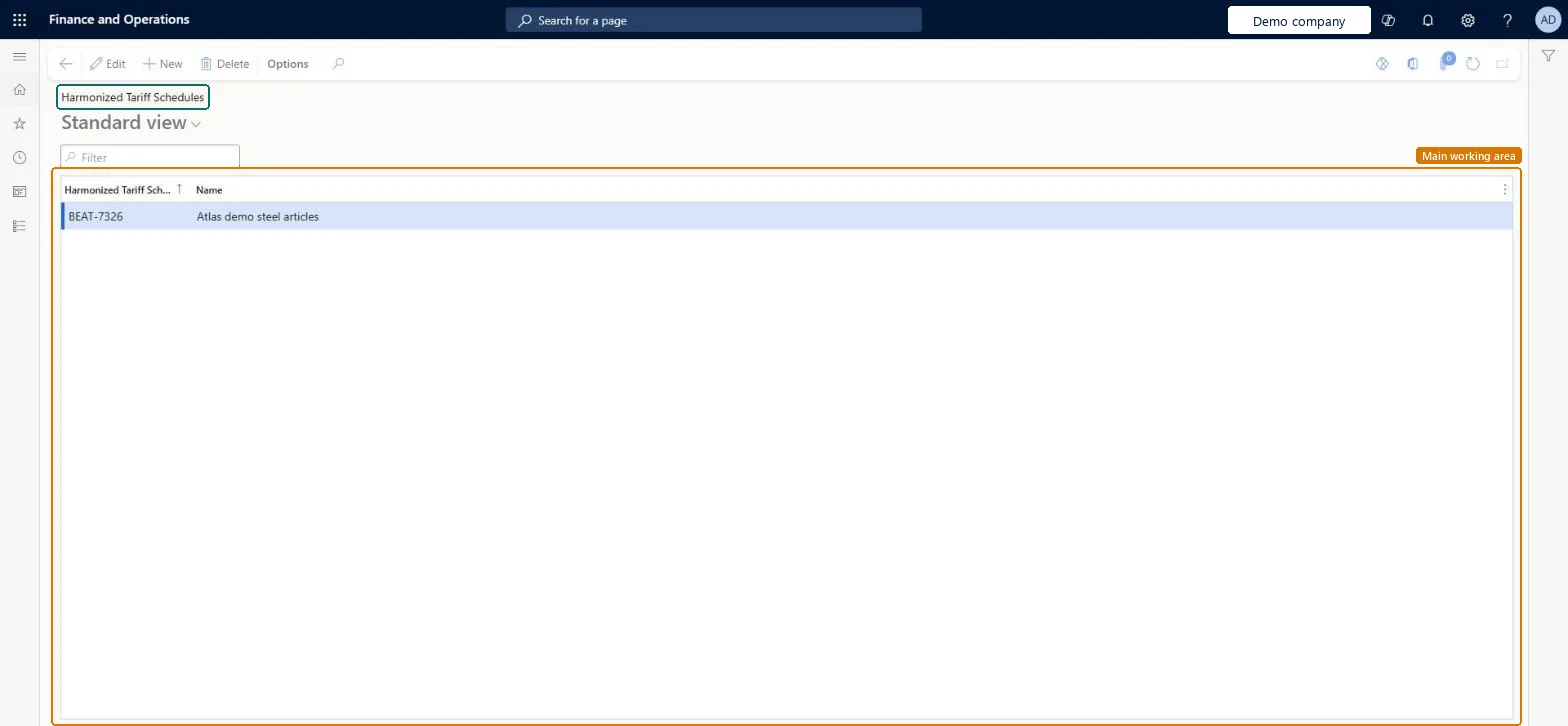
Set up Harmonized Tariff Schedules
Use this page to maintain the Harmonized Tariff Schedule codes that are available in Transportation management.
How to use it
Go to Transportation management > Setup > Transportation standards > Harmonized Tariff Schedules.
On the Action Pane, select New to add a line.
In the first column, enter the Harmonized Tariff Schedule code, and in the Name field, enter a name for it.
To change an existing line, select Edit, or to remove a line, select Delete.
WHSHarmonizedShown as “HARMONIZED TARIFF SCHEDULES” in Record infoKey field: HarmonizedCodeChecked in Dynamics 365
Data entities
WHSProductHarmonizedTariffCodeEntityProduct harmonized tariff codes Microsoft data model
Who can open it
PrivilegesMaintain harmonized items WHSHarmonizedMaintainView harmonized items WHSHarmonizedViewDutiesInquire into carrier master and network planning information TMSCarrierMasterInquireMaintain carrier and network planning master TMSCarrierMasterMaintainInquire into warehouse operation master WMSWarehouseOperationMasterInquireMaintain warehouse operation master WMSWarehouseOperationMasterMaintain8 security rolesField Service Integration User FieldServiceIntegrationUserProduction supervisor ProdProductionSupervisorProcess engineer RouteProcessEngineerProcess engineering manager RouteProcessEngineeringManagerLogistics manager TMSLogisticsManagerTransportation coordinator TMSTransportationCoordinatorWarehouse planner WHSWarehousePlannerWarehouse manager WMSWarehouseManagerChecked in Dynamics 365
Roles to set it up and use it
To set it up or change itLogistics manager TMSLogisticsManagerWarehouse manager WMSWarehouseManagerProcess engineer RouteProcessEngineerTo use itTransportation coordinator TMSTransportationCoordinatorWarehouse planner WHSWarehousePlannerProcess engineering manager RouteProcessEngineeringManagerField Service Integration User FieldServiceIntegrationUserProduction supervisor ProdProductionSupervisorGive people one of these roles. On this system, 8 roles can open this page.Checked in Dynamics 365
WHSProductHarmonizedTariffCodeEntity (Product harmonized tariff codes): shared by all companies, in Microsoft's default template 405 - Transportation management.Load order: Microsoft's default template 405 - Transportation management loads Product harmonized tariff codes at execution unit 1, level 30, sequence 10. Lower levels load first, and entities at the same level load in sequence order.Load first: the default templates at lower levels (System setup to General ledger)Microsoft Learn