PAGE GUIDEWhat the page does and how to use it8 sections. Choose a role to highlight what matters to you.
Everyone
1What it is and why
What it is
A setup page where you record the carrier customer account number for a shipping carrier and carrier service, by site and warehouse.
What you do here
Use this page to store the account number that is used to verify and authenticate the connection to a shipping carrier, for example for small parcel shipping.
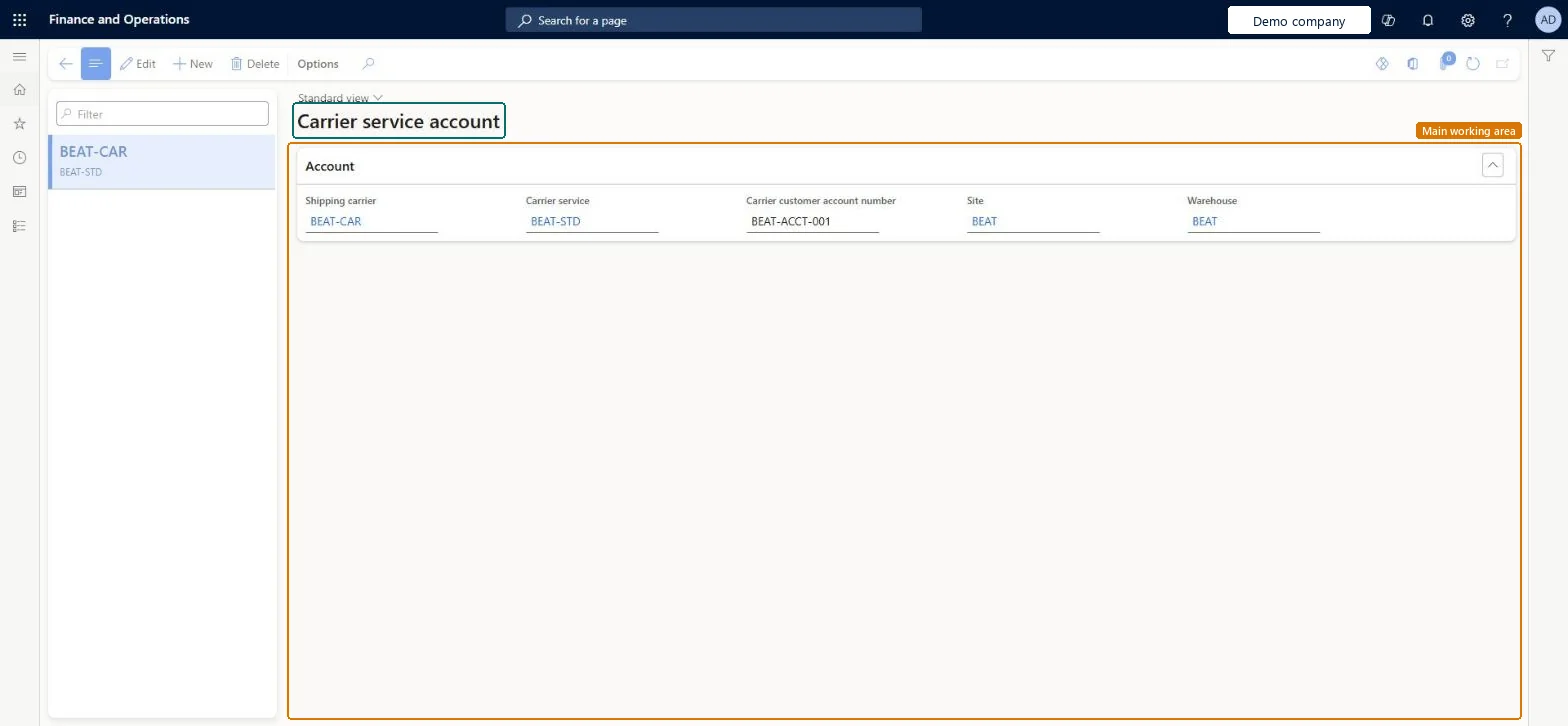
The page in Dynamics 365. page title tab to open what to set or check
About the examples: Examples and screenshots in this guide use BEAT, a demo company in a Dynamics 365 test environment. Use your own company's codes and values instead of copying them.
Setup steps on this page
Set up Carrier service account
Use this page to store the account number that is used to verify and authenticate the connection to a shipping carrier, for example for small parcel shipping.
Steps from Microsoft
Go to Transportation management > Setup > Rating > Carrier service account.
On the Action Pane, select New to add a carrier service account.
Select the Shipping carrier and the Carrier service.
In the Carrier customer account number field, enter the account number provided by your carrier.
The account number provided by the carrier and used to verify and authenticate the connection to the shipping carrier. It is often the only value needed to authenticate.Microsoft Learn
CarrierCustomerAccountNumber
Test checklist
Check that a small parcel rate engine is deployed and set up on the Rate engine page, and that the carrier's rating profile uses it.
Create a carrier service account for the carrier, carrier service, site and warehouse with the carrier's account number.
Create a sales order with that shipping carrier and carrier service, release it to the warehouse and complete the pick work.
Pack the shipment, close the container and check that a shipping label prints and Container manifest ID and Total freight are filled in from the carrier.
One record per shipping carrier and carrier service (by site and warehouse) with the Carrier customer account number the carrier providesThe Carrier customer account number is used to verify and authenticate the connection to the carrier for small parcel shipping, and the carrier supplies it.
Assuming the account number is enough for every carrier. If the carrier needs more authentication parameters, the page must be customised, and Supply Chain Management doesn't include any carrier rate engines, so one must be built or obtained first.
Solution architect
5Design impact
Can it be undone
Reversible: Records can be edited or added when the carrier changes the account number or you start shipping from another site or warehouse. Microsoft Learn
Technical architect
6Technical
Menu item
TMSShippingCarrierCustomerAccountCriteriaChecked in Dynamics 365
Form
TMSShippingCarrierCustomerAccountCriteriaChecked in Dynamics 365
Table
TMSShippingCarrierCustomShown as “CARRIER SERVICE ACCOUNT CRITERIA” in Record infoChecked in Dynamics 365
Data entities
TMSShippingCarrierCustomerAccountCriterionEntityCarrier service account criteria Microsoft data model
Who can open it
PrivilegesMaintain carrier service account TMSShippingCarrierCustomerAccountCriteriaMaintainView carrier service account TMSShippingCarrierCustomerAccountCriteriaViewDutiesInquire into carrier master and network planning information TMSCarrierMasterInquireMaintain carrier and network planning master TMSCarrierMasterMaintainInquire carrier service account master TMSShippingCarrierCustomerAccountCriteriaInquireMaintain carrier service account master TMSShippingCarrierCustomerAccountCriteriaMaintain3 security rolesLogistics manager TMSLogisticsManagerTransportation coordinator TMSTransportationCoordinatorWarehouse manager WMSWarehouseManagerChecked in Dynamics 365
Roles to set it up and use it
To set it up or change itLogistics manager TMSLogisticsManagerWarehouse manager WMSWarehouseManagerTo use itTransportation coordinator TMSTransportationCoordinatorGive people one of these roles. On this system, 3 roles can open this page.Checked in Dynamics 365