About the examples: Examples and screenshots in this guide use BEAT, a demo company in a Dynamics 365 test environment. Use your own company's codes and values instead of copying them.
Setup steps on this page
Set up Fuel indexes
Use this page to record the current fuel prices for the regions where you operate, so that fuel prices can be tracked as they change over time.
Steps from Microsoft
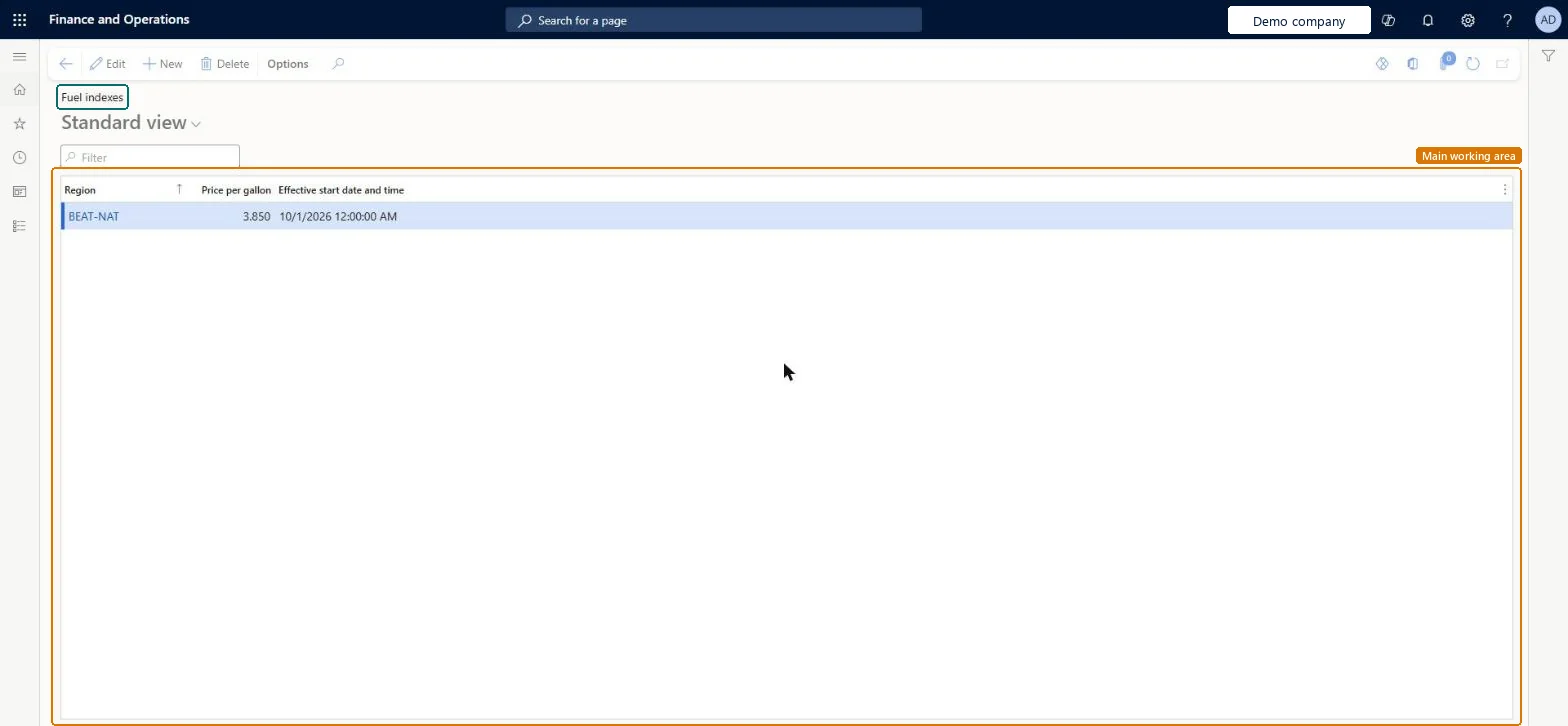
Go to Transportation management > Setup > Fuel indexes > Fuel indexes.
Select New.
In the Region field, select the region.
In the Price per gallon field, enter a number.
In the Effective start date and time field, enter a date and time.
A new row per region each time the published fuel price changes, with its own Effective start date and timeThe fuel index holds the price for a period, so adding dated rows keeps the history and lets the surcharge follow prices over time.
Overwriting the price on the existing row, which loses the history and applies the new price to the wrong period.
PrivilegesMaintain fuel index records TMSFuelIndexMaintainView fuel index details TMSFuelIndexViewDutiesInquire into carrier master and network planning information TMSCarrierMasterInquireMaintain carrier and network planning master TMSCarrierMasterMaintain2 security rolesLogistics manager TMSLogisticsManagerTransportation coordinator TMSTransportationCoordinatorChecked in Dynamics 365
Roles to set it up and use it
To set it up or change itLogistics manager TMSLogisticsManagerTo use itTransportation coordinator TMSTransportationCoordinatorGive people one of these roles. On this system, 2 roles can open this page.Checked in Dynamics 365
TMSFuelIndexEntity (Fuel indexes): loaded for each company, in Microsoft's default template 405 - Transportation management.Load order: Microsoft's default template 405 - Transportation management loads Fuel indexes at execution unit 1, level 40, sequence 10. Lower levels load first, and entities at the same level load in sequence order.Load first: Fuel index regions, the default templates at lower levels (System setup to dependency bands 30 to 90)Microsoft Learn