PAGE GUIDEWhat the page does and how to use it8 sections. Choose a role to highlight what matters to you.
Everyone
1What it is and why
What it is
A setup page where you specify the freight bill type that is used for a shipping carrier.
What you do here
Use this page to assign a freight bill type to a carrier, so that the system can determine the matching requirements when an invoice is received from that carrier.
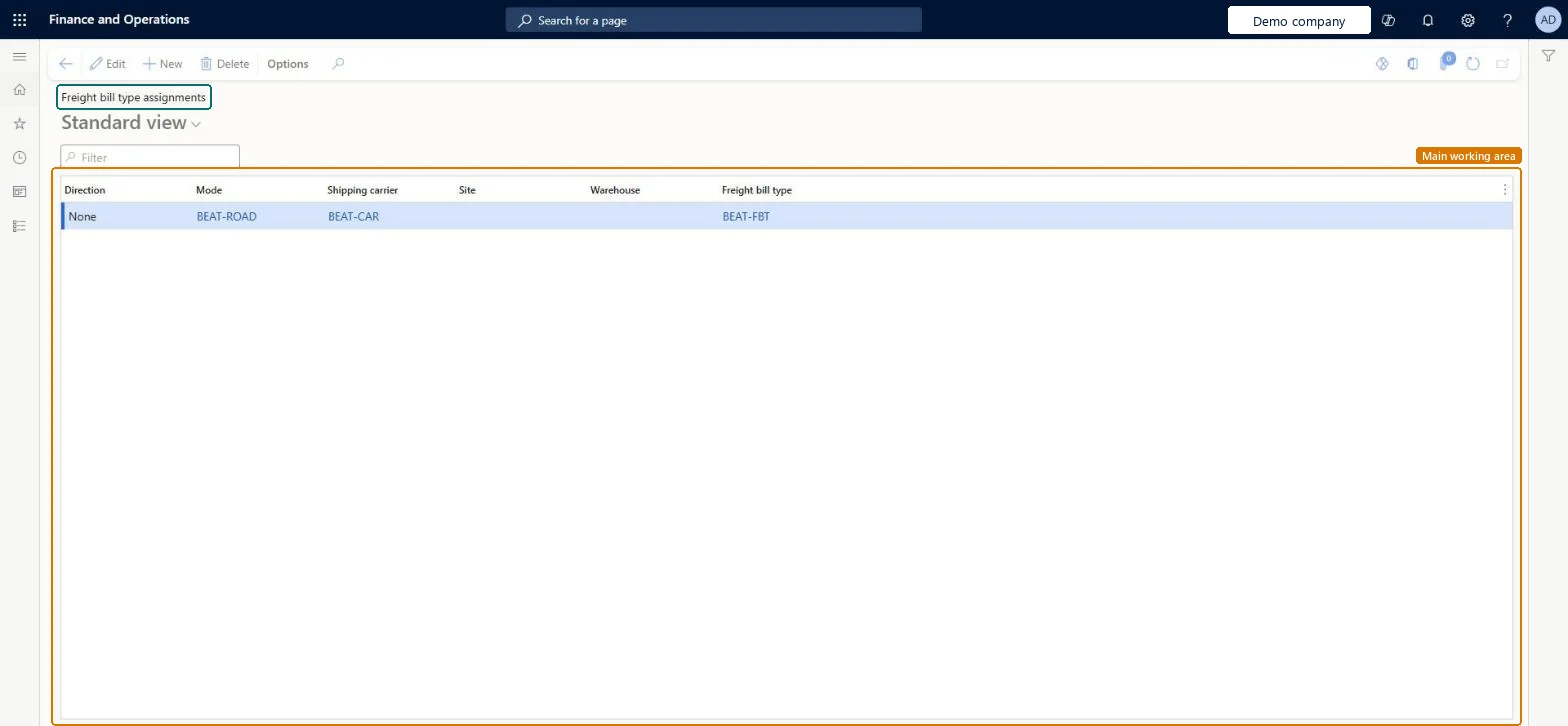
The page in Dynamics 365. page title tab to open what to set or check
About the examples: Examples and screenshots in this guide use BEAT, a demo company in a Dynamics 365 test environment. Use your own company's codes and values instead of copying them.
Setup steps on this page
Set up Freight bill type assignments
Use this page to assign a freight bill type to a carrier, so that the system can determine the matching requirements when an invoice is received from that carrier.
Steps from Microsoft
Go to Transportation management > Setup > Freight reconciliation > Freight bill type assignments.
Select New.
In the Mode field, enter or select a value.
In the Shipping carrier field, enter or select a value.
In the Freight bill type field, select the freight bill type that you created earlier.
One assignment per mode and shipping carrier; leave Site and Warehouse blank when the carrier ships from or to several sites and warehouses in the legal entityThe assignment tells the system which freight bill type, and so which matching requirements, to use when an invoice arrives from the carrier. Microsoft says to leave Site and Warehouse blank for carriers that serve multiple sites and warehouses.
Filling in one site and warehouse for a carrier that serves several, so invoices for the other sites have no freight bill type to match against.
Solution architect
5Design impact
Can it be undone
Reversible: Assignments can be changed at any time and apply to carrier invoices received afterwards. Microsoft Learn
Technical architect
6Technical
Menu item
TMSFreightBillTypeAssignmentChecked in Dynamics 365
Form
TMSFreightBillTypeAssignmentChecked in Dynamics 365
Table
TMSFreightBillTypeAssignmentShown as “FREIGHT BILL TYPE ASSIGNMENTS” in Record infoChecked in Dynamics 365
Data entities
TMSFreightBillTypeAssignmentEntityFreight bill type assignments Microsoft data model
Who can open it
PrivilegesMaintain freight bill type assignments TMSFreightBillTypeAssignmentMaintainView freight type assignments TMSFreightBillTypeAssignmentViewDutiesInquire into freight reconciliation master TMSFreightReconcileMasterInquireMaintain freight reconciliation master TMSFreightReconcileMasterMaintain2 security rolesLogistics manager TMSLogisticsManagerTransportation coordinator TMSTransportationCoordinatorChecked in Dynamics 365
Roles to set it up and use it
To set it up or change itLogistics manager TMSLogisticsManagerTo use itTransportation coordinator TMSTransportationCoordinatorGive people one of these roles. On this system, 2 roles can open this page.Checked in Dynamics 365