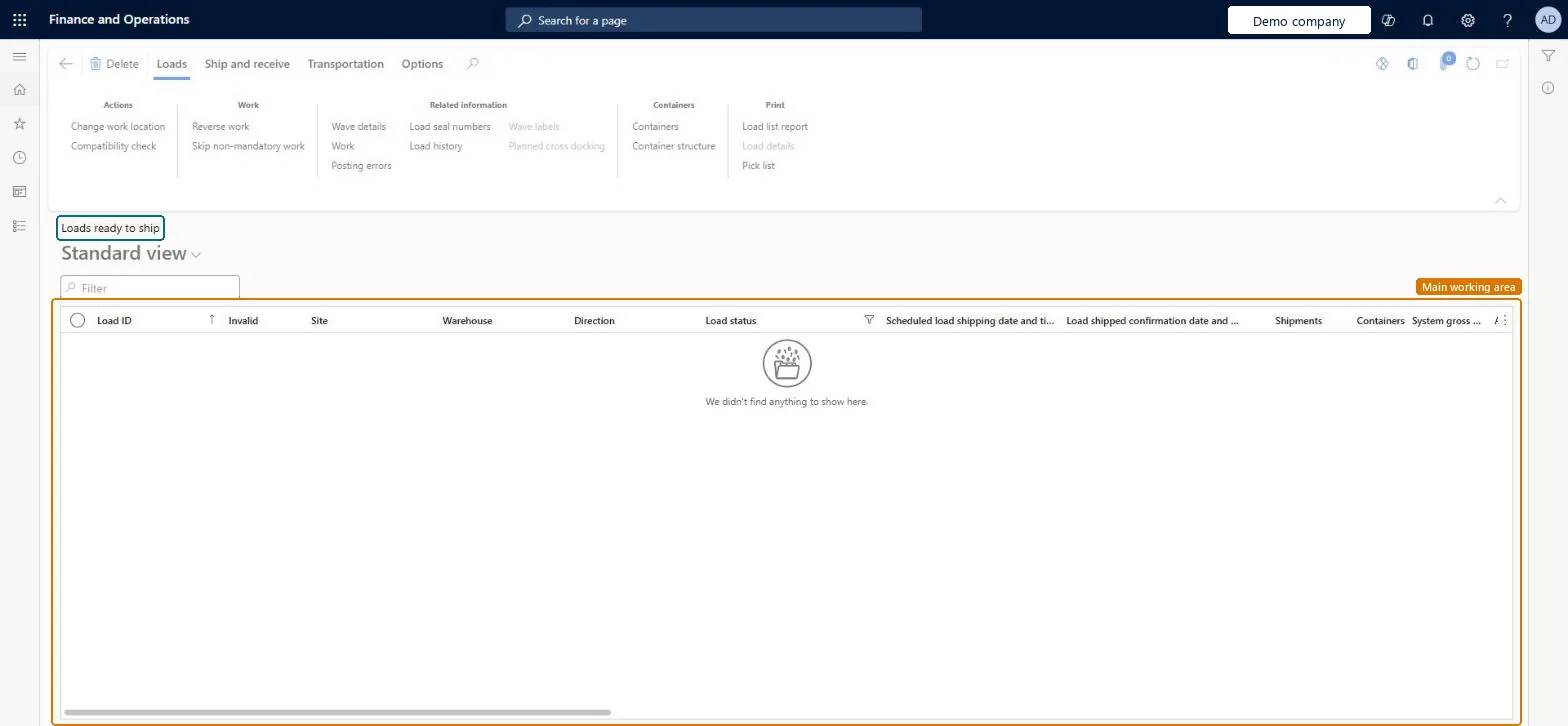
About the examples: Examples and screenshots in this guide use BEAT, a demo company in a Dynamics 365 test environment. Use your own company's codes and values instead of copying them.
How to use it
Go to Transportation management > Planning > Loads > Loads ready to ship.
Use the Filter box or the column headers to find a load.
Select a load in the list.
On the Ship and receive tab of the Action Pane, choose the shipping action you need.
Use the Print group on the Loads tab for the Load list report and Pick list.
Source: Checked in Dynamics 365
Common errors and fixes
Message
What to do
Some of the items that are needed for load %1 have not yet been picked and moved to the final shipping location.
Complete the pick work to the final shipping location and check picked and work created quantities match on the load line. Microsoft Learn
Test checklist
Create a load for a sales order on the Outbound load planning workbench and check it shows with Load status Open.
Select Release > Release to warehouse and check the load status becomes Waved.
Pick the work on the Warehouse Management mobile app and check the load moves through In process.
After all work is closed, select Ship and receive > Confirm > Outbound shipment and check the status becomes Shipped.
Check the load appears in, and drops out of, this list at the expected status.
Hard to reverse: Status moves forward with the work: release to warehouse sets Waved, picking sets In process, shipment confirmation sets Shipped and queues packing slip posting. A load can only be split while its status is less than Loaded. Reversing a confirmed shipment is only possible while the related transactions are not finalized. Microsoft Learn
Technical architect
5Technical
Menu item
WHSLoadPlanningListPageLoadedChecked in Dynamics 365
Form
WHSLoadPlanningListPageChecked in Dynamics 365
Table
WHSLoadTableShown as “LOADS” in Record infoKey field: LoadIdChecked in Dynamics 365
PrivilegesMaintain loaded load planning using a list page WHSLoadPlanningListPageLoadedMaintainView loaded load planning using a list page WHSLoadPlanningListPageLoadedViewDutiesReview transportation management process performance TMSTransportationMgmtProcessPerfReviewMaintain load planning WHSLoadPlanningMaintainInquire into load planning progress WHSLoadPlanningProgressInquire4 security rolesLogistics manager TMSLogisticsManagerTransportation coordinator TMSTransportationCoordinatorWarehouse planner WHSWarehousePlannerWarehouse manager WMSWarehouseManagerChecked in Dynamics 365
Roles to set it up and use it
To set it up or change itTransportation coordinator TMSTransportationCoordinatorTo use itLogistics manager TMSLogisticsManagerWarehouse manager WMSWarehouseManagerWarehouse planner WHSWarehousePlannerGive people one of these roles. On this system, 4 roles can open this page.Checked in Dynamics 365
Actions on the page
LoadsShip and receiveTransportationChecked in Dynamics 365
WHSInboundLoadHeaderEntity (Inbound load header): loaded for each company.WHSOutboundLoadHeaderEntity (Outbound load header): loaded for each company.Microsoft Learn