BeyondERP.Newsletter
Menu

Job page · Transportation management

Transportation system error log

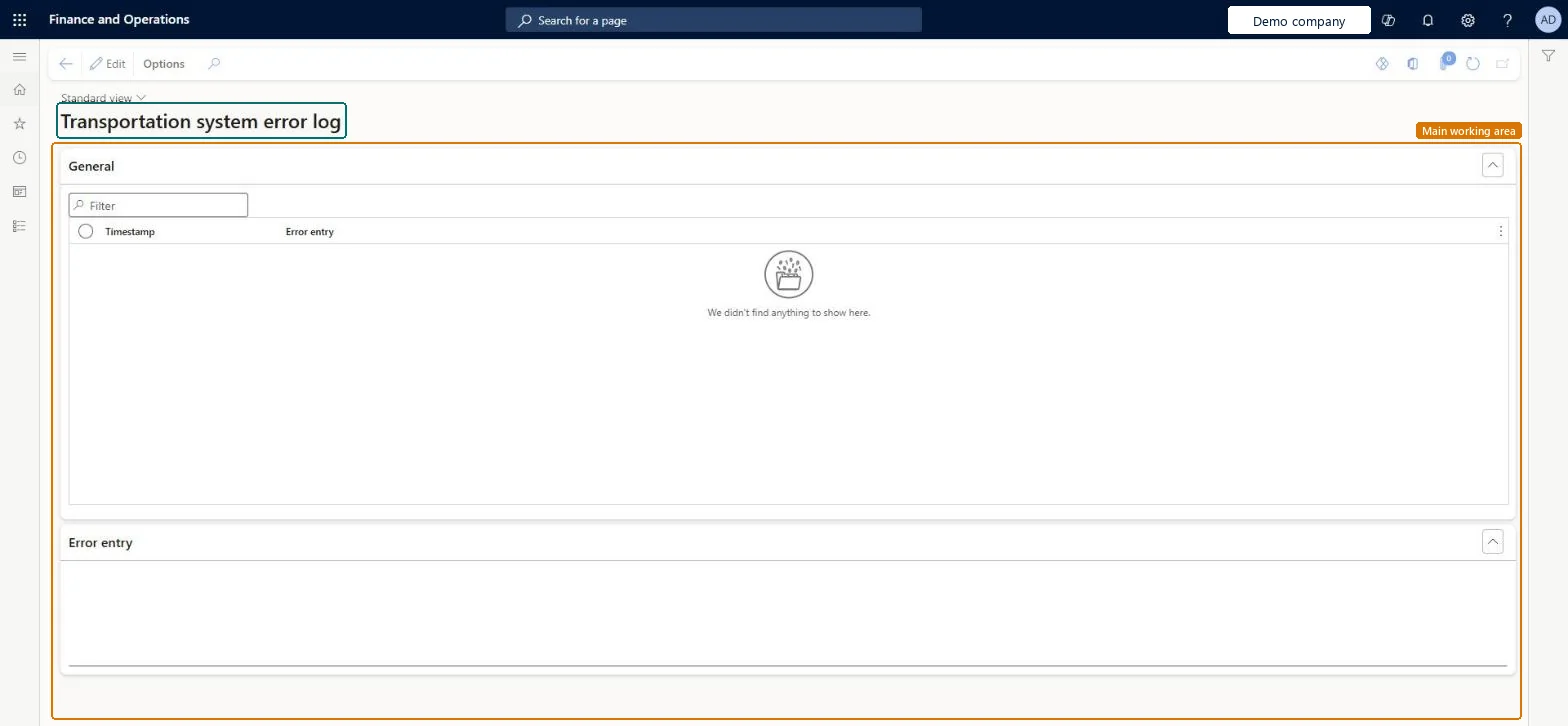
An inquiry page that shows the entries in the transportation system error log, each with a timestamp and the text of the error entry.

Used by
Logistics manager, Transportation coordinator, Warehouse planner and 1 more role
Business process
Manage freight and transportation
Menu item
TMSErrorLog
Main table
TMSErrorLog
Show what matters for
PAGE GUIDEWhat the page does and how to use it7 sections. Choose a role to highlight what matters to you.
Everyone

1What it is and why

What it isAn inquiry page that shows the entries in the transportation system error log, each with a timestamp and the text of the error entry.
What you do hereUse this page to review the errors that are logged by Transportation management and read the detail of each error entry.
Transportation system error log page in Dynamics 365
The page in Dynamics 365. page title tab to open what to set or check
Functional consultant · Solution architect

2Where it fits

Business processManage freight and transportation
Menu pathTransportation management › Periodic tasks › Transportation system error log
End user · Functional consultant

3How to do it

About the examples: Examples and screenshots in this guide use BEAT, a demo company in a Dynamics 365 test environment. Use your own company's codes and values instead of copying them.

When to run it

When to run itWhen a Transportation management process reports a problem and you need the logged error text and the time it was logged.
How oftenOn demand, whenever a transportation error has to be investigated.
What the output showsError log entries for the current legal entity, each with a timestamp and the full error text. If a failure has no entry, check that you're in the legal entity where it happened, because each legal entity keeps its own log.

Source: Microsoft Learn

Steps from Microsoft

  1. Go to Transportation management > Periodic tasks > Transportation system error log.
  2. On the General FastTab, narrow the list to the entries around the time the problem happened.
  3. Select an entry in the grid to see its Timestamp and the start of the Error entry text.
  4. Read the full text of the selected entry on the Error entry FastTab, and match its timestamp to the transportation action that failed.

Source: Microsoft Learn

Solution architect

4Design impact

Shared or per companyPer company: each legal entity has its own records. Microsoft data model
Can it be undoneNothing to undo: The log only shows recorded errors; reading it changes nothing. Microsoft Learn
Technical architect

5Technical

Menu itemTMSErrorLog Checked in Dynamics 365
FormTMSErrorLog Checked in Dynamics 365
TableTMSErrorLogShown as “TRANSPORTATION SYSTEM ERROR LOG” in Record infoChecked in Dynamics 365
Who can open itPrivilegesMaintain the TMS error log TMSErrorLogMaintainView the TMS error log TMSErrorLogViewDutiesMaintain load planning WHSLoadPlanningMaintainInquire into load planning progress WHSLoadPlanningProgressInquire
4 security rolesLogistics manager TMSLogisticsManagerTransportation coordinator TMSTransportationCoordinatorWarehouse planner WHSWarehousePlannerWarehouse manager WMSWarehouseManager
Checked in Dynamics 365
Roles to set it up and use itTo set it up or change itTransportation coordinator TMSTransportationCoordinatorTo use itLogistics manager TMSLogisticsManagerWarehouse manager WMSWarehouseManagerWarehouse planner WHSWarehousePlannerGive people one of these roles. On this system, 4 roles can open this page.Checked in Dynamics 365
Developer

6Developer

Open it by URLhttps://<your-environment>/?mi=TMSErrorLog
Table definitionTMSErrorLog columns and relations Microsoft data model
Everyone

7Sources