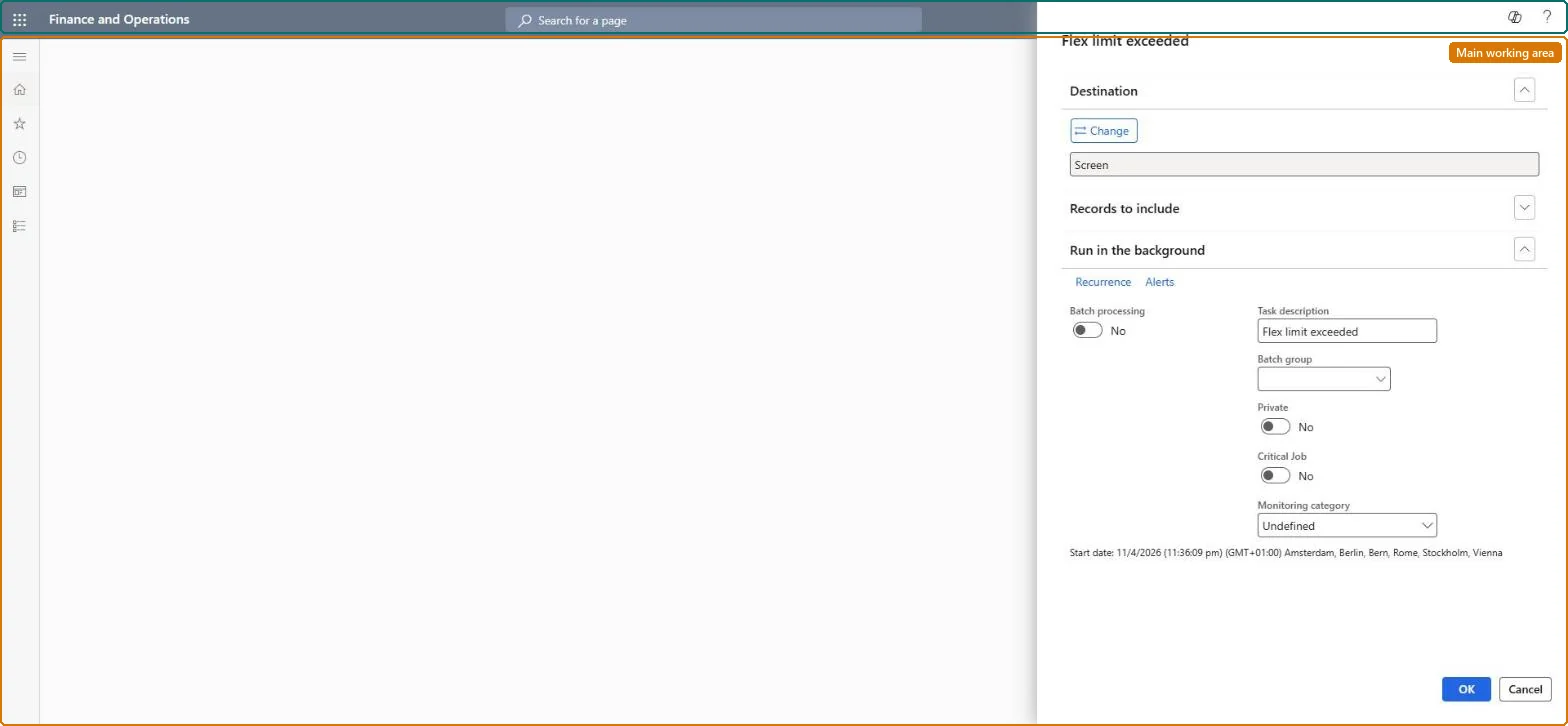
Time and attendanceInquiries and reportsFlex time reports
JmgFlexCheck
Business process
Record employee time
Menu item
JmgFlexCheck
Setup steps
1 on this page
Show what matters for
PAGE GUIDEWhat the page does and how to use it8 sections. Choose a role to highlight what matters to you.
Everyone
1What it is and why
What it is
A report that shows workers whose flex balance has gone past the limit set on their flex group.
What you do here
Run this report to find workers who have exceeded the allowed flex minimum so their pay and flex account can be adjusted.
Example
For example, a worker with -4.0 hours flex in a flex group with a minimum of -0.5 is listed; Transfer to pay then adjusts the balance by 3.5 hours and can deduct those hours from pay.
The page in Dynamics 365. page title tab to open what to set or check
About the examples: Examples and screenshots in this guide use BEAT, a demo company in a Dynamics 365 test environment. Use your own company's codes and values instead of copying them.
When to run it
When to run it
Before flex regulations run, either through Adjust flex balance or Transfer to pay.
How often
Once per pay period, before Transfer to pay.
What the output shows
The workers whose flex balance is above the flex maximum or below the flex minimum of their flex group, with the balance and the limit. A worker you didn't expect usually has a missing absence or flex correction.
Time and attendance roles come from the security read in the Technical section. On this system access comes from duties such as Production supervisor, Payroll administrator, Payroll manager. The Microsoft Learn article for this page names no Feature management feature to turn on.
Per company: Time and attendance data is kept per legal entity (every Time and attendance entity in Data management is per company), so the job or report works on the registrations of the company it is run in. Microsoft Learn
Can it be undone
Nothing to undo: The exception list only reads flex balances; it changes nothing. Microsoft Learn
If you change it later
The report changes no data; the listed workers are regulated by Adjust flex balance or Transfer to pay. Microsoft Learn
Technical architect
6Technical
Menu item
JmgFlexCheckChecked in Dynamics 365
Form
SysOperationTemplateFormChecked in Dynamics 365
Roles to set it up and use it
To use itProduction supervisor ProdProductionSupervisorPayroll administrator HcmPayrollAdministratorPayroll manager HcmPayrollManagerChief executive officer CompanyChiefExecutiveOfficerGive people one of these roles. On this system, 4 roles can run this page.Checked in Dynamics 365
Developer
7Developer
Open it by URL
https://<your-environment>/?mi=JmgFlexCheck
Data migration
Load order: The Flex limit exceeded report has no data entity in Data management, so it can't be loaded from a file or a configuration template. It only prints data; set up its batch printing again if it is scheduled.Checked in Dynamics 365