Setup page · Tax
Additional fields
A setup page for additional fields, which hold extra information that must be reported for a message or message item.
- Used by
- Accounts payable clerk, Collections manager, Accounts receivable clerk and 6 more roles
- Business process
- Report tax and financial data to authorities in Dynamics 365 Finance
- Menu item
EMAdditionalFields- Main table
EMAdditionalFields- Data entity
- —
- Setup steps
- 1 on this page
Show what matters for
Everyone
1What it is and why
| What it is | A setup page for additional fields, which hold extra information that must be reported for a message or message item. |
|---|---|
| What you do here | Used when the transaction tables don't hold all the data that a report needs, so users or classes can fill in the extra values. |
| Example | — |
Functional consultant · Solution architect
2Where it fits
| Business process | Record financial transactions › Record tax commitments › Report tax and financial data to authorities in Dynamics 365 Finance |
|---|---|
| Menu path | Tax › Setup › Electronic messages › Additional fields |
| Set up first | — |
| Used next by | Electronic message processing Microsoft Learn ↗ |
| Related pages | — |
End user · Functional consultant
3How to do it
Step by step, with screenshots
Set up Additional fields1 screen
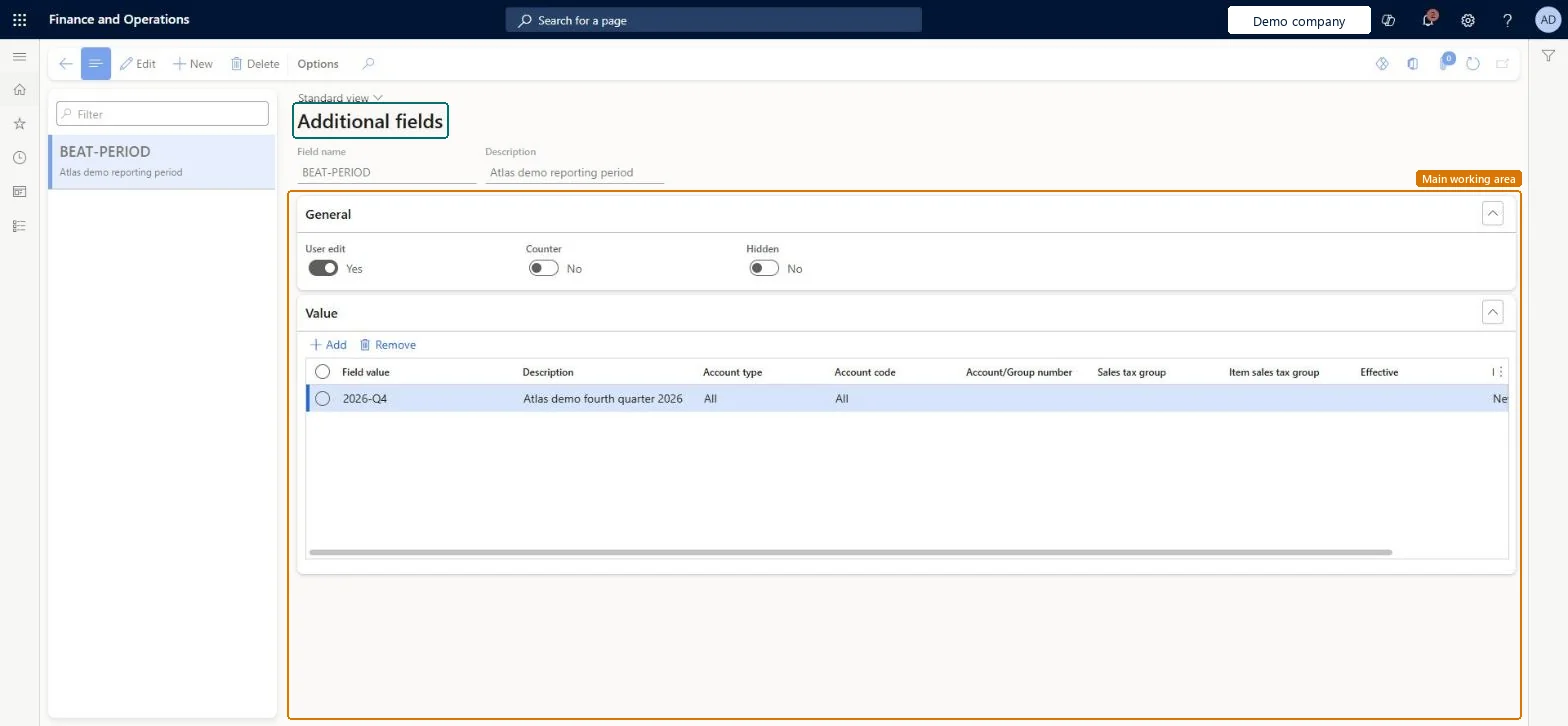
Used when the transaction tables don't hold all the data that a report needs, so users or classes can fill in the extra values.
Screen 1
Create the additional field
Go to Tax > Setup > Electronic messages > Additional fields
- Select New, and enter the Field name and Description
- On the General section, set User edit to Yes
- In the Value section, select Add and enter the Field value and Description
- Select Save
1Field name BEAT-PERIOD 2User edit Yes 3Field value 2026-Q4 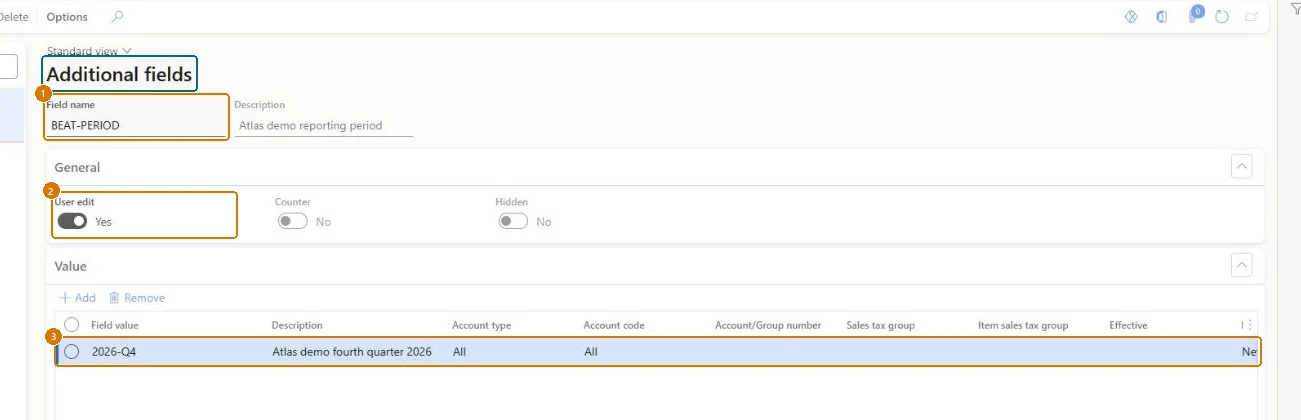
Show the full screen
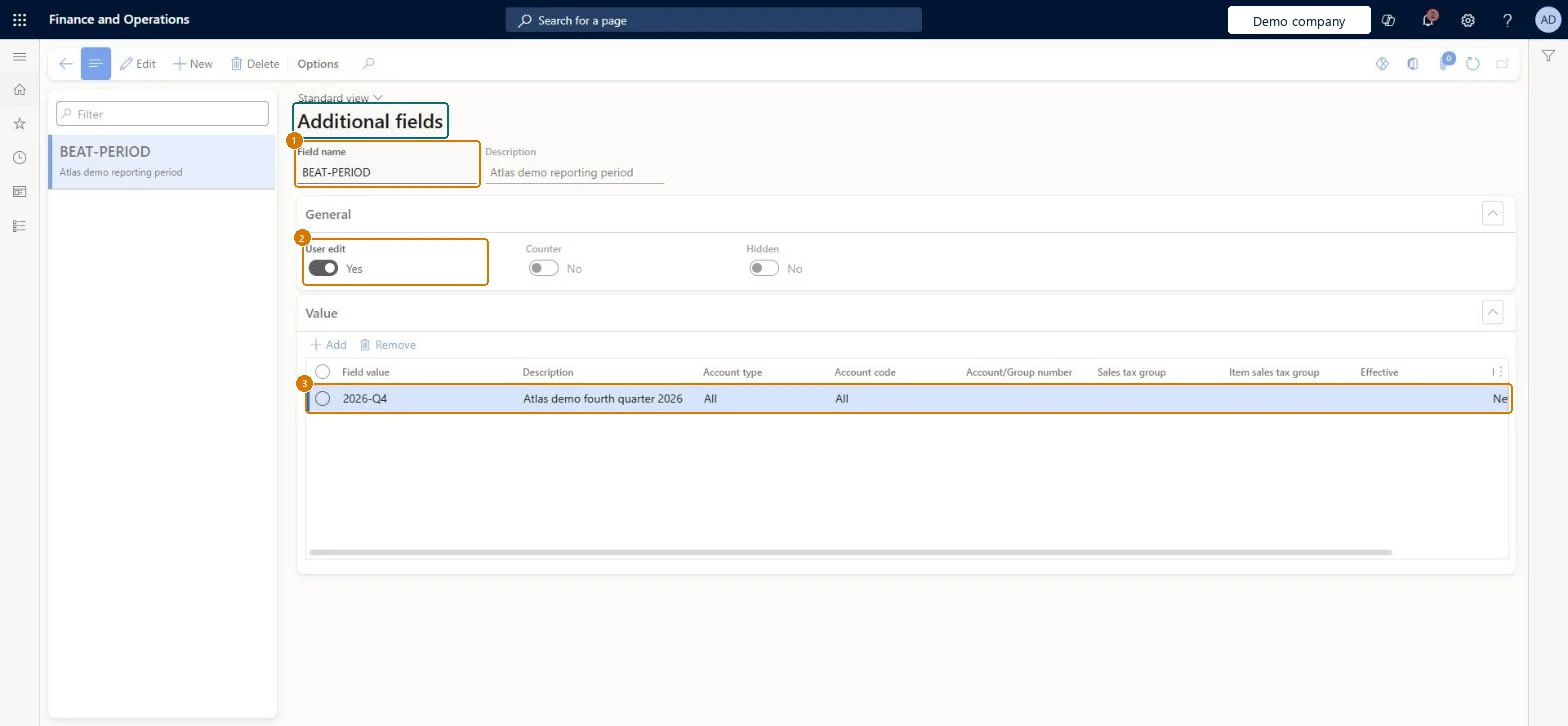
page title tab to open what to set or check
Microsoft's steps
- Go to Tax > Setup > Electronic messages > Additional fields.
- Add an additional field with its name and description.
- On the Values FastTab, add the values that users can choose.
- Set User edit to Yes if users may change the value.
Source: Microsoft Learn ↗
Field guide
| Field | What it means | Worked example | Table column |
|---|---|---|---|
| Field name | The name shown while working with the process; it can also be used in Electronic reporting configurations.Microsoft Learn ↗ | BEAT-PERIOD | — |
| User edit | Lets users change the value of the field.Microsoft Learn ↗ | Yes | — |
| Counter | Fills the field with a number from a sequence when an Electronic reporting export action runs.Microsoft Learn ↗ | — | — |
| Hidden | Hides the field on the Electronic messages and Electronic message items pages.Microsoft Learn ↗ | — | — |
| Field value | A predefined value that users can select during reporting.Microsoft Learn ↗ | 2026-Q4 | — |
| Account type | Limits a value to All, Customer or Vendor accounts.Microsoft Learn ↗ | — | — |
| Effective | The date from which the value is used.Microsoft Learn ↗ | — | — |
| Expiration | The date after which the value is no longer used.Microsoft Learn ↗ | — | — |
Functional consultant
4Setup decisions
| Setup step | Recommended value and why | Decision · common mistake · test |
|---|---|---|
| Set up Additional fields | — | — |
Solution architect
5Design impact
| Shared or per company | — |
|---|---|
| Can it be undone | — |
| Feature or country | — |
| If you change it later | — |
Technical architect
6Technical
| Menu item | EMAdditionalFields Checked in Dynamics 365 |
|---|---|
| Form | EMAdditionalFields Checked in Dynamics 365 |
| Table | EMAdditionalFieldsShown as “Additional fields” in Record infoChecked in Dynamics 365 |
| Data entities | — |
| Who can open it | PrivilegesMaintain electronic messages ElectronicMessageMaintainView electronic messages ElectronicMessageViewDutiesMaintain sales tax transactions TaxSalesTaxTransactionsMaintainInquire into sales tax transaction status TaxSalesTaxTransactionStatusInquire9 security rolesCollections managerCollectionLetterCollectionsManagerAccounts receivable clerk CustInvoiceAccountsReceivableClerkAccounts receivable manager CustInvoiceAccountsReceivableManagerTax accountant FBTaxAccountant_BRAccountant LedgerAccountantAccounting manager LedgerAccountingManagerAccounting supervisor LedgerAccountingSupervisorSales manager TradeSalesManagerAccounts payable clerk VendInvoiceAccountsPayableClerk |
| Actions on the page | Options: Personalize, Page options, ShareChecked in Dynamics 365 |
Developer
7Developer
| Open it directly | https://<your-environment>/?mi=EMAdditionalFields |
|---|---|
| Integrate with | — |
| Table definition | — |
Everyone
8Sources and checks
- learn.microsoft.com/dynamics365/finance/general-ledger/electronic-messaging-setup
- learn.microsoft.com/dynamics365/finance/general-ledger/electronic-messaging-example
- Checked in a working Dynamics 365 system, version 10.0.49: the menu item, form, table and security, the page, the demo records and the values in the screenshots.