PAGE GUIDEWhat the page does and how to use it8 sections. Choose a role to highlight what matters to you.
Everyone
1What it is and why
What it is
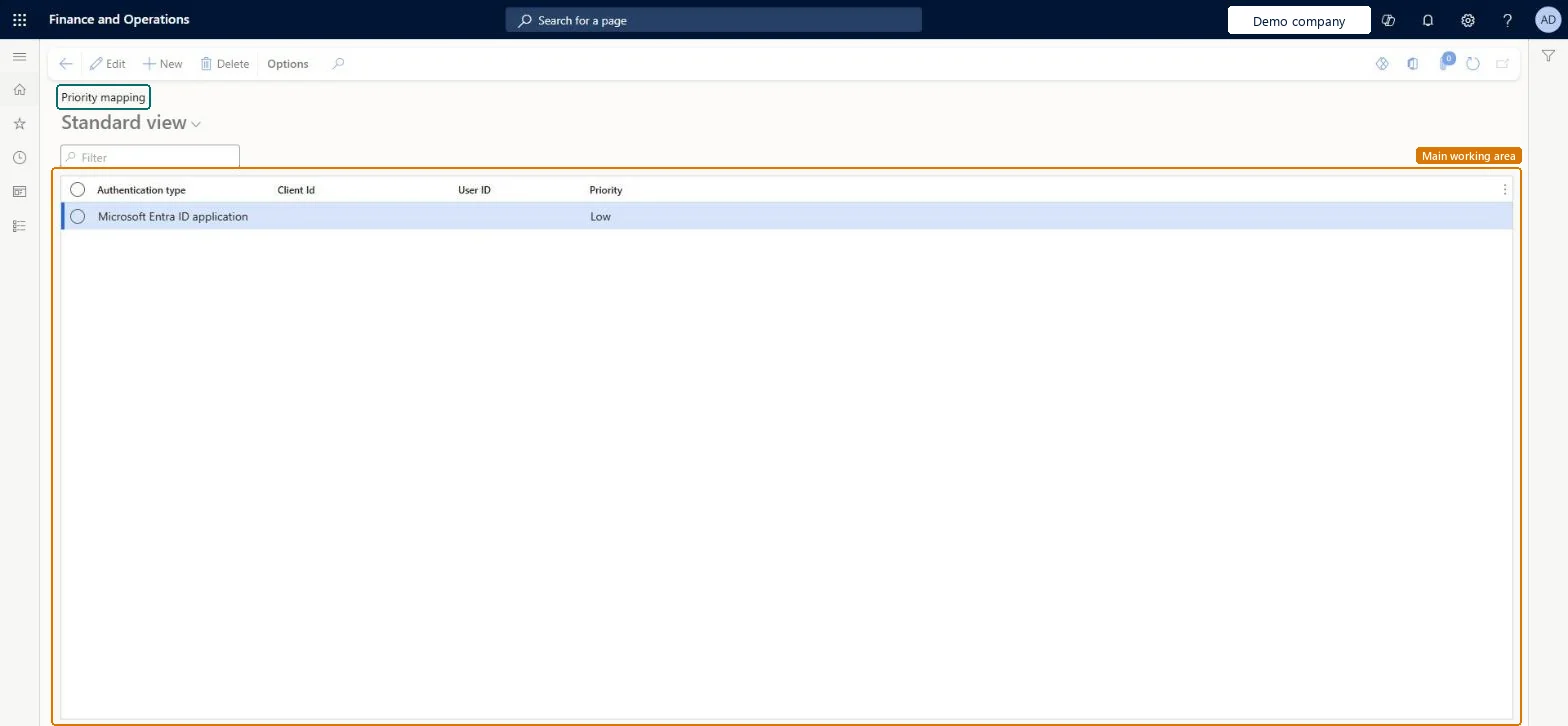
A setup page where you assign a Low, Medium or High priority to an integration app or user, so that low-priority integrations are throttled first.
What you do here
Use this page to protect business-critical OData and custom service integrations when web server resources run short.
Example
For example, BEAT maps the Microsoft Entra application of its warehouse shipping integration to High and the application of a nightly reporting extract to Low, so when web server resources run short the extract is throttled first and receives "Too many requests" responses while shipping keeps running.
The page in Dynamics 365. page title tab to open what to set or check
About the examples: Examples and screenshots in this guide use BEAT, a demo company in a Dynamics 365 test environment. Use your own company's codes and values instead of copying them.
Step by step, with screenshots
Set up Throttling priority mapping1 screen
Use this page to protect business-critical OData and custom service integrations when web server resources run short.
Screen 1
Review the throttling priority mapping
Go to System administration > Setup > Throttling priority mapping
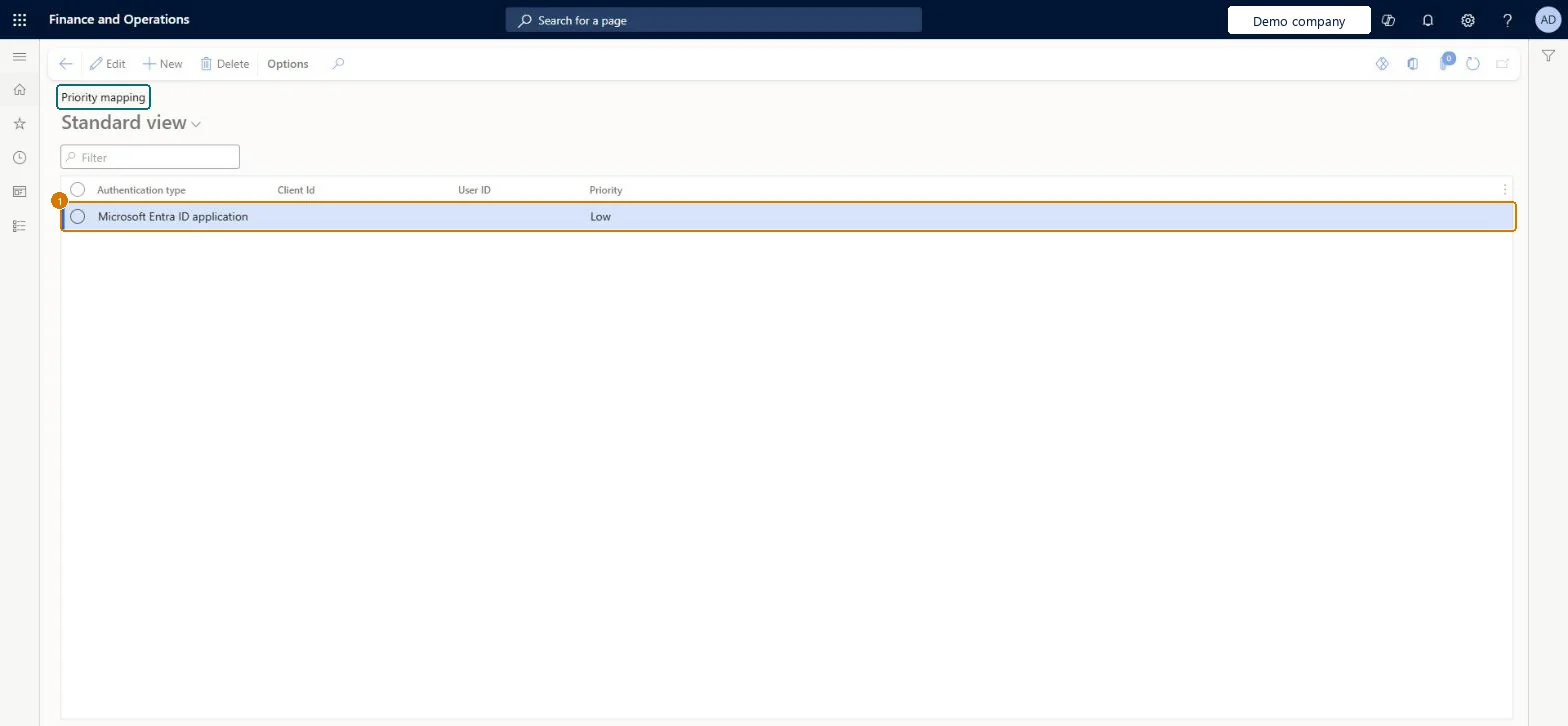
Review the authentication type and the priority of each line
Select New to give a client or user a higher or lower priority than the default
Show the full screen page title tab to open what to set or check
Steps from Microsoft
Go to System administration > Setup > Throttling priority mapping.
Select New.
In the Authentication type field, select User or Microsoft Entra application.
For a Microsoft Entra application, select the registered app in the Client ID field.
For a user, select the service account in the User ID field.
Whether the mapping is for a Microsoft Entra application or for a user.Microsoft Learn
PriorityType
Client ID
The Microsoft Entra application whose API requests get this priority.Microsoft Learn
User ID
The user (usually a service account) whose API requests get this priority.Microsoft Learn
UserId
Priority
Low, Medium or High; higher priorities have higher throttling thresholds.Microsoft Learn
Priority
Common errors and fixes
Message
What to do
Too many requests
The integration was throttled under resource-based limits; give business-critical integrations a higher priority mapping and retry lower-priority calls later. Microsoft Learn
Test checklist
List every OData and custom service integration with its client ID or service user.
Create a mapping for each, with Authentication type, Client ID or User ID, and Priority.
Check that every registered Microsoft Entra application has a mapping.
Review integration logs after a peak period for throttled requests by priority.
High for business-critical OData and custom service integrations, Low for bulk or non-urgent ones, mapped by Microsoft Entra application where the integration uses oneWhen web server resources run short, low-priority integrations are throttled first, so critical integrations keep running.
On this system the page opens for Integration priority manager. Learn names the System administrator and Integration priority manager roles for this setup. No Feature management feature needs to be turned on for this page.
Applies to every OData and custom service request that comes from the mapped Microsoft Entra application or user, and only under resource-based service protection limits; user-based limits are not changed. Microsoft Learn
Can it be undone
Reversible: Change or remove a mapping at any time; it applies to new requests. Microsoft Learn
If you change it later
Priorities only apply to resource-based service protection limits, not to user-based limits. Microsoft Learn
Technical architect
6Technical
Menu item
SysThrottlingPriorityMappingTableChecked in Dynamics 365
Form
SysThrottlingPriorityMappingTableChecked in Dynamics 365
Table
SysThrottlingPriorityMappingTableShown as “Throttling priority mapping” in Record infoChecked in Dynamics 365
To set it up or change itIntegration priority manager SysThrottlingPrioritySecurityRoleGive people one of these roles. On this system, 1 role can open this page.Checked in Dynamics 365
Actions on the page
Options: Personalize, Page options, ShareChecked in Dynamics 365
Load order: Throttling priority mapping has no data entity in Data management, so it can't be loaded from a file or a configuration template. Create the mappings by hand in each environment after the integrations' Microsoft Entra applications and service users exist there.Checked in Dynamics 365
Checked in a working Dynamics 365 system, version 10.0.49: the menu item, form, table and security, the page, the demo records and the values in the screenshots.