PAGE GUIDEWhat the page does and how to use it8 sections. Choose a role to highlight what matters to you.
Everyone
1What it is and why
What it is
A setup page that holds system-wide email templates, such as the ones used for workflow notifications.
What you do here
Use this page to provide the templates for workflows that are system-level (not company specific); company-specific workflows use organization email templates.
Example
For example, BEAT keeps one system template for workflow notifications with Sender email set to a shared mailbox and English as the default language, and adds a Danish message line for users who work in Danish.
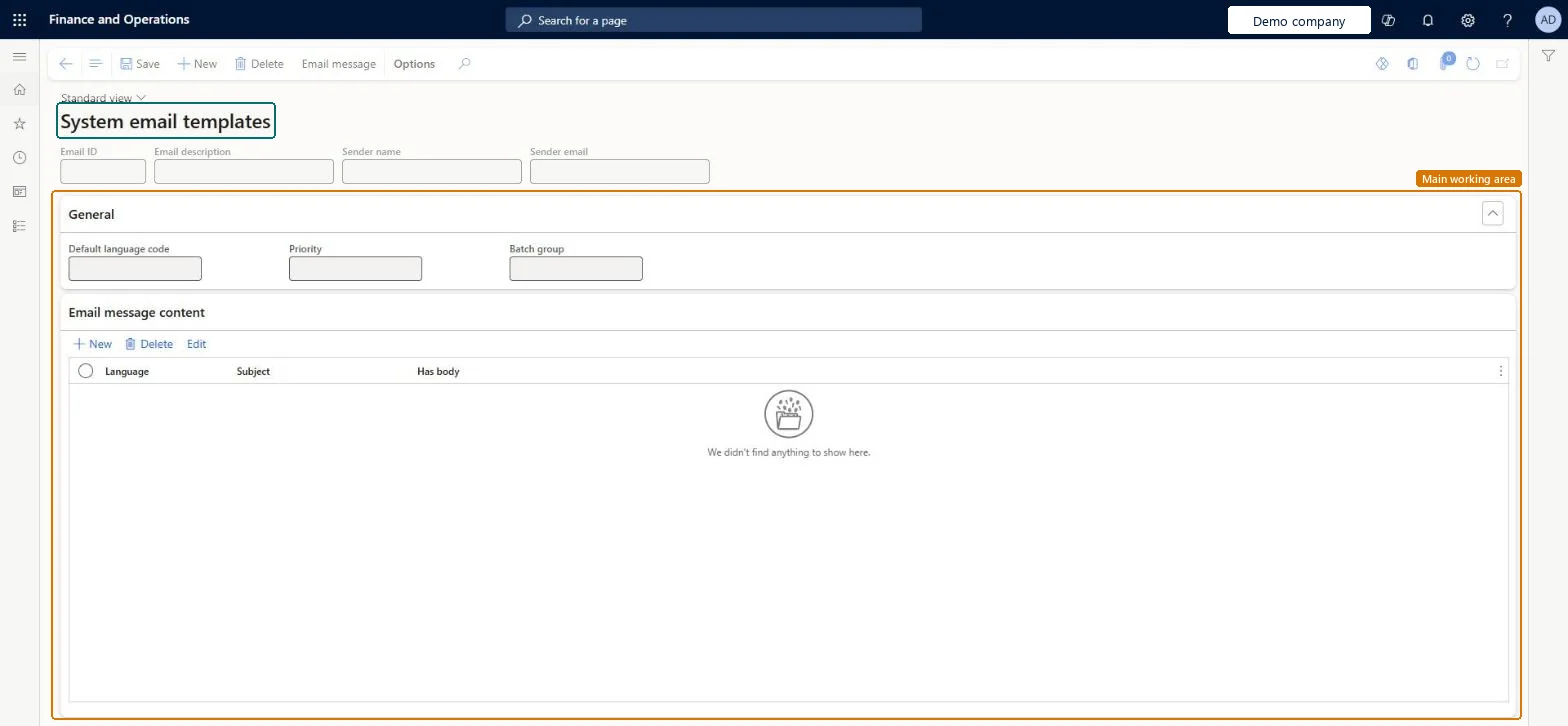
The page in Dynamics 365. page title tab to open what to set or check
About the examples: Examples and screenshots in this guide use BEAT, a demo company in a Dynamics 365 test environment. Use your own company's codes and values instead of copying them.
Setup steps on this page
Set up System email templates
Use this page to provide the templates for workflows that are system-level (not company specific); company-specific workflows use organization email templates.
Steps from Microsoft
Go to System administration > Setup > Email > System email templates.
Select New to add a template.
Fill in the Email ID, Email description, Sender name and Sender email fields.
In the General section, set the Default language code, Priority and Batch group.
In the Email message content section, select New, then add the Language and Subject.
The address the template sends from; it must be set and valid.Microsoft Learn
SenderAddr
Common errors and fixes
Message
What to do
Workflow notification emails aren't sent
Check that Sender email is set and valid on the system template, that an email provider is set on Email parameters, that the Email distributor batch is running, and that the user turned on email notifications under User options > Workflow. Microsoft Learn
Test checklist
Check that the email provider is set up on Email parameters and the Email distributor batch is running.
Check that Sender email is set and valid on the system template.
On User options > Workflow for a test user, turn on email notifications.
Trigger a system-level workflow notification and check that the email arrives from the expected sender.
A valid Sender email on every system email template used for workflow notificationsLearn's workflow email checklist asks you to verify that the Sender email field is set and valid on system email templates.
On this system the page opens for Maintain email message system and View email message system. No Feature management feature needs to be turned on for this page.
Reversible: Edit or replace a template at any time. Microsoft Learn
If you change it later
System-level workflows send their notifications with these templates; company-specific workflows use organization email templates, so a change here doesn't reach them. Microsoft Learn
Technical architect
6Technical
Menu item
SysEmailSystemTableChecked in Dynamics 365
Form
SysEmailSystemTableChecked in Dynamics 365
Table
SysEmailSystemTableShown as “System emails” in Record infoKey field: EmailId, Description, DefaultLanguage, SenderName, SenderAddrChecked in Dynamics 365
PrivilegesMaintain email message system SysEmailSystemTableMaintainView email message system SysEmailSystemTableViewChecked in Dynamics 365
Roles to set it up and use it
To set it up or change itMaintain email message system SysEmailSystemTableMaintainTo use itView email message system SysEmailSystemTableViewGive people a role that holds these privileges. On this system, 0 roles give access to this page.Checked in Dynamics 365
Actions on the page
Options: Personalize, Page options, Edit, ShareChecked in Dynamics 365
EmailTemplateSystemEntity (System email template): shared by all companies, in Microsoft's default template 022 - Workflow.Load order: Microsoft's default template 022 - Workflow loads System email template at execution unit 1, level 22, sequence 10. Lower levels load first, and entities at the same level load in sequence order.Load first: the default templates at lower levels (System setup to General ledger shared)Microsoft Learn