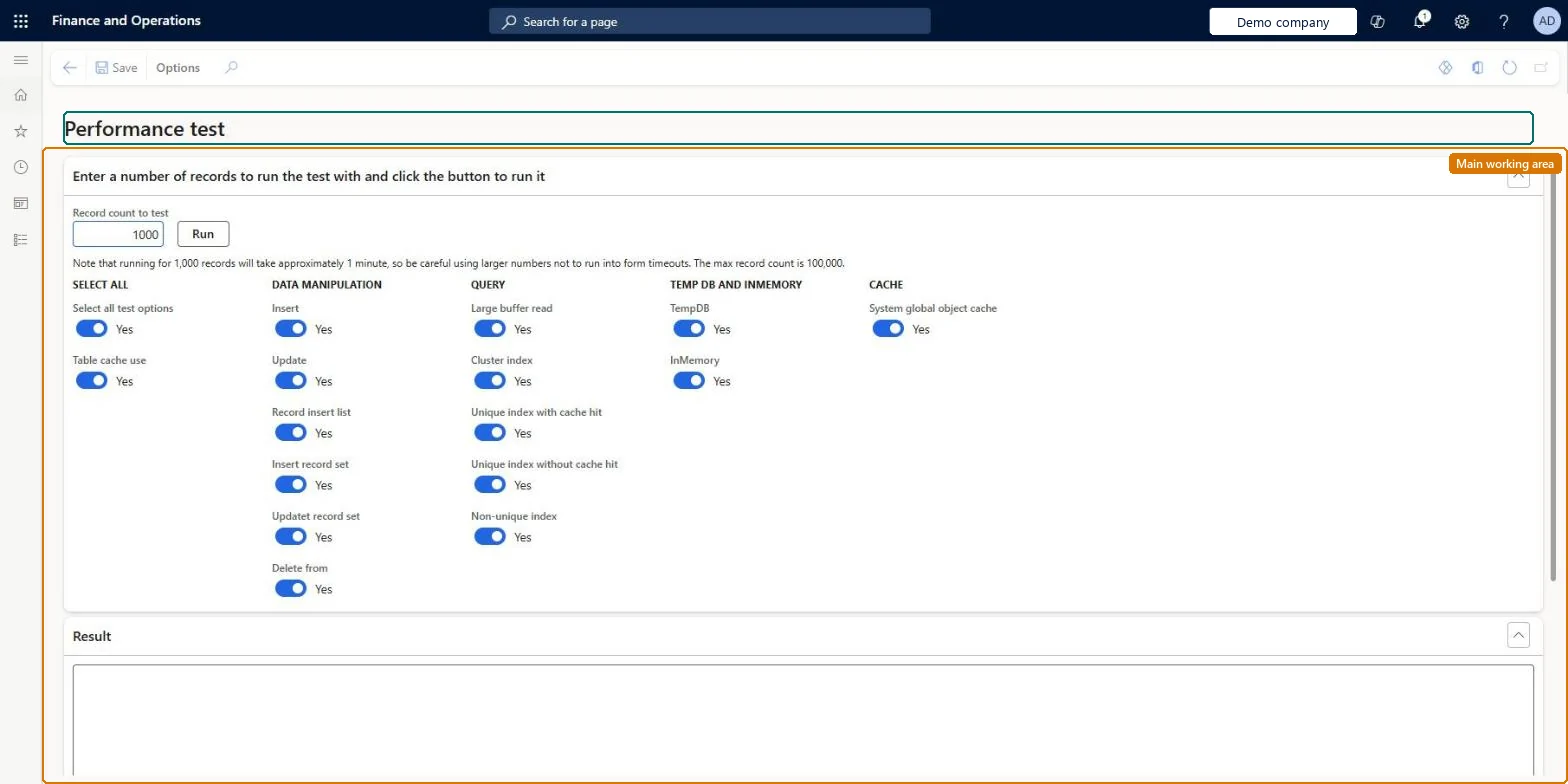
A page (Performance test) that times a set of database and cache tests for the number of records you enter: data manipulation, queries, TempDB and in-memory tables, and the system global object cache.
PAGE GUIDEWhat the page does and how to use it8 sections. Choose a role to highlight what matters to you.
Everyone
1What it is and why
What it is
A page (Performance test) that times a set of database and cache tests for the number of records you enter: data manipulation, queries, TempDB and in-memory tables, and the system global object cache.
What you do here
Use it to measure how this environment performs the basic database operations, for example to compare a sandbox before and after a change.
Example
For example, the BEAT administrator runs the test with 1,000 records, which the page says takes about a minute, in the sandbox before and after an update and compares the Result section.
The page in Dynamics 365. page title tab to open what to set or check
About the examples: Examples and screenshots in this guide use BEAT, a demo company in a Dynamics 365 test environment. Use your own company's codes and values instead of copying them.
When to run it
When to run it
When you want to compare how an environment performs basic database operations, for example before and after an update.
How often
On demand.
What the output shows
Timings per test in the Result section.
Source: Checked in Dynamics 365
Setup steps on this page
Compare database performance with the performance test
Time basic database operations in an environment.
How to use it
Go to System administration > Periodic tasks > Run performance test.
In Record count to test, enter the number of records; 1,000 records take about a minute, and the maximum is 100,000.
Turn on the tests you need under Data manipulation, Query, TempDB and InMemory, and Cache, or use Select all test options.
Select Run.
Read the timings in the Result section.
Source: Checked in Dynamics 365
Fields on the page
Field
What it means
Example
Record count to test
Number of records each test uses. The page warns that 1,000 records take about a minute and that larger numbers can hit form timeouts; the maximum is 100,000.Checked in Dynamics 365
1000
Select all test options
Turns all tests on or off at once.Checked in Dynamics 365
Yes
Table cache use
Whether the tests use the table cache.Checked in Dynamics 365
Yes
Data manipulation
Insert, Update, Record insert list, Insert record set, Update record set and Delete from.Checked in Dynamics 365
Query
Large buffer read, Cluster index, Unique index with and without cache hit, and Non-unique index.Checked in Dynamics 365
TempDB and InMemory
Tests on TempDB and in-memory temporary tables.Checked in Dynamics 365
System global object cache
Test of the global object cache.Checked in Dynamics 365
1,000 records in a sandbox, same options before and after a changeThe page states 1,000 records take about a minute and larger numbers risk form timeouts.
No Feature management feature needs to be turned on for this page.
Checked in Dynamics 365
Solution architect
5Design impact
Shared or per company
Runs in the environment you are signed in to; the test creates and deletes its own records. Checked in Dynamics 365
Can it be undone
Reversible: The test works on its own test records and changes no business data. Checked in Dynamics 365
If you change it later
Large record counts load the database and can run into form timeouts, so keep counts small and avoid busy hours. Checked in Dynamics 365
Technical architect
6Technical
Menu item
PerformanceCheckChecked in Dynamics 365
Developer
7Developer
Open it by URL
https://<your-environment>/?mi=PerformanceCheck
Data migration
Load order: Run performance test has no data entity in Data management, so it can't be loaded from a file or a configuration template. It is a diagnostic page with no data to move.Checked in Dynamics 365