PAGE GUIDEWhat the page does and how to use it8 sections. Choose a role to highlight what matters to you.
Everyone
1What it is and why
What it is
A periodic task dialog that updates the completion date or completion percentage of milestone items on several billing schedules at once.
What you do here
Use this page to record milestone progress for many billing schedules or end users in one run, including the completion percentage for milestone templates that use the Percent completed method.
Example
For example, a BEAT implementation project reaches 40 percent, and the project manager records 40 in Percentage amount for the milestone item on all its billing schedules in one run.
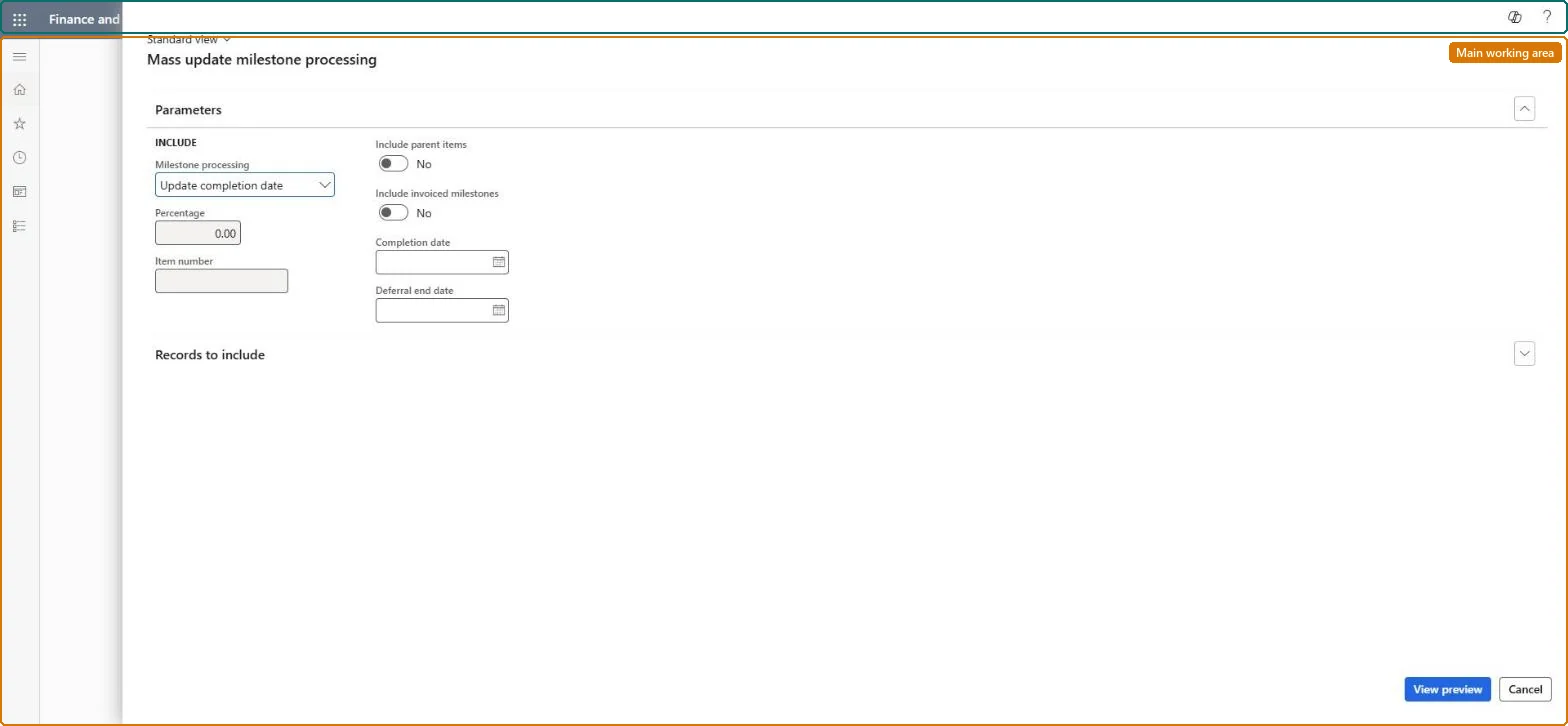
The page in Dynamics 365. page title tab to open what to set or check
About the examples: Examples and screenshots in this guide use BEAT, a demo company in a Dynamics 365 test environment. Use your own company's codes and values instead of copying them.
When to run it
When to run it
When project or service milestones are reached and the completion must be recorded before milestone billing.
How often
On demand, each time milestone progress is reported.
What the output shows
A new line in the milestone allocation of each selected billing schedule for the percentage completed. A percentage that looks doubled usually means an increment was entered instead of the total percentage completed.
Run it each time progress is reported, entering the total percentage reached so far, before the next invoice run.Each run adds a milestone allocation line for the percentage, and milestone lines need end dates before they can be invoiced.
Subscription billing (Must be on)Recurring contract billing (Must be on)
Licence or add-in
Turn off the Revenue recognition feature first: Subscription billing can't be used while it is on. Then, in Feature management, turn on Subscription billing and after it Recurring contract billing. Revenue recognition was deprecated in January 2024 and replaced by Subscription billing. Subscription billing managers run this task.
No: There is no reversal of the run; correct the milestone allocation lines on the billing schedule. Microsoft Learn
If you change it later
Processing adds a new line to the milestone allocation for the percentage completed. Microsoft Learn
Technical architect
6Technical
Menu item
SubBillUpdateCompletionDateChecked in Dynamics 365
Form
SubBillUpdateCompletionDateChecked in Dynamics 365
Roles to set it up and use it
To use itSubscription billing manager SubBillBillingMaintainSubscription billing allocation, deferral, and billing manager SubBillMaintainGive people one of these roles. On this system, 2 roles can run this page.Checked in Dynamics 365
Load order: Update completion date process has no data entity in Data management, so there is nothing to load from a file or a configuration template. Record the completion reached in the old system on the milestone lines after the billing schedules are loaded.Microsoft Learn