PAGE GUIDEWhat the page does and how to use it8 sections. Choose a role to highlight what matters to you.
Everyone
1What it is and why
What it is
A periodic utility that updates the unit prices of items on many billing schedules in one action.
What you do here
Use this page to raise prices on billing schedule lines by a percentage or an amount (flat pricing method), or to push a changed item price to lines that use the standard pricing method.
Example
For example, a renewal item priced at $750 can be updated to $800 so that the next, not yet billed year uses the new price.
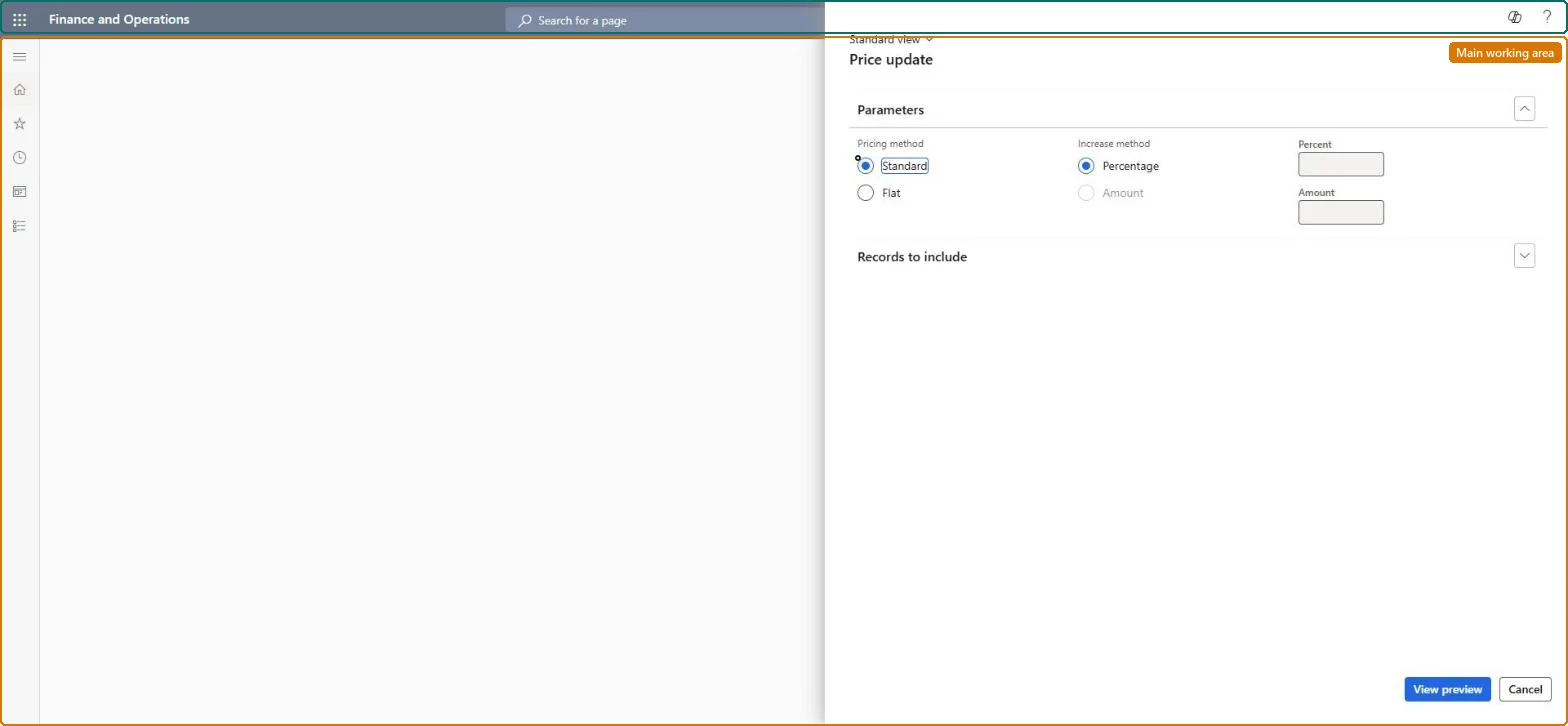
The page in Dynamics 365. page title tab to open what to set or check
About the examples: Examples and screenshots in this guide use BEAT, a demo company in a Dynamics 365 test environment. Use your own company's codes and values instead of copying them.
When to run it
When to run it
At an annual price increase or after an item price change, before the next invoices for the affected billing schedules are generated.
How often
On demand, at each price change.
What the output shows
Updated unit prices on billing schedule lines and line details that are not yet billed. Billed periods keep the old price; for example, a line updated from 750 to 800 keeps 750 for the year already invoiced. Lines that didn't change are usually billed already, or are usage, escalation, milestone or revenue split lines, which the utility can't update.
Apply a price change to many billing schedule lines at once.
Steps from Microsoft
Go to Subscription billing > Recurring contract billing > Periodic tasks > Price update.
Choose the Pricing method. Flat raises prices by a percentage or amount; Standard pushes a changed item price from the item record to the lines.
For Flat, choose the Increase method and enter the Percent or the Amount.
Filter the billing schedules on Records to include, select View preview, mark lines you don't want to change and select Remove. The preview shows the current prices, not the new ones.
Select OK, then open a billing schedule and confirm that only lines that aren't billed yet have the new price.
The percentage to increase the price by, when the increase method uses a percentage.Microsoft Learn
5
Amount
The amount to increase the price by, when the increase method uses an amount.Microsoft Learn
50.00
Common errors and fixes
Message
What to do
Price update doesn't change a billing schedule line
Price update skips usage, escalation, milestone and revenue split lines, and lines that are already billed. Change those lines on the billing schedule. Microsoft Learn
The preview shows the old prices
The preview shows current prices, not the prices after the update. Check the result on the billing schedule after OK. Microsoft Learn
Test checklist
Unbilled lines in the filter show the new unit price.
Run it after the last invoice of the old price period and before the first invoice at the new price, and remove escalation, usage, milestone and revenue split lines from the scope.Only lines that aren't billed yet take the new price, and the task can't change usage, escalation, milestone or revenue split lines.
Subscription billing (Must be on)Recurring contract billing (Must be on)
Licence or add-in
Turn off the Revenue recognition feature first: Subscription billing can't be used while it is on. Then, in Feature management, turn on Subscription billing and after it Recurring contract billing. Revenue recognition was deprecated in January 2024 and replaced by Subscription billing. Subscription billing managers run this task.
No: There is no reversal; run Price update again with an opposite amount or edit the lines by hand. Microsoft Learn
If you change it later
Only billing schedule lines that are not yet billed take the new price; lines whose sales order already exists keep the old price. Microsoft Learn
Technical architect
6Technical
Menu item
SubBillPriceUpdateChecked in Dynamics 365
Form
SubBillPriceUpdateChecked in Dynamics 365
Roles to set it up and use it
To use itSubscription billing manager SubBillBillingMaintainSubscription billing allocation, deferral, and billing manager SubBillMaintainGive people one of these roles. On this system, 2 roles can run this page.Checked in Dynamics 365
Developer
7Developer
Open it by URL
https://<your-environment>/?mi=SubBillPriceUpdate
Data migration
Load order: Price update has no data entity in Data management, so there is nothing to load from a file or a configuration template. It changes prices on existing billing schedule lines; load the lines with their current prices instead.Microsoft Learn