Service dispatcher, Field service technician, Service delivery manager and 3 more roles
Business process
Create service request by using Service management in Dynamics 365 Supply Chain Management
Menu item
SMAServiceOrderTableListPage_Active
Main table
SMAServiceOrderTable
Data entity
SMAServiceOrderHeaderEntity
Show what matters for
PAGE GUIDEWhat the page does and how to use it8 sections. Choose a role to highlight what matters to you.
Everyone
1What it is and why
What it is
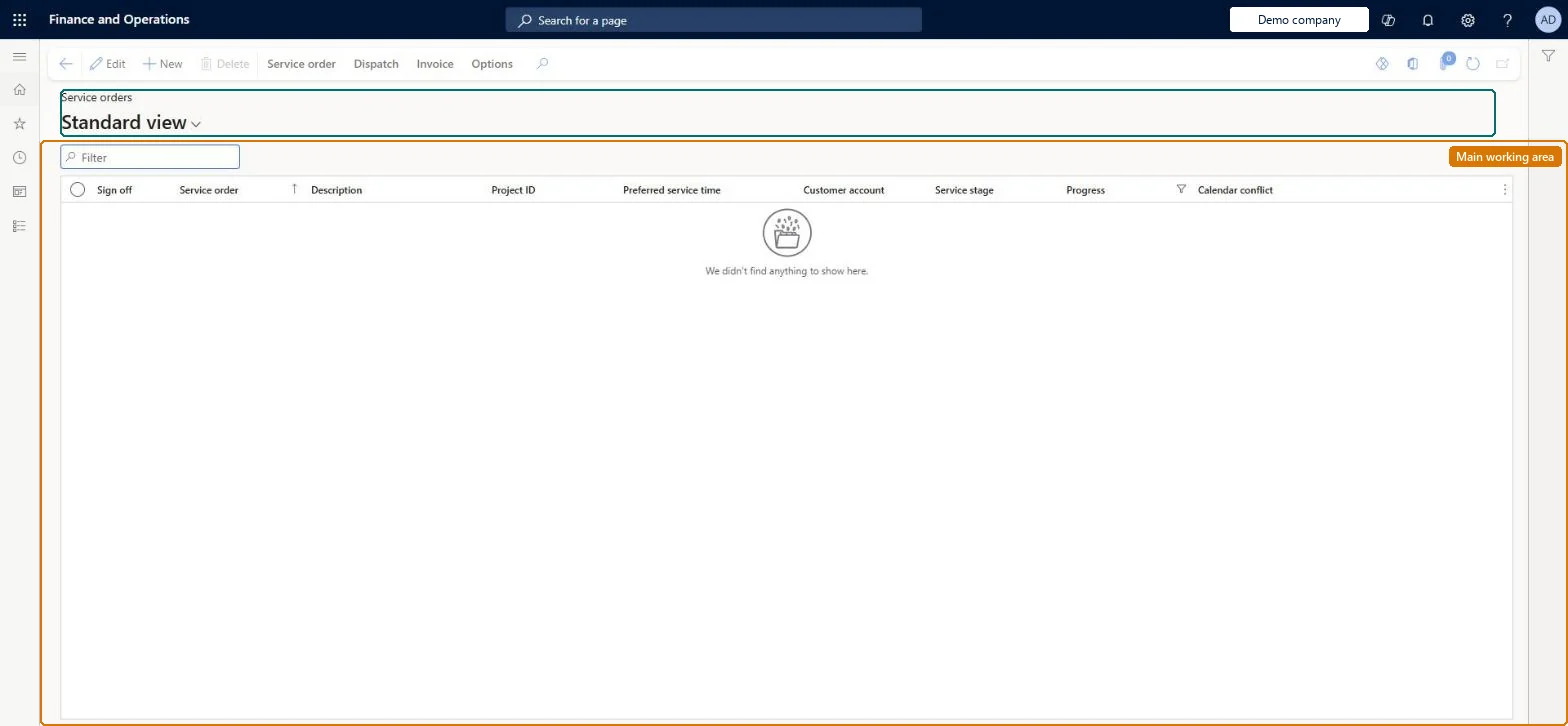
A list page that shows only the active service orders, so you can work on them without the full service orders list.
What you do here
Use this page to work with the service orders that are still active without scrolling through the full list, and open any order to view or change its header and lines.
The page in Dynamics 365. page title tab to open what to set or check
About the examples: Examples and screenshots in this guide use BEAT, a demo company in a Dynamics 365 test environment. Use your own company's codes and values instead of copying them.
How to use it
Go to Service management > Service orders > Active service orders.
Use the Filter box to find a service order.
Review the Sign off, Service order, Description, Project ID, Preferred service time, Customer account, Service stage, Progress and Calendar conflict columns.
Select New to create a service order, or select an order and choose Edit.
Use Service order, Dispatch and Invoice on the Action Pane to work with the selected order.
New records on this page take their Service order from the SMAServiceOrderId reference; BEAT uses number sequence Serv_7. Checked in Dynamics 365
Solution architect
5Design impact
If you change it later
An order stays in process (and therefore in the active set) while any of its lines still has the status Created; once all lines are posted or cancelled its Progress changes to Posted or Canceled. Microsoft Learn
Technical architect
6Technical
Menu item
SMAServiceOrderTableListPage_ActiveChecked in Dynamics 365
Form
SMAServiceOrderTableChecked in Dynamics 365
Table
SMAServiceOrderTableShown as “SERVICE ORDERS” in Record infoKey field: ServiceOrderIdChecked in Dynamics 365
PrivilegesMaintain service orders SMAServiceOrderTableDetailsMaintainView service orders SMAServiceOrderTableDetailsViewDutiesInquire into service orders SMAServiceOrderProgressInquireMaintain service orders SMAServiceOrdersMaintain6 security rolesService dispatcher SMADispatcherField service technician SMAFieldServiceTechnicianService delivery manager SMAServiceDeliveryManagerCustomer service representative TradeCustomerServiceRepresentativeSales manager TradeSalesManagerSales representative TradeSalesRepresentativeChecked in Dynamics 365
Roles to set it up and use it
To set it up or change itService delivery manager SMAServiceDeliveryManagerService dispatcher SMADispatcherField service technician SMAFieldServiceTechnicianCustomer service representative TradeCustomerServiceRepresentativeTo use itSales manager TradeSalesManagerSales representative TradeSalesRepresentativeGive people one of these roles. On this system, 6 roles can open this page.Checked in Dynamics 365
Actions on the page
Service order: Maintain, Repair, Service level agreement, Relations, Related information, CustomerDispatch: Service stage, Maintain, View, ItemInvoice: New, Post, Transactions, Related informationChecked in Dynamics 365