Auditor, Collections manager, Chief executive officer and 7 more roles
Business process
Define purchasing demographics with Dynamics 365 Supply Chain Management
Menu item
CustLineOfBusiness
Main table
LineOfBusiness
Data entity
LineOfBusinessEntity
Setup steps
2 on this page
Show what matters for
PAGE GUIDEWhat the page does and how to use it8 sections. Choose a role to highlight what matters to you.
Everyone
1What it is and why
What it is
A setup page where you create line of business codes that you assign to customers or vendors.
What you do here
Use this page to classify customers and vendors by their line of business.
Example
BEAT assigns line of business RETAIL to 140 store customers and WHOLESALE to 22 distributors. The year-end customer statistics show 3,450,000.00 of sales for WHOLESALE, so the sales manager can compare the two lines.
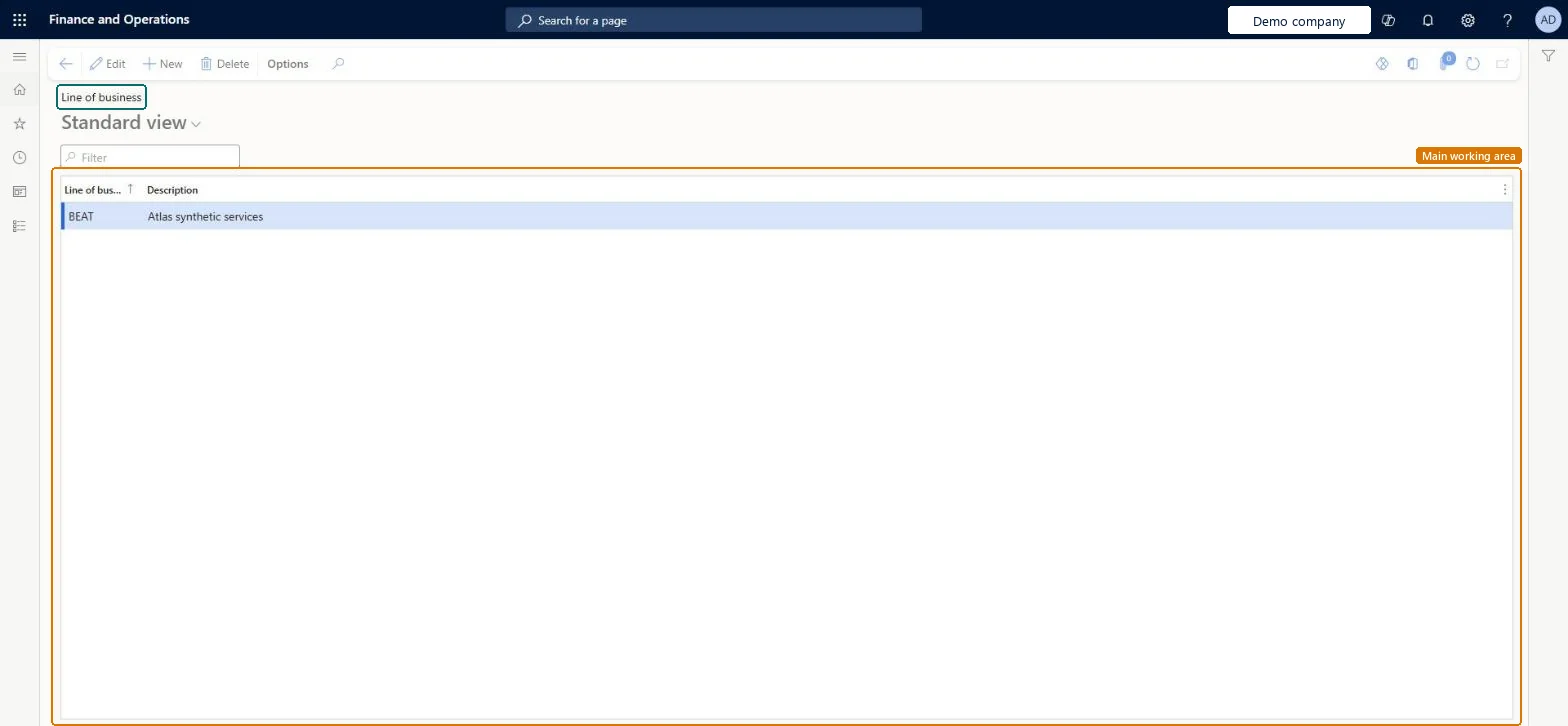
The page in Dynamics 365. page title tab to open what to set or check
About the examples: Examples and screenshots in this guide use BEAT, a demo company in a Dynamics 365 test environment. Use your own company's codes and values instead of copying them.
Step by step, with screenshots
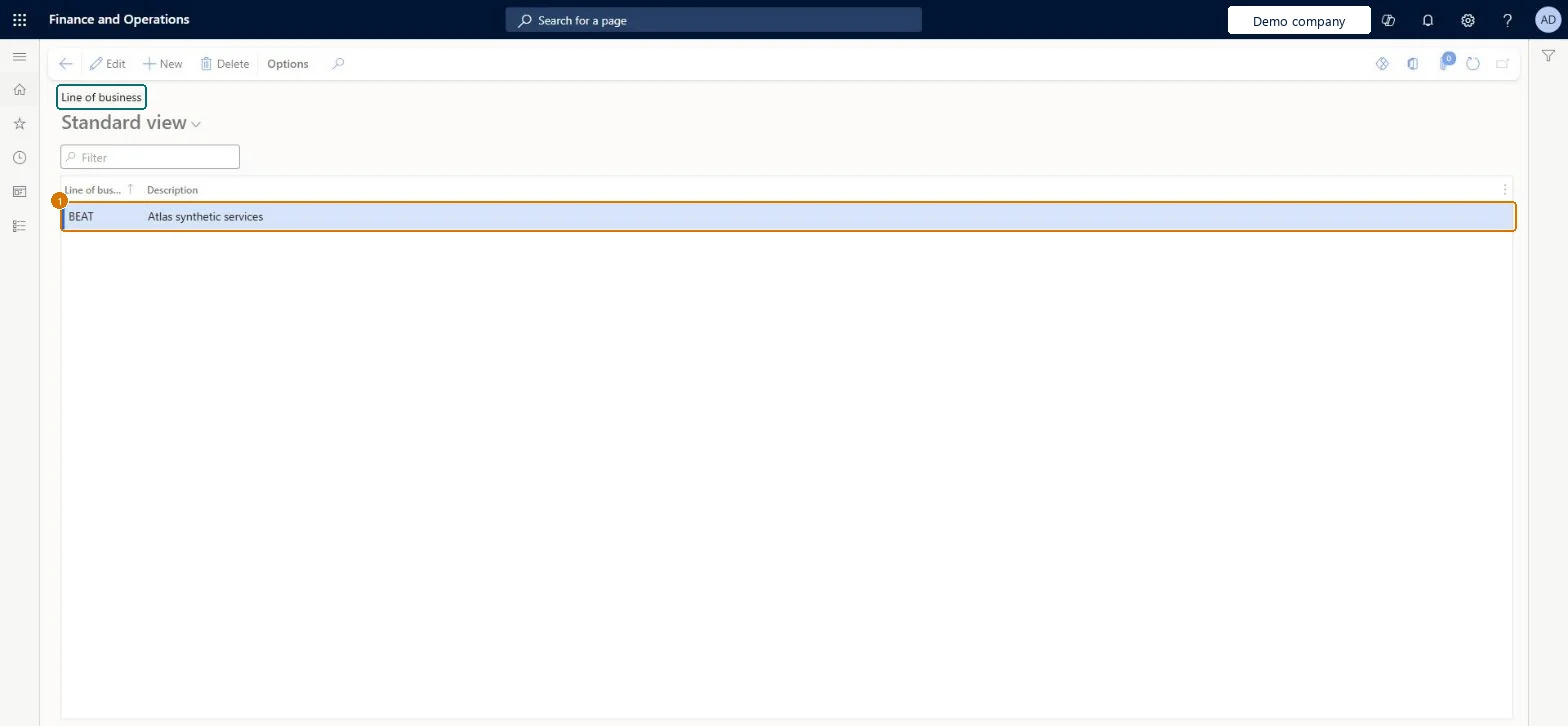
Set up Line of business1 screen
Create the line-of-business codes that vendor accounts are assigned to for grouping and statistics.
Screen 1
Create the line of business
Go to Accounts payable > Setup > Line of business
Select New
Enter the code and description
1Line of business
BEAT
Description
Services
Show the full screen page title tab to open what to set or check
Agree the line of business list for customers
Classify customers by line of business for sales statistics, with one list shared with vendors.
Steps from Microsoft
Go to Sales and marketing > Setup > Statistics > Line of business.
Select New and enter the Line of business code, for example WHOLESALE, and a Description.
Open a customer in All customers and select the line of business on it.
Filter All customers on the line of business and check the count.
One short list of line of business codes agreed with purchasing, because customers and vendors share it; codes that match the group codes of organizations you're affiliated with where useful.Line of business codes are assigned to customers and vendors from the same list and are used to group accounts in statistics.
On the live system, finance and credit roles (Accounts receivable manager, Collections manager, Accounting manager and supervisor, Financial controller, Chief financial officer, Chief executive officer, Auditor) and the Rental roles use this page.
Reversible: Codes can be added or renamed at any time. Microsoft Learn
If you change it later
The list is shared by customers and vendors, so a change is visible in Sales and marketing, Accounts receivable and Accounts payable. It classifies accounts for statistics only and posts nothing. Microsoft Learn
Technical architect
6Technical
Menu item
CustLineOfBusinessChecked in Dynamics 365
Form
LineOfBusinessChecked in Dynamics 365
Table
LineOfBusinessShown as “Line of business” in Record infoKey field: LineOfBusinessIdChecked in Dynamics 365
PrivilegesMaintain accounts receivable lines of business CustLineOfBusinessMaintainView accounts receivable lines of business CustLineOfBusinessViewDutiesEnable invoice and cash process CustInvoiceInvoiceAndCashProcessEnableReview invoice and cash process performance CustInvoiceInvoiceAndCashProcPerfReviewEnable invoice and cash process RentalCustInvoiceInvAndCashProcEnable10 security rolesAuditor AuditPolicyManagerCollections manager CollectionLetterCollectionsManagerChief executive officer CompanyChiefExecutiveOfficerChief financial officer CompanyChiefFinancialOfficerAccounts receivable manager CustInvoiceAccountsReceivableManagerAccounting manager LedgerAccountingManagerAccounting supervisor LedgerAccountingSupervisorFinancial controller LedgerFinancialControllerRental coordinator agent RentalCoordinatorAgentRental manager RentalManagerChecked in Dynamics 365
Roles to set it up and use it
To set it up or change itRental manager RentalManagerRental coordinator agent RentalCoordinatorAgentAccounts receivable manager CustInvoiceAccountsReceivableManagerCollections manager CollectionLetterCollectionsManagerAccounting supervisor LedgerAccountingSupervisorTo use itAuditor AuditPolicyManagerFinancial controller LedgerFinancialControllerChief executive officer CompanyChiefExecutiveOfficerChief financial officer CompanyChiefFinancialOfficerGive people one of these roles. On this system, 10 roles can open this page.Checked in Dynamics 365
Actions on the page
Options: Personalize, Page options, ShareChecked in Dynamics 365
LineOfBusinessEntity (Line of business): loaded for each company, in Microsoft's default template 120 - Accounts payable.Load order: Microsoft's default template 120 - Accounts payable loads Line of business at execution unit 1, level 30, sequence 10. Lower levels load first, and entities at the same level load in sequence order.Load first: the default templates at lower levels (System setup to General ledger)Microsoft Learn
Checked in a working Dynamics 365 system, version 10.0.49: the menu item, form, table and security, the page, the demo records and the values in the screenshots.