Accounts receivable clerk, Accounts receivable manager, Accounts receivable centralized payments clerk and 6 more roles
Business process
Define order management policies for Dynamics 365 Supply Chain Management
Menu item
SalesPool
Main table
SalesPool
Data entity
SalesOrderPoolEntity
Setup steps
1 on this page
Show what matters for
PAGE GUIDEWhat the page does and how to use it8 sections. Choose a role to highlight what matters to you.
Everyone
1What it is and why
What it is
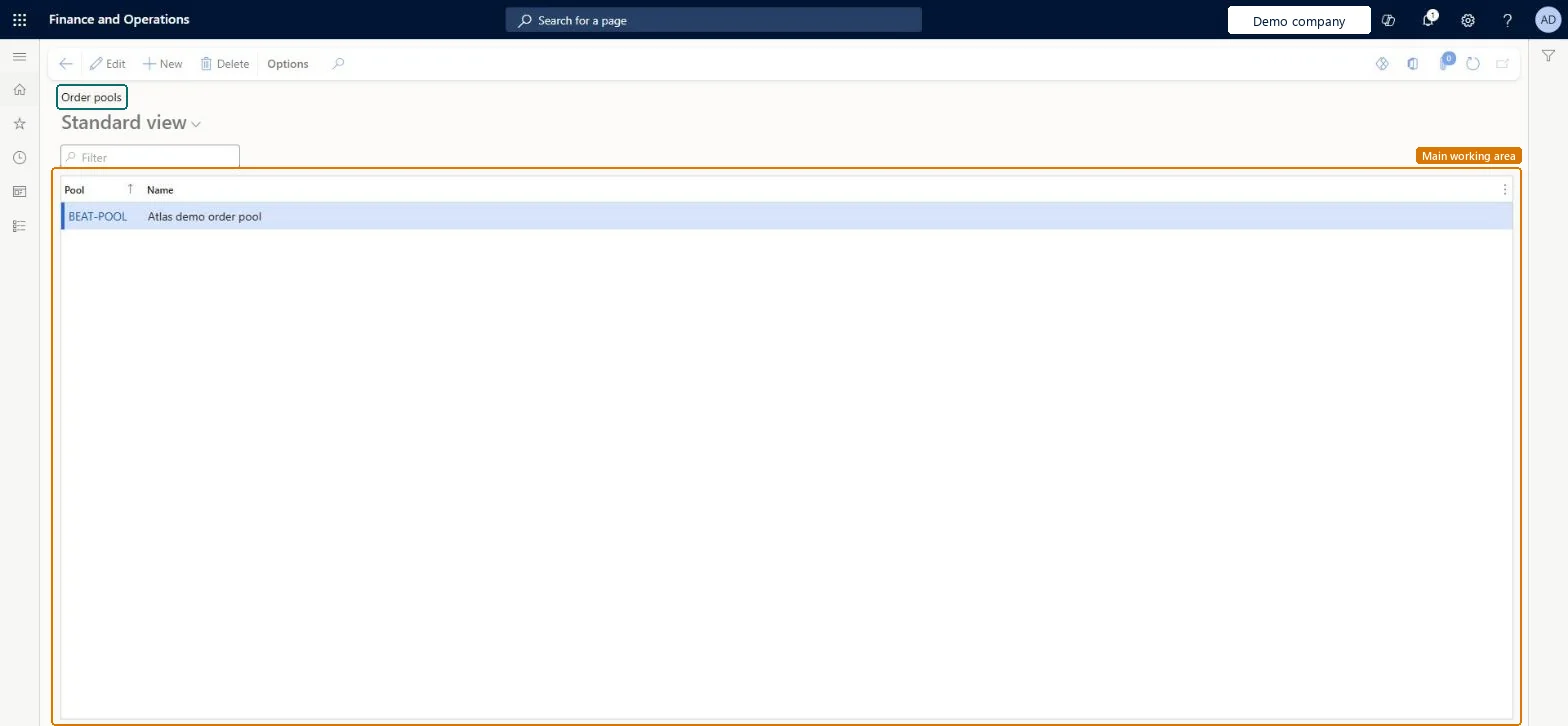
A setup page where you create order pools, used to group sales orders.
What you do here
Use this page to group sales orders so you can filter and select them, for example to consolidate shipments.
Example
BEAT creates order pool SHIPCONS and sets it as the Sales order pool on customers CUS-000214 and CUS-000233. A shipment consolidation policy filters on that pool, so the two orders SO-001234 and SO-001240 for CUS-000214 (1,250.00 and 860.00) go on one shipment when they are released to the warehouse.
The page in Dynamics 365. page title tab to open what to set or check
About the examples: Examples and screenshots in this guide use BEAT, a demo company in a Dynamics 365 test environment. Use your own company's codes and values instead of copying them.
Step by step, with screenshots
Set up Order pools1 screen
Use this page to group sales orders so you can filter and select them, for example to consolidate shipments.
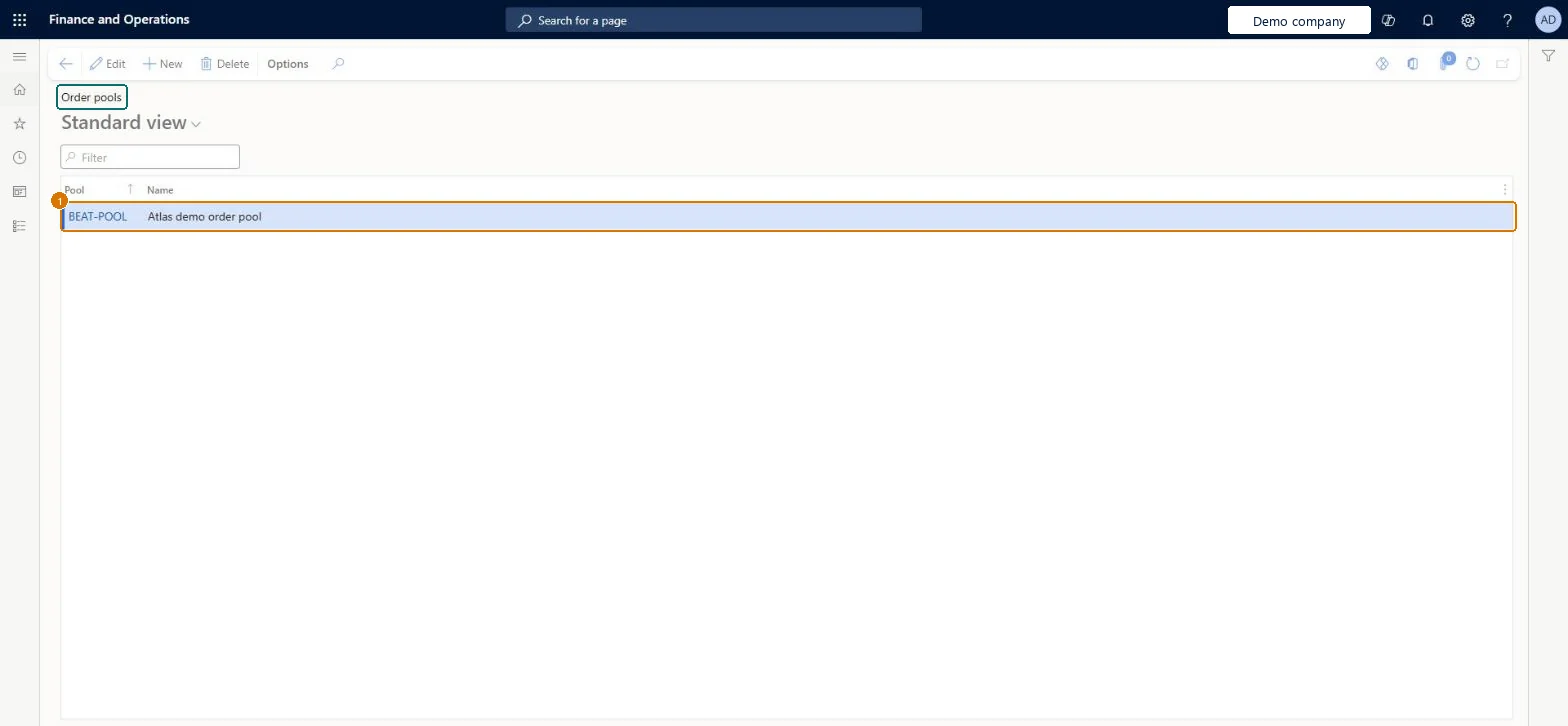
Screen 1
Create an order pool
Go to Sales and marketing > Setup > Sales orders > Order pools
Select New
Enter the pool code and name
Select Save
Select the pool on sales orders, then filter by it, for example to consolidate shipments
1Pool
BEAT-POOL
Name
Order pool
Show the full screen page title tab to open what to set or check
Steps from Microsoft
Go to Sales and marketing > Setup > Sales orders > Order pools.
Create an order pool and enter a Pool value that isn't used by any other pool, for example SHIPCONS, and a Name.
Open each customer in All customers and, on the Sales order defaults FastTab, set Sales order pool to the new pool.
In the shipment consolidation policy, filter the query on Sales orders > Pool = SHIPCONS.
Orders of the same customer are not consolidated on one shipment
Check that the orders carry the pool (it defaults from the customer to new orders) and that the consolidation policy query filters on that pool. Microsoft Learn
Test checklist
Create order pool SHIPCONS and set it as Sales order pool on two customers.
Create a shipment consolidation policy whose query filters Sales orders > Pool on SHIPCONS.
Create two orders per customer and release them to the warehouse.
In All shipments, check that there are 2 shipments, one per customer.
Create a pool for each group of orders you need to select together, such as customers that accept consolidated shipments, and set it as the Sales order pool on those customersA shipment consolidation policy can query the order pool to consolidate lines across orders, and the pool on the customer is used by default on the sales order header.
On the live system, Sales manager, the Accounts receivable roles (clerk, manager, payments clerk, centralized payments clerk), Retail service and the Rental roles use this page.
Reversible: Pools can be added or renamed at any time. Changing a customer's pool affects new orders; existing orders keep their pool unless you change it on the order. Microsoft Learn
If you change it later
The pool on the customer defaults to new sales orders only; existing orders keep their pool unless changed on the order. Consolidation policies that query the pool start or stop grouping orders as soon as the pool changes. Microsoft Learn
Technical architect
6Technical
Menu item
SalesPoolChecked in Dynamics 365
Form
SalesPoolChecked in Dynamics 365
Table
SalesPoolShown as “Order pools” in Record infoChecked in Dynamics 365
PrivilegesMaintain order pools SalesPoolMaintainView order pools SalesPoolViewDutiesEnable quotation to sales order process RentalSalesQuotationToSlsOrdProcessEnableEnable quotation to sales order process SalesQuotationToSalesOrderProcessEnableInquire into quotation to sales order reference data SalesQuotationToSalesOrderRefDataInquir9 security rolesAccounts receivable clerk CustInvoiceAccountsReceivableClerkAccounts receivable manager CustInvoiceAccountsReceivableManagerAccounts receivable centralized payments clerk PaymAccountsReceivableCentralPaymClerkAccounts receivable payments clerk PaymAccountsReceivablePaymentsClerkRental coordinator agent RentalCoordinatorAgentRental manager RentalManagerRental sales manager RentalSalesManagerRetail service RetailServiceSales manager TradeSalesManagerChecked in Dynamics 365
Roles to set it up and use it
To set it up or change itSales manager TradeSalesManagerRental manager RentalManagerRental coordinator agent RentalCoordinatorAgentRental sales manager RentalSalesManagerAccounts receivable manager CustInvoiceAccountsReceivableManagerTo use itAccounts receivable clerk CustInvoiceAccountsReceivableClerkAccounts receivable centralized payments clerk PaymAccountsReceivableCentralPaymClerkAccounts receivable payments clerk PaymAccountsReceivablePaymentsClerkGive people one of these roles. On this system, 9 roles can open this page.Checked in Dynamics 365
Actions on the page
Options: Personalize, Page options, ShareChecked in Dynamics 365
SalesOrderPoolEntity (Sales order pools): loaded for each company, in Microsoft's default template 140 - Accounts receivable.Load order: Microsoft's default template 140 - Accounts receivable loads Sales order pools at execution unit 1, level 30, sequence 10. Lower levels load first, and entities at the same level load in sequence order.Load first: the default templates at lower levels (System setup to General ledger)Microsoft Learn
Checked in a working Dynamics 365 system, version 10.0.49: the menu item, form, table and security, the page, the demo records and the values in the screenshots.