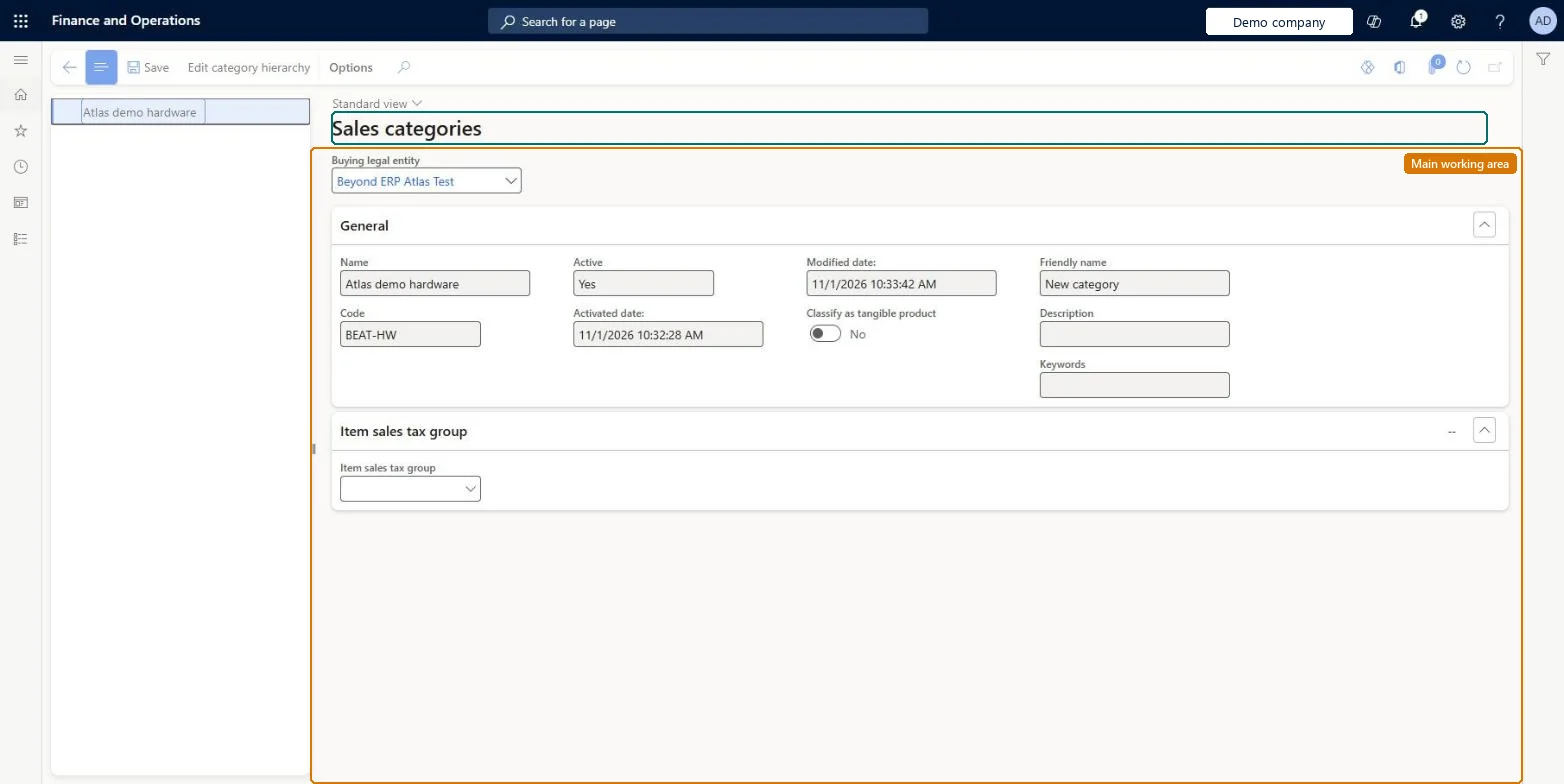
A setup page for the sales category hierarchy, the category hierarchy assigned to the Sales category hierarchy type so that its categories can be used on sales orders.
Define order management policies for Dynamics 365 Supply Chain Management
Menu item
SalesCategoryHierarchyManagement
Data entity
CatProcurementProductCategoryEntity
Setup steps
1 on this page
Show what matters for
PAGE GUIDEWhat the page does and how to use it8 sections. Choose a role to highlight what matters to you.
Everyone
1What it is and why
What it is
A setup page for the sales category hierarchy, the category hierarchy assigned to the Sales category hierarchy type so that its categories can be used on sales orders.
What you do here
Use this page to classify products into sales categories, which can also control ledger posting for sales.
Example
For example, BEAT assigns its hierarchy BEAT-SALES to the Sales category hierarchy type, classifies its 40 bottled drinks under the category Soft drinks, and posts their revenue to main account 401100 through an inventory posting line with Item code Category.
The page in Dynamics 365. page title tab to open what to set or check
About the examples: Examples and screenshots in this guide use BEAT, a demo company in a Dynamics 365 test environment. Use your own company's codes and values instead of copying them.
Setup steps on this page
Set up Sales categories
Use this page to classify products into sales categories, which can also control ledger posting for sales.
Steps from Microsoft
Go to Sales and marketing > Setup > Categories > Sales categories.
Create the category hierarchy if needed, and add category nodes with a Name, Code and Friendly name.
Associate the hierarchy with the Sales category hierarchy type.
Classify each released product in a sales category under Product categories.
Set up revenue posting with Item code Category on Inventory management > Setup > Posting > Posting.
Assign one category hierarchy to the Sales category hierarchy type, then, where revenue must follow product categories, set up inventory posting with Item code = CategoryA category hierarchy can be used on sales orders only once it's assigned to the Sales category hierarchy type, and posting can then be set up by sales category instead of by item or item group.
On the live system, Sales manager, Rental manager, Rental coordinator agent, Rental sales manager and Accounts receivable manager can maintain this page, and Rental representative can use it.
Checked in Dynamics 365
Solution architect
5Design impact
Shared or per company
The category hierarchy itself is shared; the products classified in it are the released products of each company. Microsoft Learn
Can it be undone
Reversible with effort: Categories can be changed, but products, posting lines and any open orders that use them must be updated too. Microsoft Learn
If you change it later
Revenue posting set up with Item code Category follows the category a product is classified in, so moving a product to another category changes the main account used on invoices posted afterwards. Microsoft Learn
Technical architect
6Technical
Menu item
SalesCategoryHierarchyManagement
Data entities
CatProcurementProductCategoryEntityProcurement product categories Checked in Dynamics 365EcoResProductCategoryEntityProduct categories Microsoft data model EcoResProductCategoryHierarchyEntityProduct category hierarchies Microsoft data model
Roles to set it up and use it
To set it up or change itSales manager TradeSalesManagerRental manager RentalManagerRental coordinator agent RentalCoordinatorAgentRental sales manager RentalSalesManagerAccounts receivable manager CustInvoiceAccountsReceivableManagerTo use itRental representative RentalRepresentativeGive people one of these roles. On this system, 7 roles can open this page.Checked in Dynamics 365