Marketing coordinator, Marketing manager, Sales manager and 1 more role
Business process
Pursue opportunities
Menu item
smmCompetitorsListPage
Main table
smmQuotationCompetitorGroup
Setup steps
1 on this page
Show what matters for
PAGE GUIDEWhat the page does and how to use it8 sections. Choose a role to highlight what matters to you.
Everyone
1What it is and why
What it is
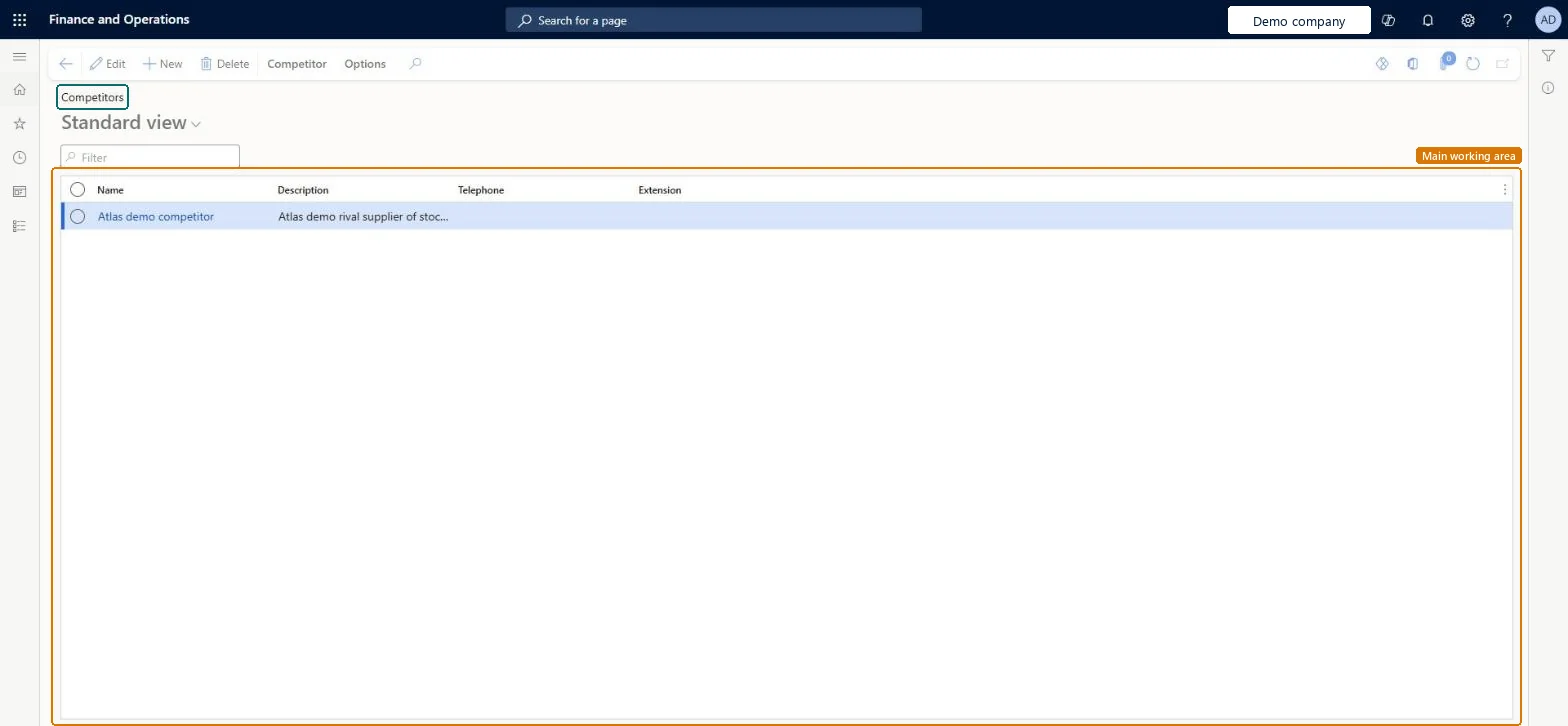
A list page of competitor records that hold what you learn about your competitors and their offerings.
What you do here
Use this page to create and maintain competitor records with contacts, a SWOT analysis, documents, products and the opportunities you compete for.
Example
For example, BEAT records competitor Fabrikam Pumps with a SWOT line for its lower price, adds it to OPP-000119, and when the quotation is lost marks Fabrikam as the winner.
The page in Dynamics 365. page title tab to open what to set or check
About the examples: Examples and screenshots in this guide use BEAT, a demo company in a Dynamics 365 test environment. Use your own company's codes and values instead of copying them.
Setup steps on this page
Register competitors before opportunities are lost
Use this page to keep what you learn about competitors and record who wins.
Steps from Microsoft
Go to Sales and marketing > Relationships > Opportunities > Competitors.
Select Competitor, enter or select the competitor's name, and enter a short description.
Fill in the contacts, SWOT analysis and products the competitor offers on its tabs.
On each opportunity you compete for, add the competitor on the Competitors FastTab; when the deal is lost, select Winner for the competitor that won.
Whether the competitor's product is a strength, weakness, opportunity or threat to your sales.Microsoft Learn
ABC code
A category your organization assigns to the competitor.Microsoft Learn
A
ABC
DUNS number
The competitor's Data Universal Numbering System number.Microsoft Learn
Winner
On an opportunity's Competitors tab, marks the competitor that won. More than one winner is allowed, but the lost reason links only to the first.Microsoft Learn
Common errors and fixes
Message
What to do
The winning competitor can't be registered on an opportunity.
Register the competitor on the opportunity first; only competitors on the opportunity can be marked as winner. Microsoft Learn
Test checklist
Create a competitor.
Add it to an opportunity on the Competitors FastTab.
Mark it as Winner and check the opportunity shows it as the winning competitor.
Create the main competitors before go-live and add them to opportunities while the deal is open.A winner can only be marked for a competitor already registered on the opportunity, and loss statistics are only as good as these entries.
Reversible: Competitor details and the Winner mark can be changed later. Microsoft Learn
If you change it later
Competitors are referred to from opportunities. Marking one as winner records who won for statistics; the reason for losing is linked only to the first winner. Microsoft Learn
Technical architect
6Technical
Menu item
smmCompetitorsListPageChecked in Dynamics 365
Form
smmQuotationCompetitorGroupChecked in Dynamics 365
Table
smmQuotationCompetitorGroupShown as “Competitor” in Record infoChecked in Dynamics 365
Who can open it
PrivilegesMaintain competitor groups smmQuotationCompetitorGroupMaintainView competitor groups smmQuotationCompetitorGroupViewDutiesInquire into competitor master smmCompetitorMasterInquireMaintain competitors smmCompetitorsMaintain4 security rolesMarketing coordinator CRMMarketingCoordinatorMarketing manager CRMMarketingManagerSales manager TradeSalesManagerSales representative TradeSalesRepresentativeChecked in Dynamics 365
Roles to set it up and use it
To set it up or change itSales manager TradeSalesManagerMarketing manager CRMMarketingManagerTo use itSales representative TradeSalesRepresentativeMarketing coordinator CRMMarketingCoordinatorGive people one of these roles. On this system, 4 roles can open this page.Checked in Dynamics 365
Actions on the page
Competitor: Related information, RetailOptions: Personalize, Page options, ShareChecked in Dynamics 365
Load order: Competitors has no data entity in Data management: Microsoft's list of standard Sales and marketing entities has no competitor entity. Enter the main competitors on this page during setup.Microsoft data model