PAGE GUIDEWhat the page does and how to use it8 sections. Choose a role to highlight what matters to you.
Everyone
1What it is and why
What it is
A page where you set sales targets for members of a sales unit, by year, quarter and month.
What you do here
Use it to give each member of a sales unit a yearly sales target and adjust how it is spread over quarters and months.
Example
For example, BEAT gives sales unit member BEAT-000123 a 2027 target of 1,200,000.00 in the company currency; the page spreads it into 300,000.00 per quarter and 100,000.00 per month, and the sales manager raises December to 160,000.00 for the holiday peak.
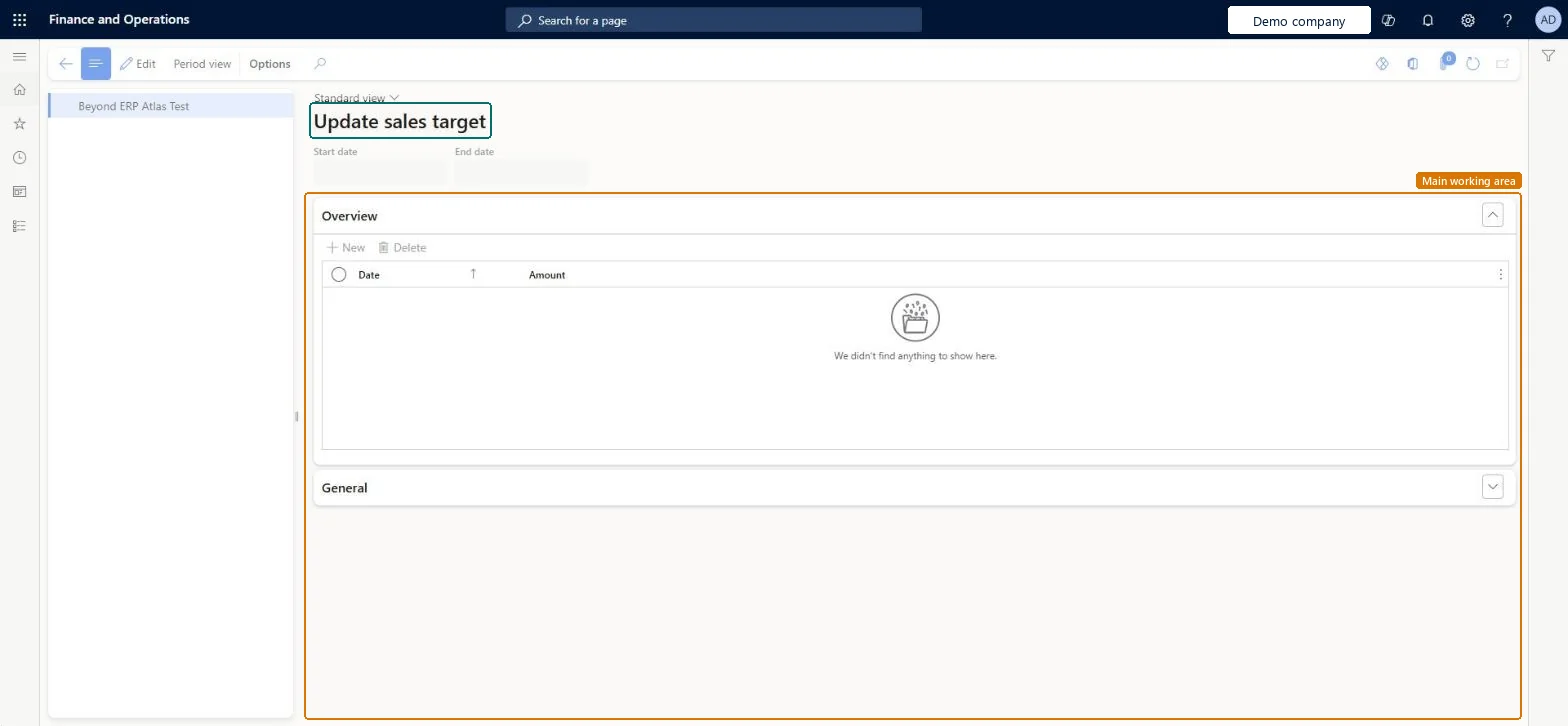
The page in Dynamics 365. page title tab to open what to set or check
About the examples: Examples and screenshots in this guide use BEAT, a demo company in a Dynamics 365 test environment. Use your own company's codes and values instead of copying them.
When to run it
When to run it
When you set or revise the yearly sales targets for the members of a sales unit, for example at the start of a fiscal year.
How often
Once a year, plus whenever targets are revised during the year.
What the output shows
Sales target lines per sales unit member, split into quarterly (amount / 4) and monthly (amount / 12) targets.
The yearly target amount in the company currency; quarterly targets are the amount divided by 4 and monthly targets the amount divided by 12, and you can change them.Microsoft Learn
1,200,000.00
Start date
Shown above the target lines for the selected sales unit member.Checked in Dynamics 365
End date
Shown above the target lines for the selected sales unit member.Checked in Dynamics 365
Common errors and fixes
Message
What to do
The target amounts don't match the figures sales managers expect.
Target amounts are entered in the company currency for the fiscal year; check the currency and the date of the target line. Microsoft Learn
Test checklist
Select one sales unit member and enter a target line of 1,200,000.00.
Check that the quarterly amounts show 300,000.00 and the monthly amounts 100,000.00.
Change one month and check the yearly total changes by the same amount.
Enter one yearly amount per member in the company currency and only change the quarterly or monthly amounts where the business has seasonal targets.The page divides the yearly amount by 4 for quarters and by 12 for months; changing a period recalculates the yearly total.
On the live system, Sales manager and Information technology manager use this page. No feature in Feature management is needed.
Checked in Dynamics 365
Solution architect
5Design impact
Shared or per company
Per company: target lines are kept per sales unit member in each legal entity. Microsoft data model
Can it be undone
Reversible: You can change or delete target lines at any time; nothing is posted. Microsoft Learn
If you change it later
Creates or changes target lines for the selected sales unit members; the Sales targets report then shows the new amounts. Nothing is posted. Microsoft Learn
Technical architect
6Technical
Menu item
smmSalesTargetChecked in Dynamics 365
Form
smmSalesTargetChecked in Dynamics 365
Table
smmSalesUnitMembersShown as “Sales unit members” in Record infoKey field: SalesUnitId, IdentificationChecked in Dynamics 365
Who can open it
PrivilegesMaintain sales targets smmSalesTargetMaintainView sales targets smmSalesTargetViewDutiesEnable the Sales and marketing process smmCRMProcessEnableInquire into Sales and marketing reference data smmCRMReferenceDataInquire2 security rolesInformation technology manager SysServerITManagerSales manager TradeSalesManagerChecked in Dynamics 365
Roles to set it up and use it
To set it up or change itSales manager TradeSalesManagerInformation technology manager SysServerITManagerGive people one of these roles. On this system, 2 roles can open this page.Checked in Dynamics 365
Actions on the page
Options: Personalize, Page options, ShareChecked in Dynamics 365
Developer
7Developer
Open it by URL
https://<your-environment>/?mi=smmSalesTarget
Data migration
Load order: Update sales target has no data entity in Data management. Enter the yearly targets by hand for each sales unit member after the sales units are set up.Checked in Dynamics 365