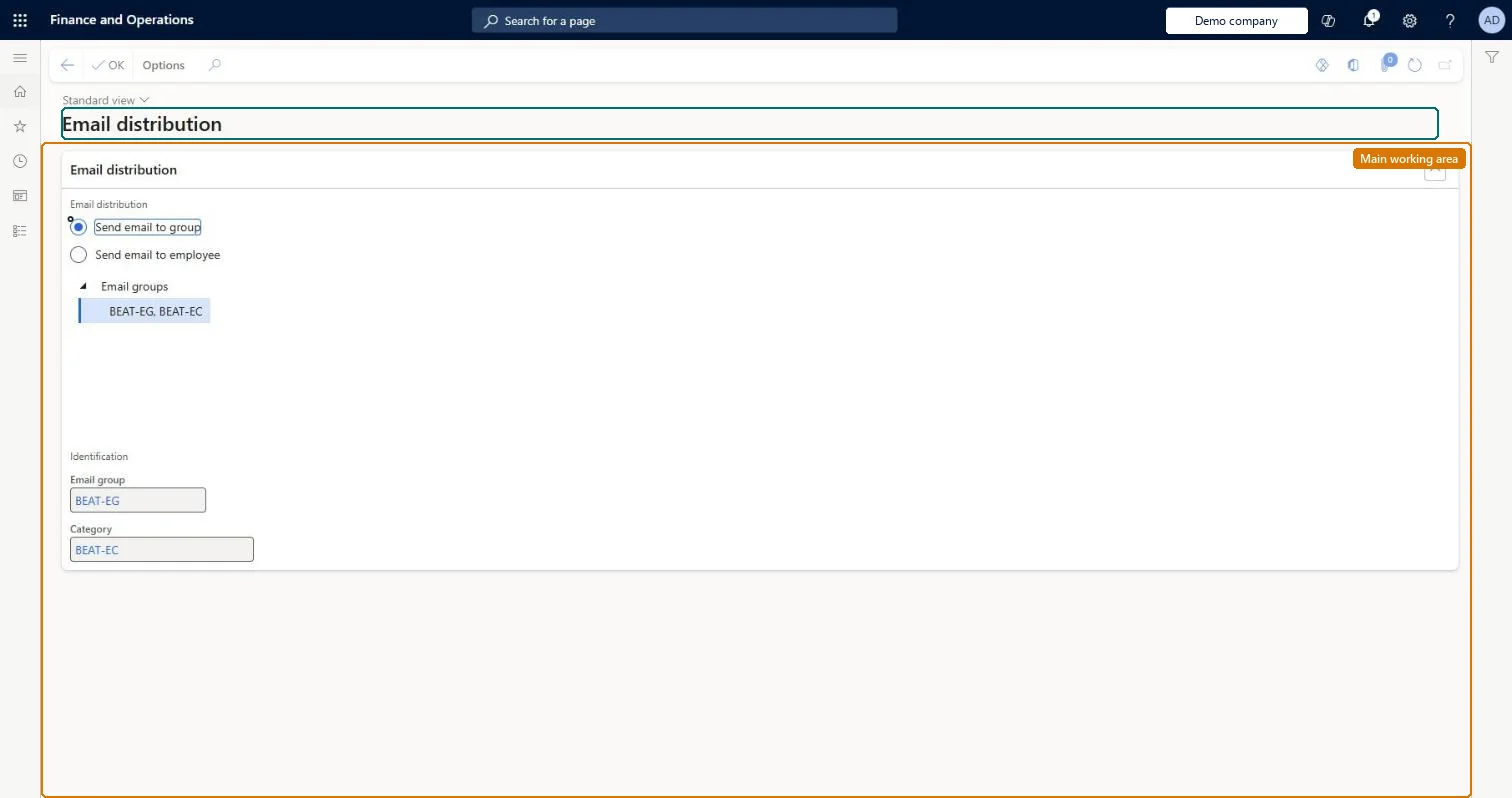
A page where you choose to send an email to an email group or to an employee. For a group, you pick it from the Email groups tree, which shows each email group with its category.
PAGE GUIDEWhat the page does and how to use it7 sections. Choose a role to highlight what matters to you.
Everyone
1What it is and why
What it is
A page where you choose to send an email to an email group or to an employee. For a group, you pick it from the Email groups tree, which shows each email group with its category.
What you do here
Use it to choose the recipients of an email: an email group set up in Sales and marketing, or one employee.
Example
For example, a BEAT sales manager selects Send email to group, picks email group BEAT-EG in category BEAT-EC from the tree and selects OK.
The page in Dynamics 365. page title tab to open what to set or check
Functional consultant · Solution architect
2Where it fits
Menu path
Sales and marketing › Periodic tasks › Mailings › Email distribution
About the examples: Examples and screenshots in this guide use BEAT, a demo company in a Dynamics 365 test environment. Use your own company's codes and values instead of copying them.
How to use it
Go to Sales and marketing > Periodic tasks > Mailings > Email distribution.
Choose Send email to group or Send email to employee.
For a group, select it in the Email groups tree and check the Email group and Category shown under Identification.
Select OK.
Source: Checked in Dynamics 365
Fields on the page
Field
What it means
Example
Send email to group
Sends the email to the email group selected in the tree.Checked in Dynamics 365
Send email to employee
Sends the email to an employee instead of a group.Checked in Dynamics 365
Email groups
A tree of the email groups, each shown with its category.Checked in Dynamics 365
BEAT-EG, BEAT-EC
Email group
The email group selected in the tree.Checked in Dynamics 365
BEAT-EG
Category
The email category of the selected group.Checked in Dynamics 365
BEAT-EC
Functional consultant
4Setup decisions
Feature management and licence
Licence or add-in
On the live system, 52 roles can open this page, among them Sales manager, Sales representative and Accounts receivable manager.
Checked in Dynamics 365
Solution architect
5Design impact
Can it be undone
Reversible: Choosing recipients on this page changes no master data. Checked in Dynamics 365
Technical architect
6Technical
Menu item
smmEmailDistributionForm
Roles to set it up and use it
To set it up or change itSales manager TradeSalesManagerRental manager RentalManagerRental coordinator agent RentalCoordinatorAgentRental sales manager RentalSalesManagerSales representative TradeSalesRepresentativeTo use itAccounts receivable manager CustInvoiceAccountsReceivableManagerRetail service RetailServiceRetail store manager RetailStoreManagerAccounting manager LedgerAccountingManagerRental clerk RentalClerkGive people one of these roles. On this system, 52 roles can open this page.Checked in Dynamics 365