Import orders from the commerce sites with Dynamics 365 Commerce
Menu item
RetailSyncOrdersJobScheduler
Show what matters for
PAGE GUIDEWhat the page does and how to use it7 sections. Choose a role to highlight what matters to you.
Everyone
1What it is and why
What it is
The Synchronize orders job, a Commerce batch job that creates sales orders in headquarters from online store transactions pulled in by the P-job.
What you do here
It is used, manually or as a recurring batch job, to create sales orders and payments in headquarters for online store transactions.
Example
Scheduling recurring order synchronization every 2 to 20 minutes for an online store so its transactions become sales orders and payments in headquarters.
The page in Dynamics 365. page title tab to open what to set or check
Retail and Commerce › Retail and Commerce IT › Synchronize orders
End user · Functional consultant
3How to do it
About the examples: Examples and screenshots in this guide use BEAT, a demo company in a Dynamics 365 test environment. Use your own company's codes and values instead of copying them.
When to run it
When to run it
After the P-job has pulled online store transactions into headquarters.
How often
As a recurring batch job at the same or a higher frequency than the P-job.
Batch settings
Recurring batch job per store group, timed after the P-job.
What the output shows
Sales orders and payments in headquarters for online store transactions. Until they exist, no inventory transactions are created, so on-hand in headquarters doesn't include those sales.
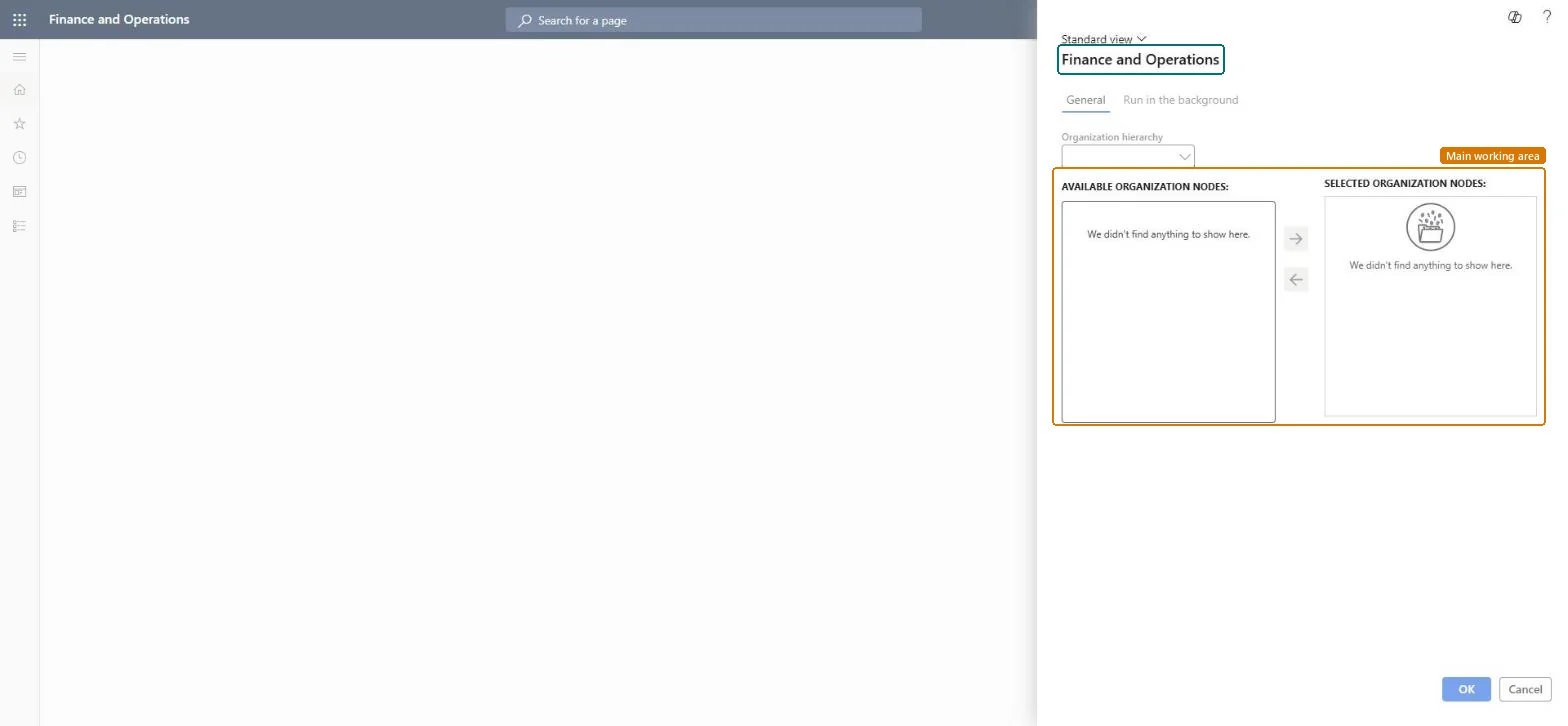
Go to Retail and Commerce > Retail and Commerce IT > Synchronize orders.
Select an Organization hierarchy, such as Stores by Region.
Select a specific online store, or a node for a group of stores, and move it from Available organization nodes to Selected organization nodes with the arrow buttons.
On the Run in the background tab, set Batch processing for a recurring job, or clear it and set Recurrence to End after 1 for a single run.
Afterwards, open the sales orders in headquarters: online store transactions pulled in by the P-job now have sales orders and payments.
No: Created sales orders stay in headquarters; cancel or return them through normal order processing. Microsoft Learn
If you change it later
Creates sales orders and payments in headquarters for online store transactions, which then create inventory transactions. Microsoft Learn
Technical architect
5Technical
Menu item
RetailSyncOrdersJobSchedulerChecked in Dynamics 365
Form
RetailOperatingUnitPickerChecked in Dynamics 365
Roles to set it up and use it
To use itSales representative TradeSalesRepresentativeCustomer service representative TradeCustomerServiceRepresentativeCustomer service manager TradeCustomerServiceManagerAccounts receivable manager CustInvoiceAccountsReceivableManagerAccounts receivable clerk CustInvoiceAccountsReceivableClerkGive people one of these roles. On this system, 5 roles can run this page.Checked in Dynamics 365