Customer service manager, Customer service representative, Sales representative
Business process
Analyze sales performance
Menu item
MCRRFMDefinition
Main table
MCRRFMDefinition
Show what matters for
PAGE GUIDEWhat the page does and how to use it7 sections. Choose a role to highlight what matters to you.
Everyone
1What it is and why
What it is
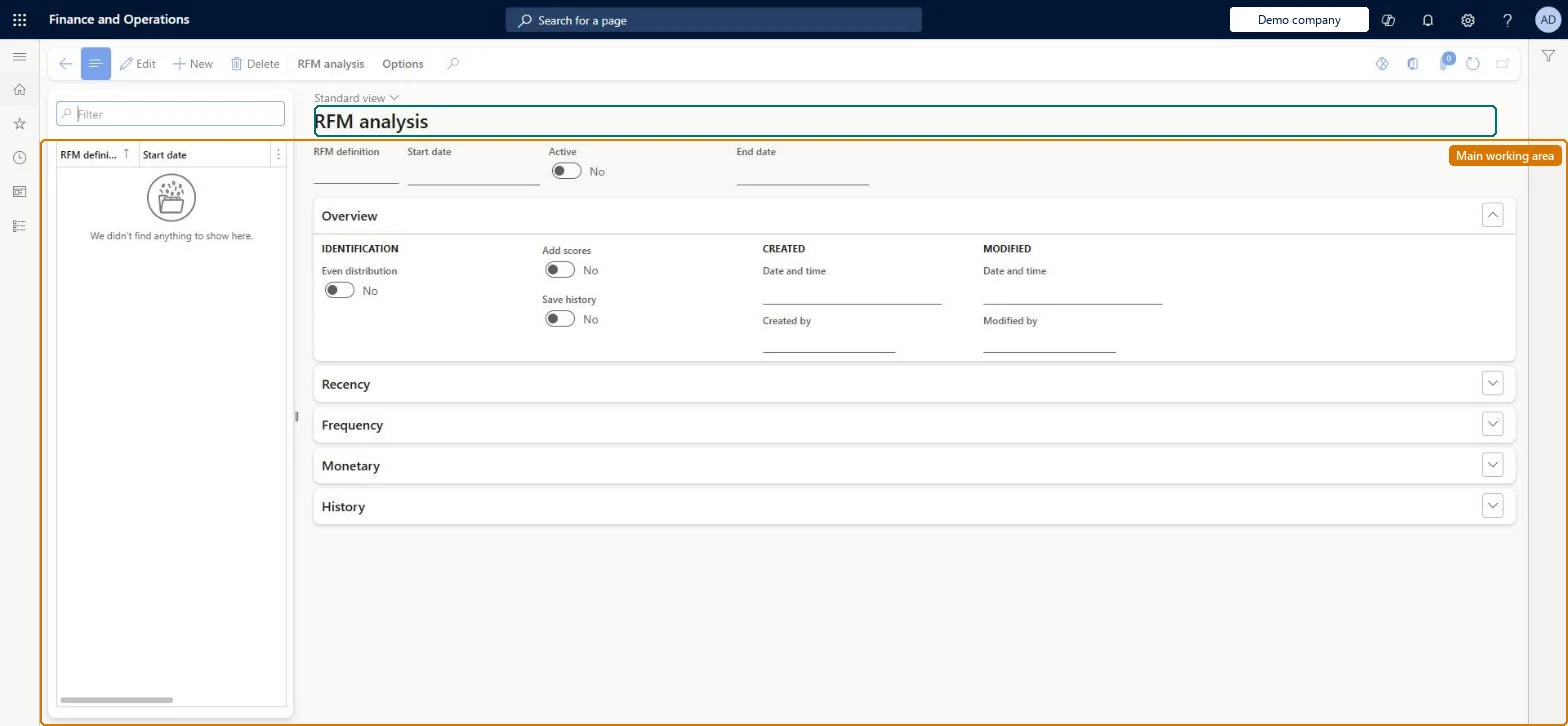
A page where you define a recency, frequency and monetary (RFM) analysis that gives each customer a calculated score based on their purchases.
What you do here
Use this page to set up RFM definitions (divisions, priority, multiplier and period for each rating) so customers can be scored and segmented by purchase behaviour.
Example
For example, with ratings from 1 to 5, a customer scored 535 bought recently, buys moderately often and spends a lot.
The page in Dynamics 365. page title tab to open what to set or check
About the examples: Examples and screenshots in this guide use BEAT, a demo company in a Dynamics 365 test environment. Use your own company's codes and values instead of copying them.
Steps from Microsoft
Go to Retail and Commerce > Retail and Commerce IT > RFM analysis.
Select New and enter a name in RFM definition.
Enter a start date and end date.
On the General FastTab, set Even distribution, Add scores and Save history as needed.
On the Recency, Frequency and Monetary FastTabs, set Divisions, Priority and Multiplier (and Period or Gross/net).
Reversible: Definitions can be edited. With Save history on, the statistics used for scoring are stored; Clear history on the record removes them, so clear it only when you want scoring to start again. Microsoft Learn
Technical architect
5Technical
Menu item
MCRRFMDefinitionChecked in Dynamics 365
Form
MCRRFMDefinitionChecked in Dynamics 365
Table
MCRRFMDefinitionShown as “RFM DEFINITION TABLE” in Record infoKey field: RFMDefinitionNameChecked in Dynamics 365
Who can open it
PrivilegesMaintain RFM definitions MCRRFMDefinitionMaintainDutiesMaintain customer service MCRCustomerServiceMaintain3 security rolesCustomer service manager TradeCustomerServiceManagerCustomer service representative TradeCustomerServiceRepresentativeSales representative TradeSalesRepresentativeChecked in Dynamics 365
Roles to set it up and use it
To set it up or change itSales representative TradeSalesRepresentativeCustomer service representative TradeCustomerServiceRepresentativeCustomer service manager TradeCustomerServiceManagerGive people one of these roles. On this system, 3 roles can open this page.Checked in Dynamics 365