Customer service manager, Customer service representative, Sales representative
Business process
Manage accounts receivable
Menu item
MCRLoadMergeFile
Main table
TmpMCRMergeImportTable
Show what matters for
PAGE GUIDEWhat the page does and how to use it6 sections. Choose a role to highlight what matters to you.
Everyone
1What it is and why
What it is
A periodic page that imports a file listing valid customer accounts and their duplicate accounts so the duplicates can be merged.
What you do here
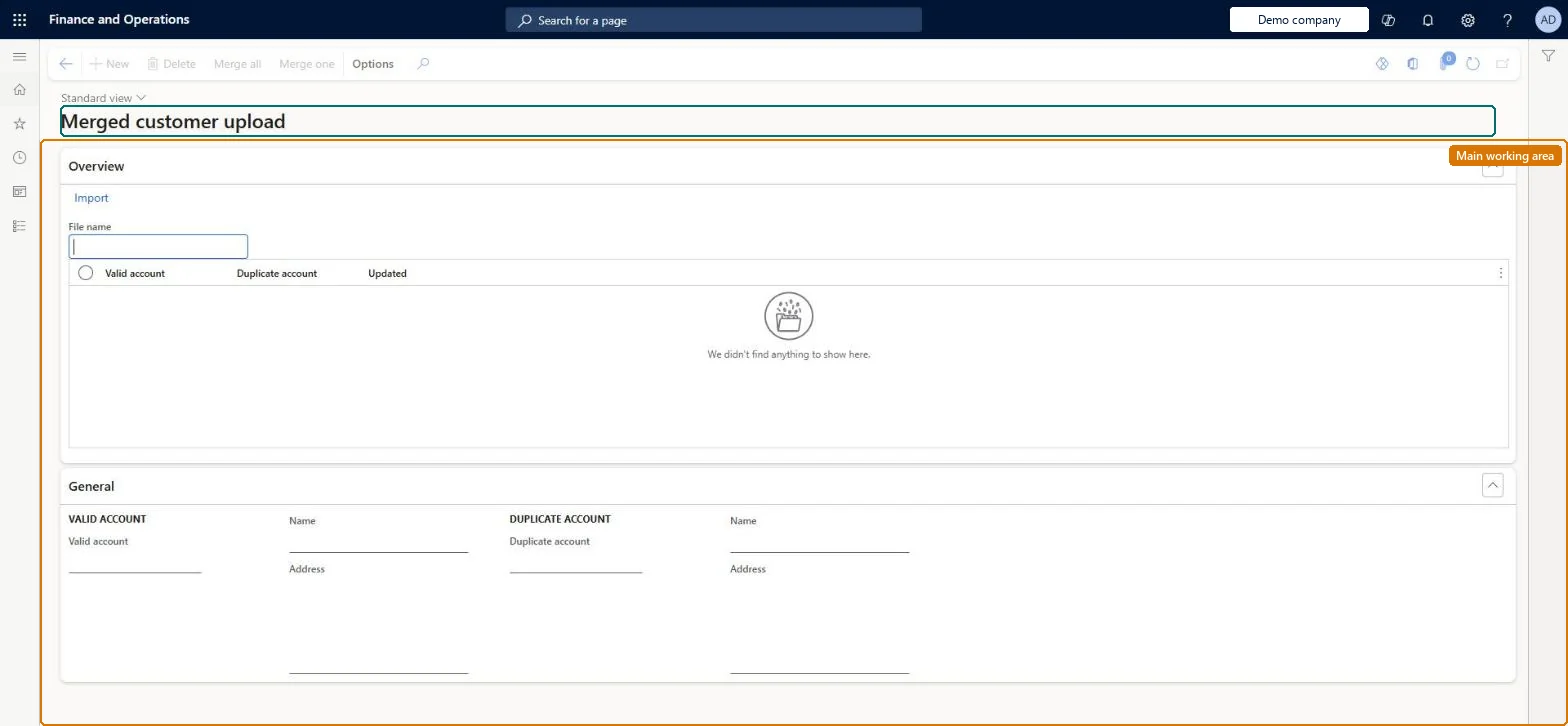
Use this page to import a reviewed customer list that identifies duplicates and then merge the duplicate customer records, one customer at a time or all at once.
Example
For example, a customer record might have been entered twice, or two customers may have merged their businesses.
The page in Dynamics 365. page title tab to open what to set or check
About the examples: Examples and screenshots in this guide use BEAT, a demo company in a Dynamics 365 test environment. Use your own company's codes and values instead of copying them.
Steps from Microsoft
Go to Retail and Commerce > Retail and Commerce IT > Customer > Merged customer upload.
Next to the File name field, select the file to import.
On the Action Pane, select Import.
Review the valid and duplicate accounts on the Overview tab.
Select Merge one for a selected customer, or Merge all with no records selected.
The file of customer accounts and duplicates to import.Microsoft Learn
Technical architect
4Technical
Menu item
MCRLoadMergeFileChecked in Dynamics 365
Form
TmpMCRMergeImportTableChecked in Dynamics 365
Table
TmpMCRMergeImportTableShown as “MERGED CUSTOMER UPLOAD” in Record infoChecked in Dynamics 365
Who can open it
PrivilegesMaintain customer details MCRCustLookupMaintainDutiesMaintain customer service MCRCustomerServiceMaintain3 security rolesCustomer service manager TradeCustomerServiceManagerCustomer service representative TradeCustomerServiceRepresentativeSales representative TradeSalesRepresentativeChecked in Dynamics 365
Roles to set it up and use it
To use itSales representative TradeSalesRepresentativeCustomer service representative TradeCustomerServiceRepresentativeCustomer service manager TradeCustomerServiceManagerGive people one of these roles. On this system, 3 roles can open this page.Checked in Dynamics 365
Actions on the page
(Action Pane without tabs): Merge all, Merge oneChecked in Dynamics 365