Retail and Commerce › Retail and Commerce IT › Clean up › Purge commerce sales transactions
End user · Functional consultant
3How to do it
About the examples: Examples and screenshots in this guide use BEAT, a demo company in a Dynamics 365 test environment. Use your own company's codes and values instead of copying them.
When to run it
When to run it
When old Commerce sales transactions are no longer needed, to reduce data costs and keep the system fast; archive them first if you must keep a copy.
How often
On demand, one six-month range at a time.
Batch settings
It always runs as a batch job, one active job per legal entity. It doesn't lock the tables, so other processes keep running.
What the output shows
Transactions in the date range, with their statement and posting records, are deleted regardless of posting status. The job's information log lists each purged table and its record count; a low count means few transactions were left in that range.
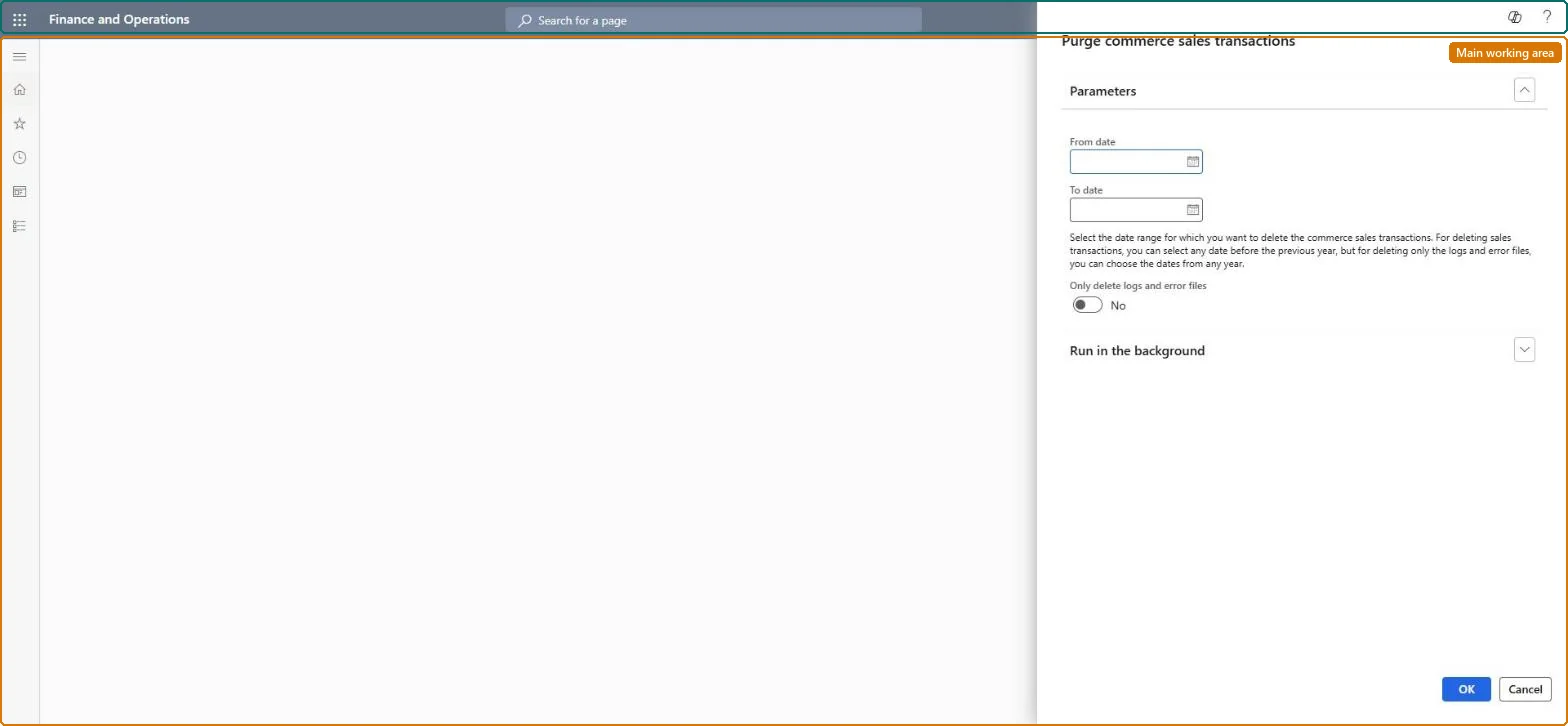
Go to Retail and Commerce > Retail and Commerce IT > Clean up > Purge commerce sales transactions.
Under Parameters, enter the From date and To date: at most six months, and both dates before the previous calendar year (in 2024, for example, only 2022 or earlier).
Select Only delete logs and error files if you only want to delete the statement logs and transaction error files (RetailEodStatementControllerLog, RetailEodStatementEventLog and RetailEodTransactionError) and keep the transactions.
Make sure you have the Information technology officer role and that no other purge job is active for the legal entity; only one can run at a time.
Run it, then open the information log of the batch job to see which tables were purged and how many records were deleted.
No: Deleted transactions can't be recovered. Use Archive Commerce transactions instead if you need to keep posted transactions. Microsoft Learn
If you change it later
Deleted transactions cannot be recovered, so only users with the Information technology officer role can run the purge. The job does not lock tables, so other processes keep running. Microsoft Learn
Technical architect
5Technical
Menu item
RetailEodPurgeTransactionsChecked in Dynamics 365
Form
DialogChecked in Dynamics 365
Roles to set it up and use it
To use itInformation technology manager SysServerITManagerGive people one of these roles. On this system, 1 role can run this page.Checked in Dynamics 365