About the examples: Examples and screenshots in this guide use BEAT, a demo company in a Dynamics 365 test environment. Use your own company's codes and values instead of copying them.
Steps from Microsoft
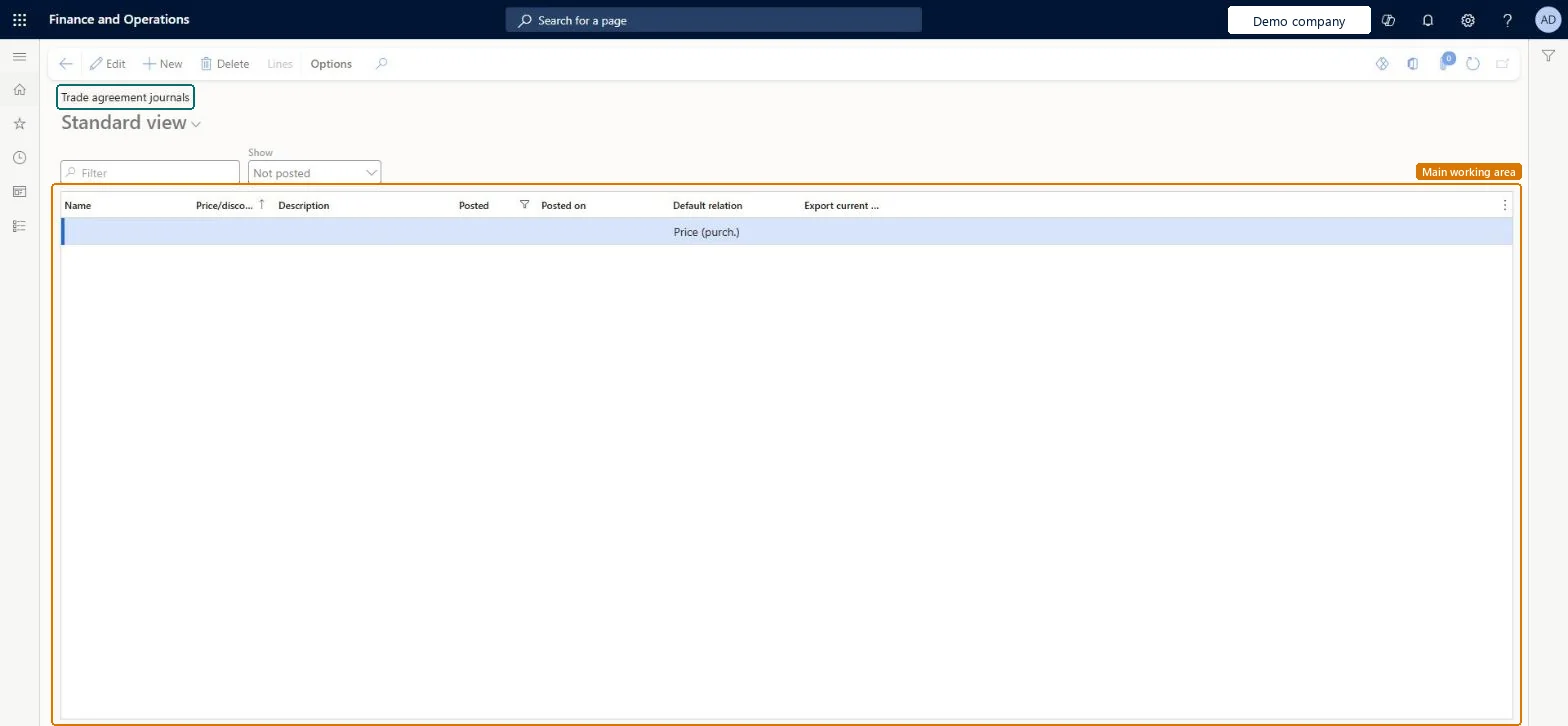
Go to Retail and Commerce > Pricing and discounts > Trade agreements > Trade agreement journals.
Select New, and in the Name field select a journal name.
On the Action Pane, select Lines.
In the Party code type field, select Table, Group or All, and then select the account in the Account selection field.
In the Product code type field, select Table, and then select the item in the Item relation field.
In the From and To fields, enter the quantity range.
In the Amount in currency field, enter the price.
In the From date field, enter the date the agreement starts.
Select Save, then Validate > Validate selected lines.
New records on this page take their Price/discount journal number from the PriceDiscJournalNum reference; BEAT uses number sequence Sale_51. Checked in Dynamics 365
Hard to reverse: Until posted, journal lines can be edited or deleted. After posting the price is used before the base price; to stop it, post an end date (expire the agreement) rather than relying on deletion. Microsoft Learn
If you change it later
Once a trade agreement is posted, its price is used instead of the product's base sales price. Microsoft Learn
Technical architect
6Technical
Menu item
PriceDiscAdmTable_SalesChecked in Dynamics 365
Form
PriceDiscAdmTableChecked in Dynamics 365
Table
PriceDiscAdmTableShown as “Trade agreement journal table” in Record infoKey field: JournalNumChecked in Dynamics 365
Data entities
TradeAgreementJournalHeaderEntityTrade agreement journal headers Microsoft data model TradeOpenTradeAgreementJournalHeaderV2EntityTrade agreement journal table V2 Microsoft data model
Roles to set it up and use it
To set it up or change itRetail service RetailServiceSales manager TradeSalesManagerRental manager RentalManagerRental coordinator agent RentalCoordinatorAgentRental sales manager RentalSalesManagerTo use itSales clerk TradeSalesClerkRental purchasing manager RentalPurchasingManagerRental representative RentalRepresentativeAccounting manager LedgerAccountingManagerPurchasing manager TradePurchasingManagerGive people one of these roles. On this system, 14 roles can open this page.Checked in Dynamics 365
Actions on the page
Options: Personalize, Page options, ShareChecked in Dynamics 365
TradeAgreementJournalHeaderEntity (Trade agreement journal headers): loaded for each company.TradeOpenTradeAgreementJournalHeaderV2Entity (Trade agreement journal table V2): loaded for each company.Microsoft Learn