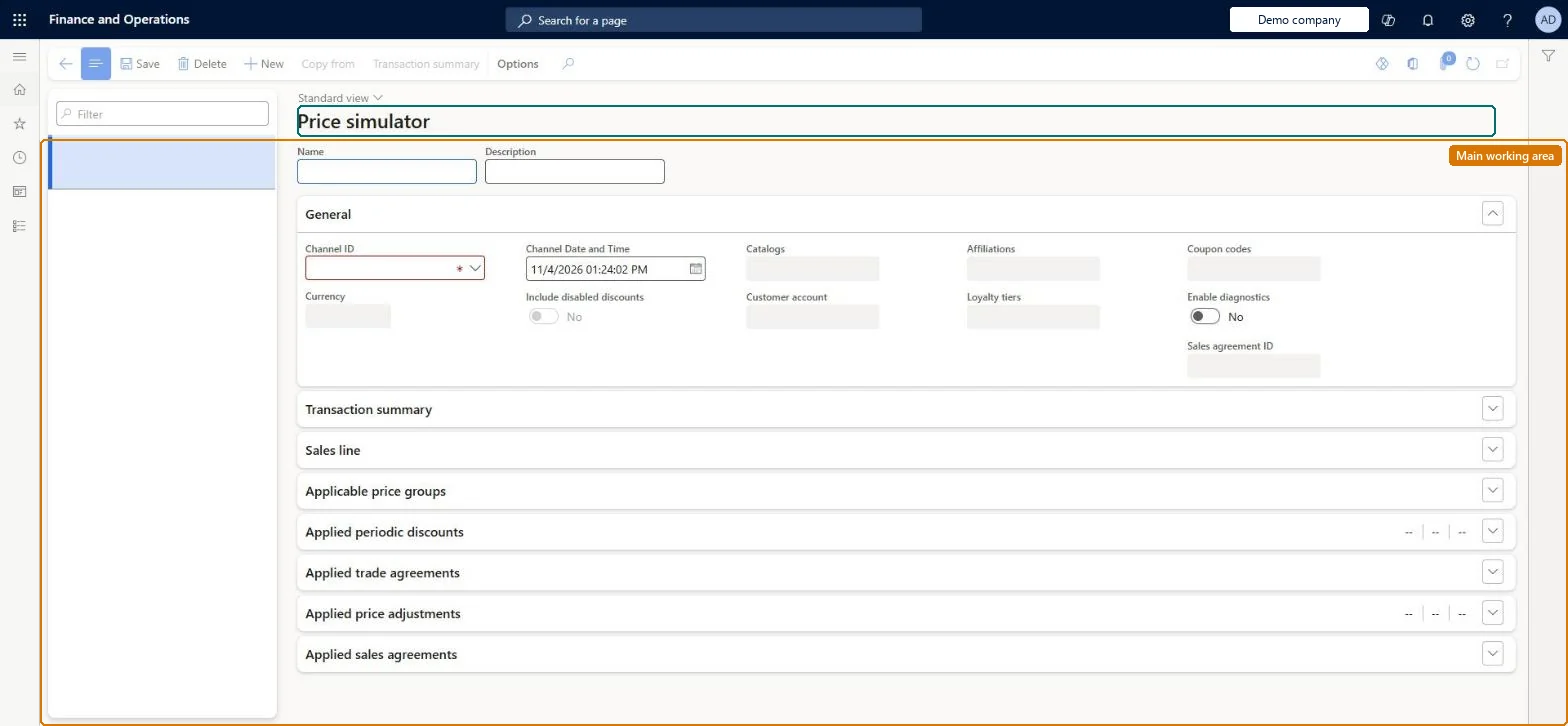
A diagnostic page in Commerce headquarters where you set a channel, customer and sales lines and see the prices and discounts the Commerce pricing engine would calculate for that transaction.
Retail merchandising manager, Retail operations manager, Retail service and 1 more role
Business process
Set product prices
Menu item
RetailPriceSimulatorV2
Main table
RetailPricingSimulatorSa
Show what matters for
PAGE GUIDEWhat the page does and how to use it7 sections. Choose a role to highlight what matters to you.
Everyone
1What it is and why
What it is
A diagnostic page in Commerce headquarters where you set a channel, customer and sales lines and see the prices and discounts the Commerce pricing engine would calculate for that transaction.
What you do here
Use this page to test price and discount configuration before enabling it in channels and to work out why a product shows an unexpected price.
Example
For example, check that a new discount gives the expected price in a store before you enable it, using the option that treats disabled discounts as enabled.
The page in Dynamics 365. page title tab to open what to set or check
About the examples: Examples and screenshots in this guide use BEAT, a demo company in a Dynamics 365 test environment. Use your own company's codes and values instead of copying them.
Steps from Microsoft
Go to Retail and Commerce > Pricing and discounts > Price simulator.
Select the channel to simulate.
Select the customer, if the scenario has one.
Add the sales lines (products and quantities).
Review the calculated prices and discounts.
If they are wrong, re-check price groups, loyalty, affiliation and discount setup.
Reversible: A diagnostic tool for checking price and discount setup before enabling discounts in channels; Microsoft positions it for testing, including treating disabled discounts as enabled. Microsoft Learn
Technical architect
5Technical
Menu item
RetailPriceSimulatorV2Checked in Dynamics 365
Form
RetailPricingSimulatorV2Checked in Dynamics 365
Table
RetailPricingSimulatorSaShown as “PRICING SIMULATOR SALES TRANSACTION HEADER” in Record infoChecked in Dynamics 365
To set it up or change itRetail service RetailServiceRetail merchandising manager RetailMerchandisingManagerTo use itRetail operations manager RetailOperationsManagerRetail store manager RetailStoreManagerGive people one of these roles. On this system, 4 roles can open this page.Checked in Dynamics 365
Actions on the page
(Action Pane without tabs): New, Copy from, Transaction summaryChecked in Dynamics 365