Retail merchandising manager, Retail operations manager, Retail service and 1 more role
Business process
Analyze and monitor Point of Sale (POS) activity in Dynamics 365 Commerce
Menu item
RetailSales
Main table
RetailTransactionSalesTr
Data entity
RetailTransactionSalesLineEntity
Show what matters for
PAGE GUIDEWhat the page does and how to use it6 sections. Choose a role to highlight what matters to you.
Everyone
1What it is and why
What it is
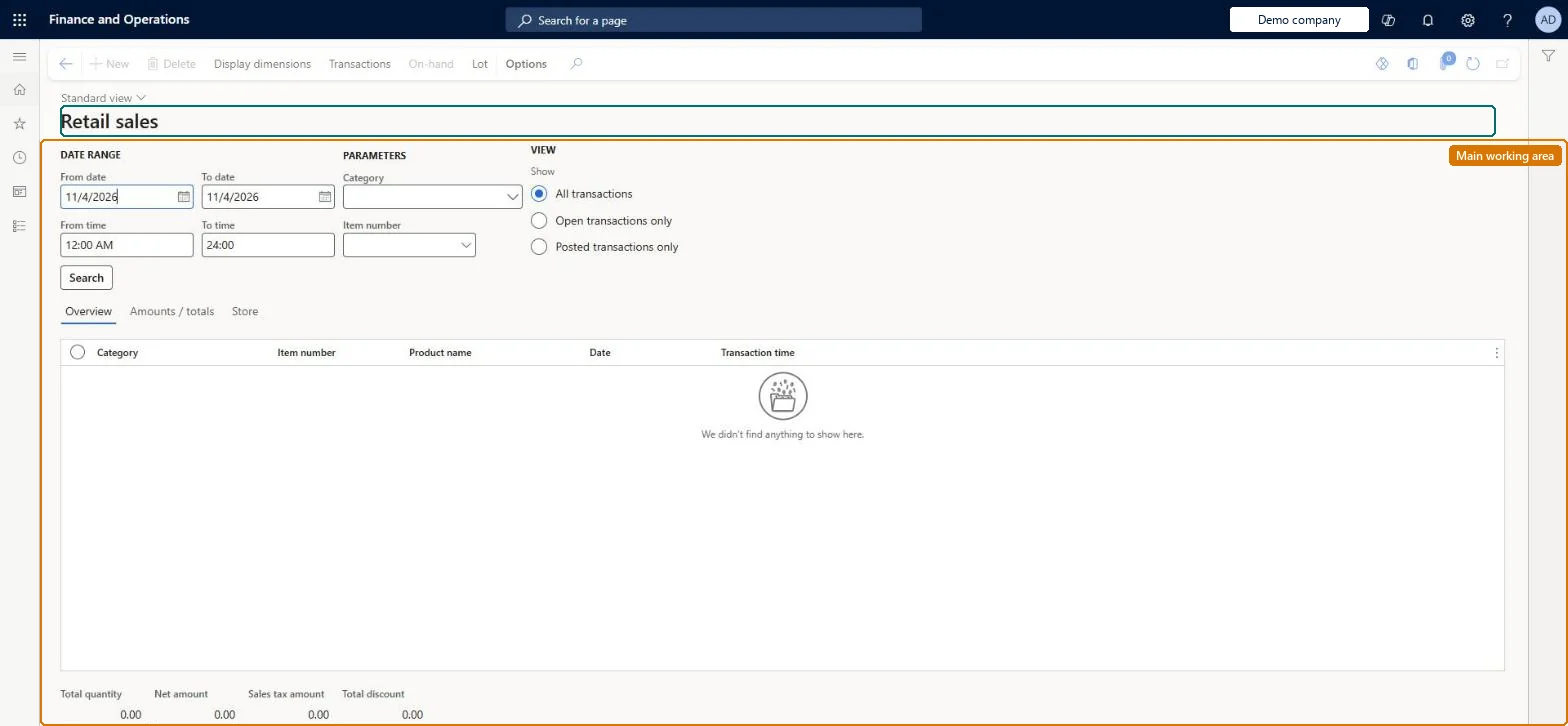
An inquiry page that lists the sales transactions performed at the stores.
What you do here
Use this page to view store sales filtered by date range, time range, retail hierarchy and item number, showing posted or open transactions.
Example
For example, a merchandiser can list the sales of one item across the store hierarchy for last week and then check its on-hand stock from the same page.
The page in Dynamics 365. page title tab to open what to set or check
About the examples: Examples and screenshots in this guide use BEAT, a demo company in a Dynamics 365 test environment. Use your own company's codes and values instead of copying them.
Steps from Microsoft
Go to Retail and Commerce > Inquiries and reports > Store sales.
Enter values for some or all of the parameters (date range, time range, retail hierarchy, item number).
Choose whether to view posted or open transactions.
To check stock, select a product, select Inventory, and then select an option.
RetailTransactionSalesTrShown as “SALES TRANSACTIONS” in Record infoKey field: Channel_OMOperatingUnit_Name, store, terminalId, transactionIdChecked in Dynamics 365
Data entities
RetailTransactionSalesLineEntitySales transactions Checked in Dynamics 365RetailTransactionSalesLineV2EntitySales transactions V2 Checked in Dynamics 365CatProcurementProductCategoryEntityProcurement product categories Checked in Dynamics 365EcoResProductCategoryEntityProduct categories Microsoft data model
Who can open it
PrivilegesView retail sales reports RetailSalesReportsViewDutiesInquire into retail sales reports RetailIntoSalesReportsInquireInquire into sales reports for retail trial. RetailTrialIntoSalesReportsInquire4 security rolesRetail merchandising manager RetailMerchandisingManagerRetail operations manager RetailOperationsManagerRetail service RetailServiceRetail store manager RetailStoreManagerChecked in Dynamics 365
Roles to set it up and use it
To use itRetail service RetailServiceRetail operations manager RetailOperationsManagerRetail store manager RetailStoreManagerRetail merchandising manager RetailMerchandisingManagerGive people one of these roles. On this system, 4 roles can open this page.Checked in Dynamics 365
Actions on the page
(Action Pane without tabs): Display dimensions, Transactions, On-hand, LotChecked in Dynamics 365
Developer
5Developer
Open it by URL
https://<your-environment>/?mi=RetailSales
Integrate with
RetailTransactionSalesLineEntity data entity Checked in Dynamics 365