BeyondERP.Newsletter
Menu

Report page · Retail and Commerce

Channel sales by year report

A report dialog that compares a channel's sales for a selected year with the previous year.

Business process
Analyze and monitor Point of Sale (POS) activity in Dynamics 365 Commerce
Menu item
RetailSalesYearOnYear
Show what matters for
PAGE GUIDEWhat the page does and how to use it7 sections. Choose a role to highlight what matters to you.
Everyone

1What it is and why

What it isA report dialog that compares a channel's sales for a selected year with the previous year.
What you do hereUse this page to compare a channel's sales year over year.
ExampleFor example, a store manager can compare this year's sales with last year's.
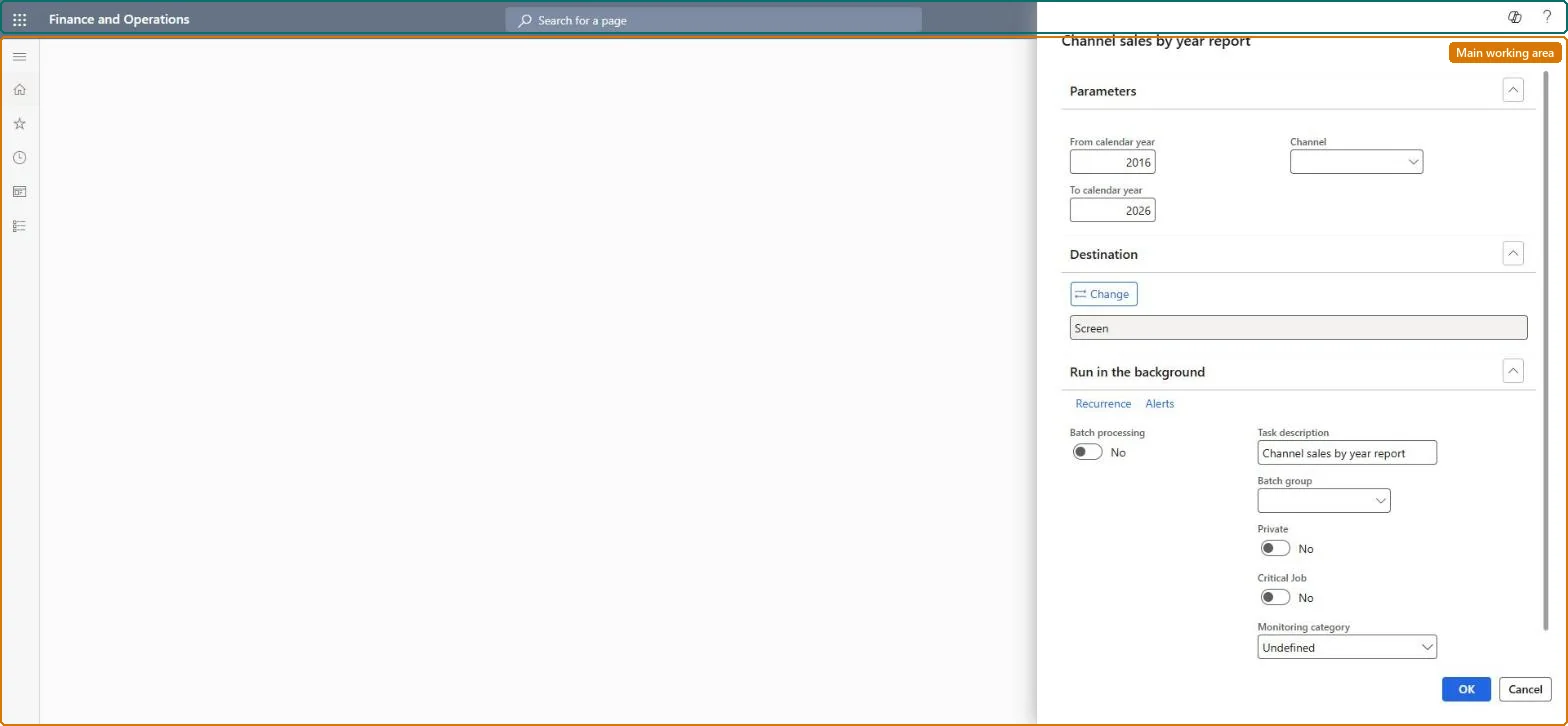
Channel sales by year report page in Dynamics 365
The page in Dynamics 365. page title tab to open what to set or check
Functional consultant · Solution architect

2Where it fits

Business processAnalyze sales performance › Measure sales performance › Analyze and monitor Point of Sale (POS) activity in Dynamics 365 Commerce
Menu pathRetail and Commerce › Inquiries and reports › Sales reports › Channel sales by year report
Related pagesStore management workspace reports Microsoft Learn
End user · Functional consultant

3How to do it

About the examples: Examples and screenshots in this guide use BEAT, a demo company in a Dynamics 365 test environment. Use your own company's codes and values instead of copying them.

When to run it

When to run itWhen you compare a channel's sales year over year, for example in yearly planning.
How oftenOn demand, typically once a year or per quarter.
What the output showsA comparison of the channel's sales for the selected year against the previous year. A sharp drop can also mean that transactions for part of the year aren't in headquarters yet.

Source: Microsoft Learn

Steps from Microsoft

  1. Go to Retail and Commerce > Inquiries and reports > Sales reports > Channel sales by year report.
  2. In the From calendar year field, enter the first year of the comparison.
  3. In the To calendar year field, enter the last year of the comparison.
  4. In the Channel field, select the channel, then run the report to compare the selected year with the previous year.

Source: Microsoft Learn

Fields on the page

FieldWhat it means
From calendar yearThe first year of the comparison.Microsoft Learn
To calendar yearThe last year of the comparison.Microsoft Learn
ChannelThe channel whose transactions the report shows.Microsoft Learn
Solution architect

4Design impact

Can it be undoneNothing to undo: The channel sales by year report only reads data; it changes nothing. Microsoft Learn
Technical architect

5Technical

Menu itemRetailSalesYearOnYear Checked in Dynamics 365
FormSysOperationTemplateForm Checked in Dynamics 365
Roles to set it up and use itTo use itRetail service RetailServiceRetail operations manager RetailOperationsManagerRetail store manager RetailStoreManagerGive people one of these roles. On this system, 3 roles can run this page.Checked in Dynamics 365
Developer

6Developer

Open it by URLhttps://<your-environment>/?mi=RetailSalesYearOnYear
Everyone

7Sources