PAGE GUIDEWhat the page does and how to use it7 sections. Choose a role to highlight what matters to you.
Everyone
1What it is and why
What it is
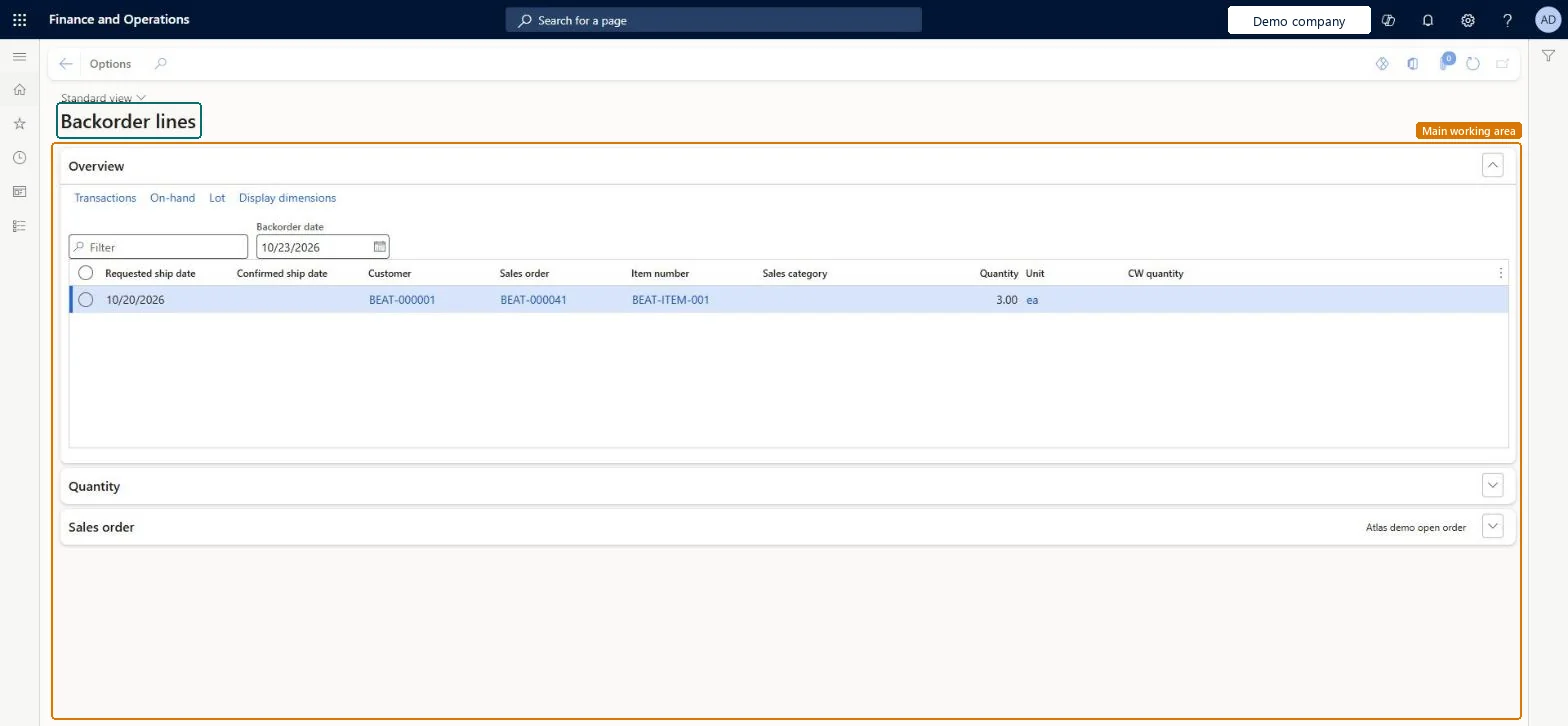
An inquiry page that shows sales order lines that are not yet delivered to the customer.
What you do here
Use this page to see the status of a customer's remaining orders, for example when customers ask about delayed deliveries.
Example
For example, if products are delayed from vendors, you can find the affected customer orders, change the delivery date and tell the customers about the delay.
The page in Dynamics 365. page title tab to open what to set or check
About the examples: Examples and screenshots in this guide use BEAT, a demo company in a Dynamics 365 test environment. Use your own company's codes and values instead of copying them.
Steps from Microsoft
Go to Retail and Commerce > Inquiries and reports > Backorder lines.
Select Inventory transactions to see the inventory transactions for the customer's backorders.
Or select Order lines to see the remaining open order lines for the customer.
Select the Link on change view check box to keep a line selected in both views.
To use itRetail service RetailServiceRetail store manager RetailStoreManagerSales manager TradeSalesManagerSales clerk TradeSalesClerkSales representative TradeSalesRepresentativeGive people one of these roles. On this system, 28 roles can open this page.Checked in Dynamics 365
Actions on the page
Options: Personalize, Page options, ShareChecked in Dynamics 365