About the examples: Examples and screenshots in this guide use BEAT, a demo company in a Dynamics 365 test environment. Use your own company's codes and values instead of copying them.
Steps from Microsoft
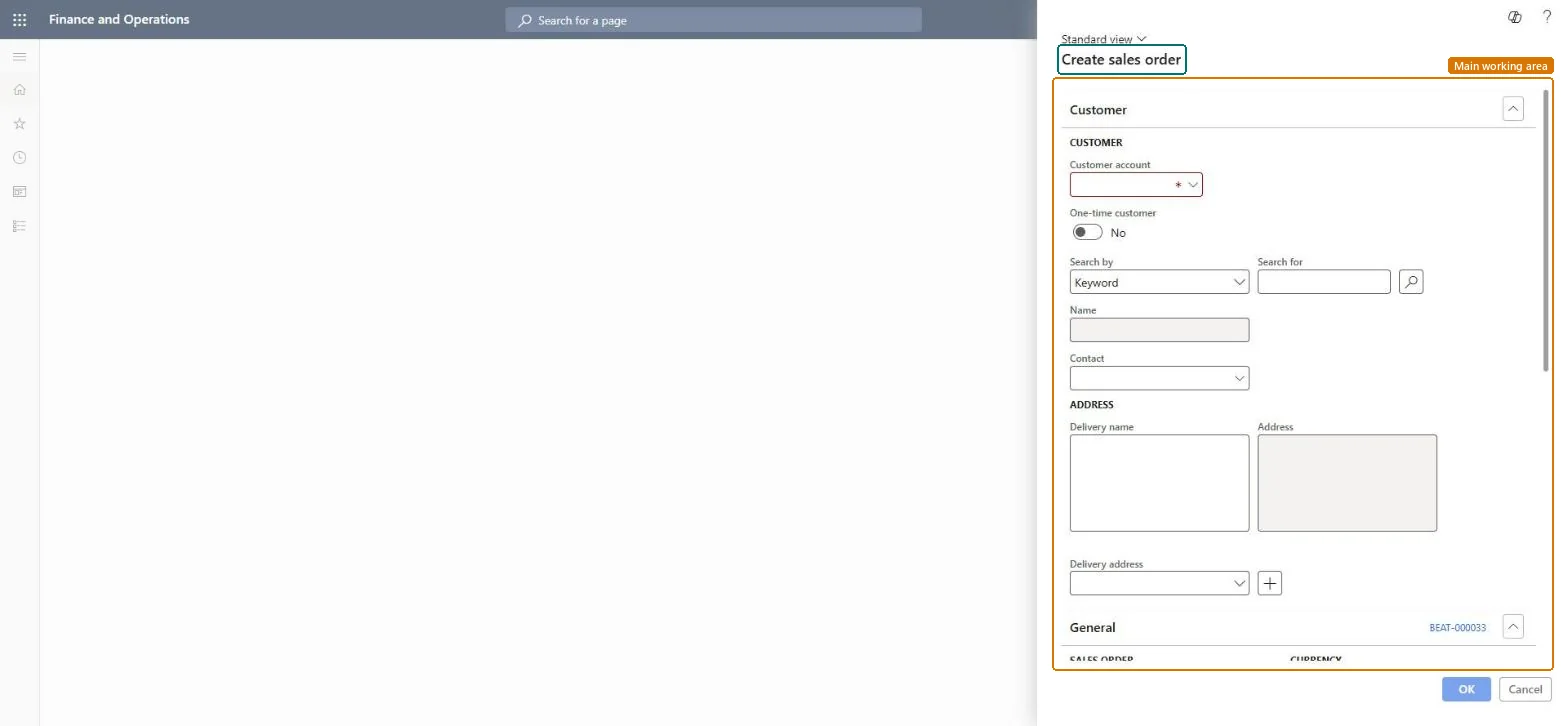
Go to Retail and Commerce > Customers > Create sales order.
In the Customer account field, select the customer.
Select OK to create the order.
In the Sales order lines section, select the Item number and enter the Quantity.
Check the Unit price and discounts, and then save.
Reversible: The dialog only creates the order header; header and line values copied as defaults can be changed on the open order. Microsoft Learn
Technical architect
5Technical
Menu item
SalesCreateOrderChecked in Dynamics 365
Form
SalesCreateOrderChecked in Dynamics 365
Roles to set it up and use it
To use itRetail service RetailServiceRetail store manager RetailStoreManagerSales manager TradeSalesManagerSales clerk TradeSalesClerkSales representative TradeSalesRepresentativeGive people one of these roles. On this system, 24 roles can open this page.Checked in Dynamics 365