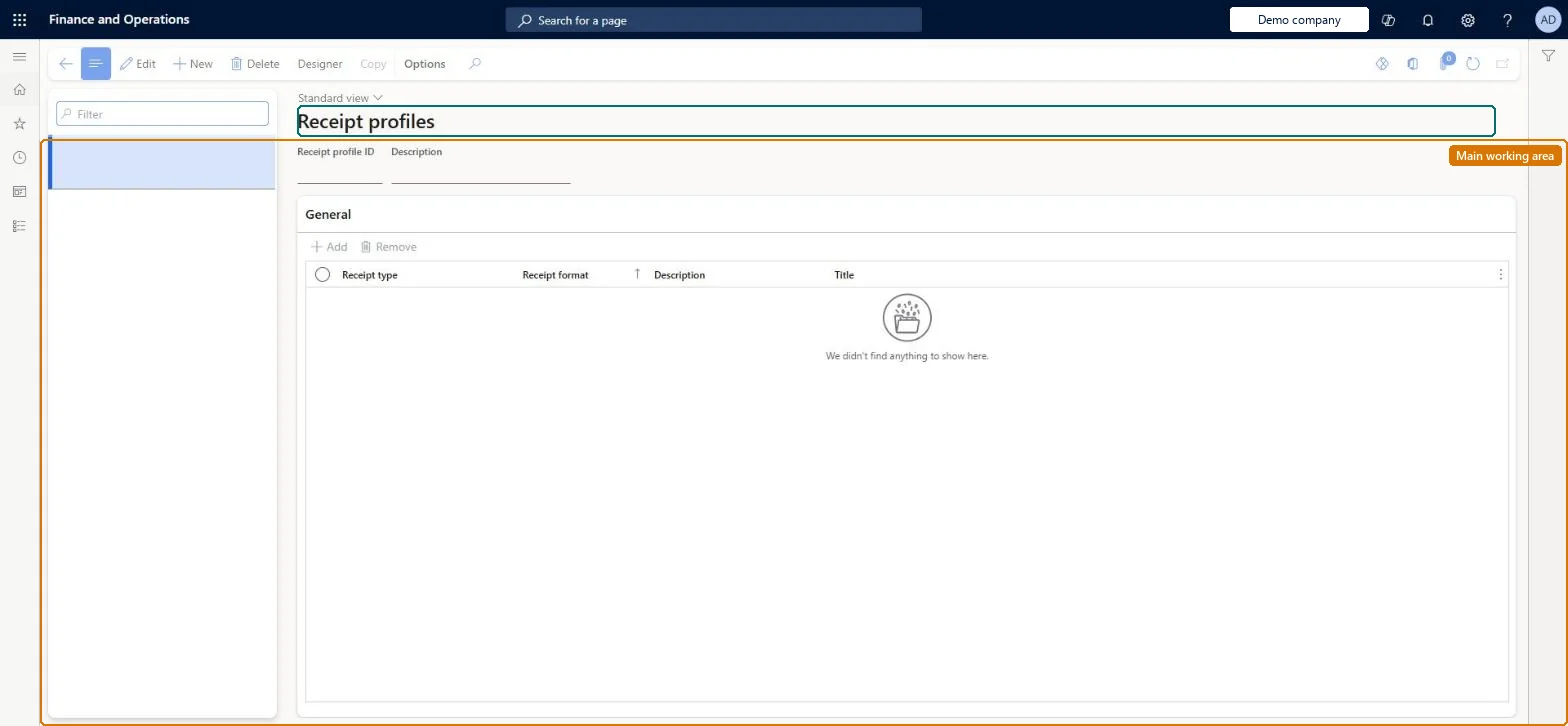
A setup page where a receipt profile pairs each receipt type with the receipt format (layout) it uses, so a store or printer knows which layout to print or email for each kind of receipt.
Retail and CommerceChannel setupPOS setupPOS profiles
RetailReceiptProfile
Used by
Retail operations manager, Retail service, Information technology manager
Business process
Manage sales channels
Menu item
RetailReceiptProfile
Main table
RetailReceiptProfile
Data entity
RetailReceiptProfileEntity
Setup steps
1 on this page
Show what matters for
PAGE GUIDEWhat the page does and how to use it8 sections. Choose a role to highlight what matters to you.
Everyone
1What it is and why
What it is
A setup page where a receipt profile pairs each receipt type with the receipt format (layout) it uses, so a store or printer knows which layout to print or email for each kind of receipt.
What you do here
Use this page to add receipt types to a profile, pick the receipt format for each, and for emailed receipts choose the container email template; printed profiles are assigned to printers in the hardware profile and email profiles through the functionality profile.
Example
For example, a standard thermal printer gets a profile with small receipt formats while a full-size printer gets a profile with only customer order receipts that need more space.
The page in Dynamics 365. page title tab to open what to set or check
About the examples: Examples and screenshots in this guide use BEAT, a demo company in a Dynamics 365 test environment. Use your own company's codes and values instead of copying them.
Setup steps on this page
Set up Receipt profiles
Use this page to add receipt types to a profile, pick the receipt format for each, and for emailed receipts choose the container email template; printed profiles are assigned to printers in the hardware profile and email profiles through the functionality profile.
Steps from Microsoft
Go to Retail and Commerce > Channel setup > POS setup > POS profiles > Receipt profiles.
Select or create the receipt profile.
Select Add to create a new, empty row.
In the Receipt type field, select the receipt type.
In the Receipt format field, select the receipt format that defines the layout.
For emailed receipts, select the email template used as the container.
Assign the profile to a printer in the hardware profile or to the functionality profile, then run the Registers (1090) job.
Separate profiles for printed and emailed receipts; email profiles contain only emailable receipt types, each with its container email templateLearn describes separate printed and emailed profiles per store, and lists which formats can be emailed. Printed profiles go on printers in the hardware profile, email profiles on the functionality profile.
Adding a receipt type that can't be emailed to an email profile. Headquarters doesn't stop you, and the receipt is never emailed.
Solution architect
5Design impact
Can it be undone
Reversible: Profile lines can be added, removed or re-pointed at other formats and templates at any time; they apply after distribution. Microsoft Learn
If you change it later
Headquarters does not stop you adding a receipt type that cannot be emailed to an email receipt profile, so check the list of emailable formats. Microsoft Learn
Technical architect
6Technical
Menu item
RetailReceiptProfileChecked in Dynamics 365
Form
RetailReceiptProfileChecked in Dynamics 365
Table
RetailReceiptProfileShown as “RECEIPT PROFILE” in Record infoChecked in Dynamics 365
To set it up or change itRetail service RetailServiceRetail operations manager RetailOperationsManagerInformation technology manager SysServerITManagerGive people one of these roles. On this system, 3 roles can open this page.Checked in Dynamics 365
Actions on the page
(Action Pane without tabs): Designer, CopyChecked in Dynamics 365