About the examples: Examples and screenshots in this guide use BEAT, a demo company in a Dynamics 365 test environment. Use your own company's codes and values instead of copying them.
Setup steps on this page
Set up Online Channel Azure B2C Configuration Profiles
How to use it
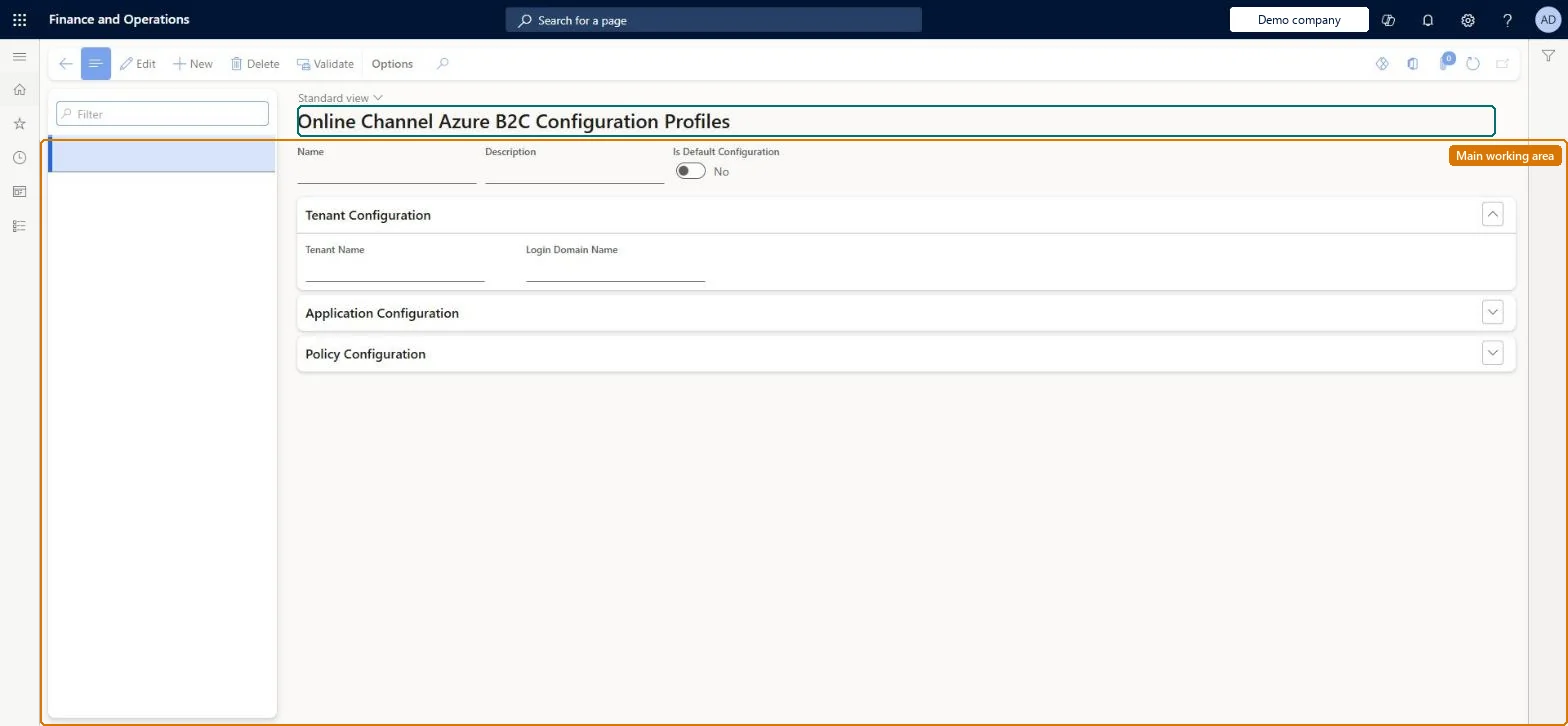
Go to Retail and Commerce > Channel setup > Online store setup > Online Channel Azure B2C Configuration Profiles.
Use the Filter box to find a profile.
Select New and enter the Name and Description, and set Is Default Configuration for the profile the online channels use unless told otherwise.
Under Tenant Configuration, enter the Tenant Name and Login Domain Name of the Azure AD B2C tenant; expand Application Configuration and Policy Configuration for the application and policy settings.
Select Validate to check the profile, then Save.
Source: Checked in Dynamics 365
Test checklist
Create the profile and map it to the online store.
In Commerce shared parameters check the B2C identity provider type is Microsoft Entra ID B2C (access_token) and the relying party uses the right client ID.
Run job 1110.
Sign in to the storefront as a registered shopper and check sign-in succeeds.
Tenant name, Application ID, Scope and Audience (the same client ID as the B2C application), with the Application secret kept in Azure Key Vault and referenced, then the profile mapped to the online storeLearn tells you not to type the application secret into the profile but to store it in Key Vault, and to use the B2C application's client ID as the Audience.
A Scope value longer than the field allows. Headquarters can truncate it, which causes authentication or sign-in failures.
Solution architect
5Design impact
Can it be undone
Reversible: The profile can be edited or remapped. After identity changes, run job 1110 so the channel gets them. Microsoft Learn
Technical architect
6Technical
Menu item
RetailOnlineChannelAzureB2CConfigurationMenuItemChecked in Dynamics 365
Form
RetailOnlineChannelAzureB2CConfigurationFormChecked in Dynamics 365
Table
RetailOnlineChannelAzureShown as “RETAILONLINECHANNELAZUREB2CCONFIGURATIONPROFILE” in Record infoKey field: NameChecked in Dynamics 365
Actions on the page
(Action Pane without tabs): ValidateChecked in Dynamics 365