Budget clerk, Budget contributor, Budget manager and 10 more roles
Business process
Develop production processes
Menu item
OMValueStream
Main table
OMOperatingUnit
Data entity
DimAttributeOMValueStreamEntity
Setup steps
1 on this page
Show what matters for
PAGE GUIDEWhat the page does and how to use it8 sections. Choose a role to highlight what matters to you.
Everyone
1What it is and why
What it is
A setup page where you create value streams: operating units that group one or more lean production flows and name the manager responsible for them.
What you do here
Use this page to define the value streams that production flows must belong to, and to record the value stream manager; a value stream must exist before a production flow can be created.
Example
For example, because a value stream is an operating unit, it can also be used as a financial dimension when lean manufacturing costs are posted.
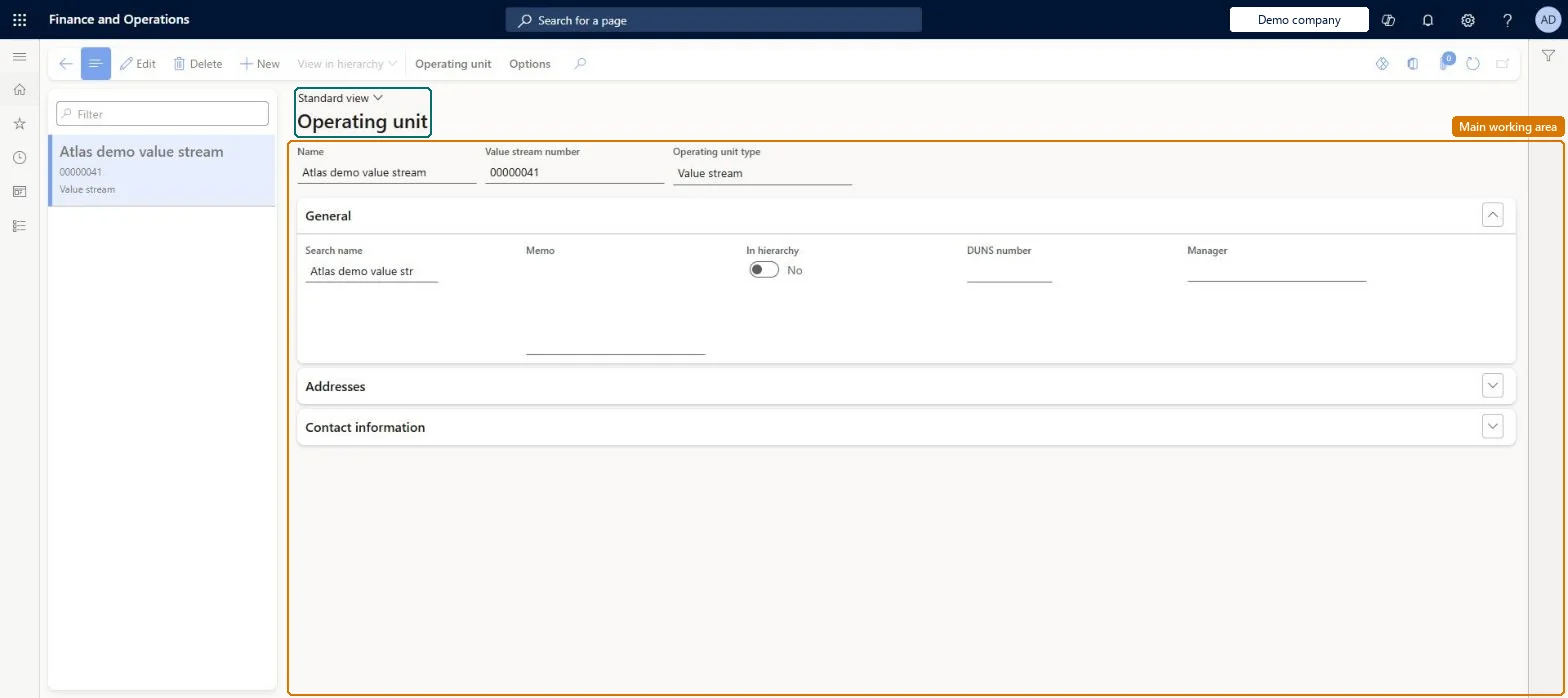
The page in Dynamics 365. page title tab to open what to set or check
About the examples: Examples and screenshots in this guide use BEAT, a demo company in a Dynamics 365 test environment. Use your own company's codes and values instead of copying them.
Setup steps on this page
Set up Value streams
Use this page to define the value streams that production flows must belong to, and to record the value stream manager; a value stream must exist before a production flow can be created.
Steps from Microsoft
Go to Production control > Setup > Lean production flow > Value streams.
Click New to open the drop dialog.
In the Name field, type a value.
In the Manager field, select the value stream manager from the lookup.
One value stream per group of production flows, with the accountable value stream manager recordedLearn describes value streams as operating units that group one or more production flows, and the Manager field as documentation of the organization; a value stream must exist before a production flow can be defined.
Expecting the value stream to drive costing or posting. Learn says operating units are limited to a legal entity and have no further functionality at this stage; accounting comes from the production group on each flow.
Reversible: A value stream is an organizational record. Learn says operating units have no further functionality beyond grouping flows, so changes don't affect costing. Microsoft Learn
Technical architect
6Technical
Menu item
OMValueStreamChecked in Dynamics 365
Form
OMOperatingUnitChecked in Dynamics 365
Table
OMOperatingUnitShown as “OPERATING UNIT” in Record infoChecked in Dynamics 365
PrivilegesMaintain value streams OMValueStreamMaintainView value streams OMValueStreamViewDutiesInquire into organizational model OMOrganizationsInquireMaintain and configure organizational model OMOrganizationsMaintainInquire into organizational model RentalOMOrganizationsInquireMaintain and configure organizational model RentalOMOrganizationsMaintain13 security rolesBudget clerk BudgetBudgetClerkBudget contributor BudgetBudgetContributorBudget manager BudgetBudgetManagerHuman resource assistant HcmHumanResourceAssistantAccounting manager LedgerAccountingManagerProduction manager ProdProductionManagerRental clerk RentalClerkRental coordinator agent RentalCoordinatorAgentRental manager RentalManagerRental purchasing manager RentalPurchasingManagerRental representative RentalRepresentativeRental sales manager RentalSalesManagerInformation technology manager SysServerITManagerChecked in Dynamics 365
Roles to set it up and use it
To set it up or change itProduction manager ProdProductionManagerAccounting manager LedgerAccountingManagerInformation technology manager SysServerITManagerBudget manager BudgetBudgetManagerRental manager RentalManagerTo use itBudget contributor BudgetBudgetContributorBudget clerk BudgetBudgetClerkRental clerk RentalClerkRental representative RentalRepresentativeHuman resource assistant HcmHumanResourceAssistantGive people one of these roles. On this system, 13 roles can open this page.Checked in Dynamics 365
Actions on the page
Operating unit: Registration(Action Pane without tabs): New, View in hierarchyChecked in Dynamics 365