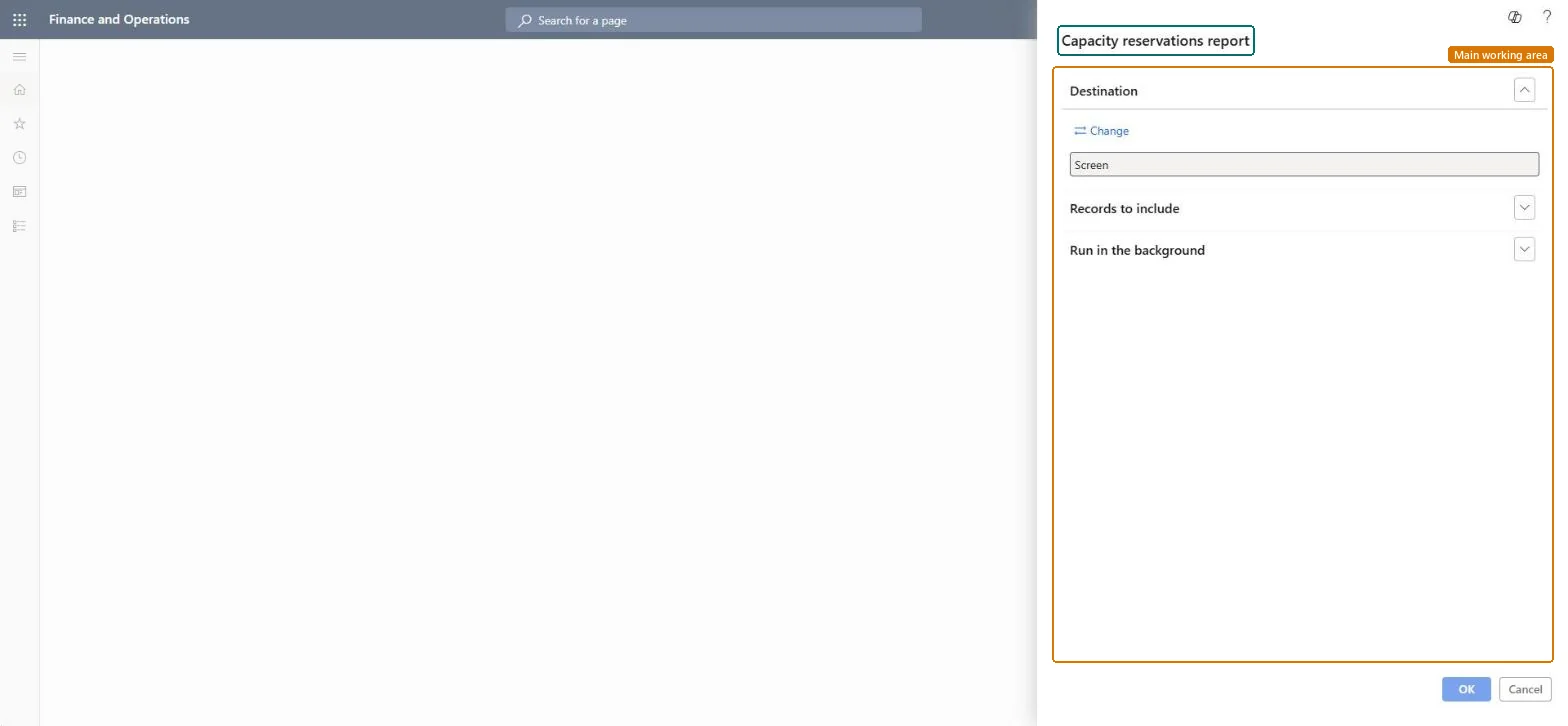
Production control › Inquiries and reports › Resources › Capacity reservations report
End user · Functional consultant
3How to do it
About the examples: Examples and screenshots in this guide use BEAT, a demo company in a Dynamics 365 test environment. Use your own company's codes and values instead of copying them.
How to use it
Go to Production control > Inquiries and reports > Resources > Capacity reservations report.
Check the Destination. It shows Screen. Select Change to pick a different destination.
Open Records to include to set filters on the records.
Open Run in the background if you want to run the report in the background.
Select OK to run the report.
Source: Checked in Dynamics 365
Technical architect
4Technical
Menu item
output:WrkCtrCapResChecked in Dynamics 365
Form
SysOperationTemplateFormChecked in Dynamics 365
Roles to set it up and use it
To use itProduction supervisor ProdProductionSupervisorProduction manager ProdProductionManagerProduction planner ReqProductionPlannerProject manager ProjProjectManagerGive people one of these roles. On this system, 4 roles can run this page.Checked in Dynamics 365