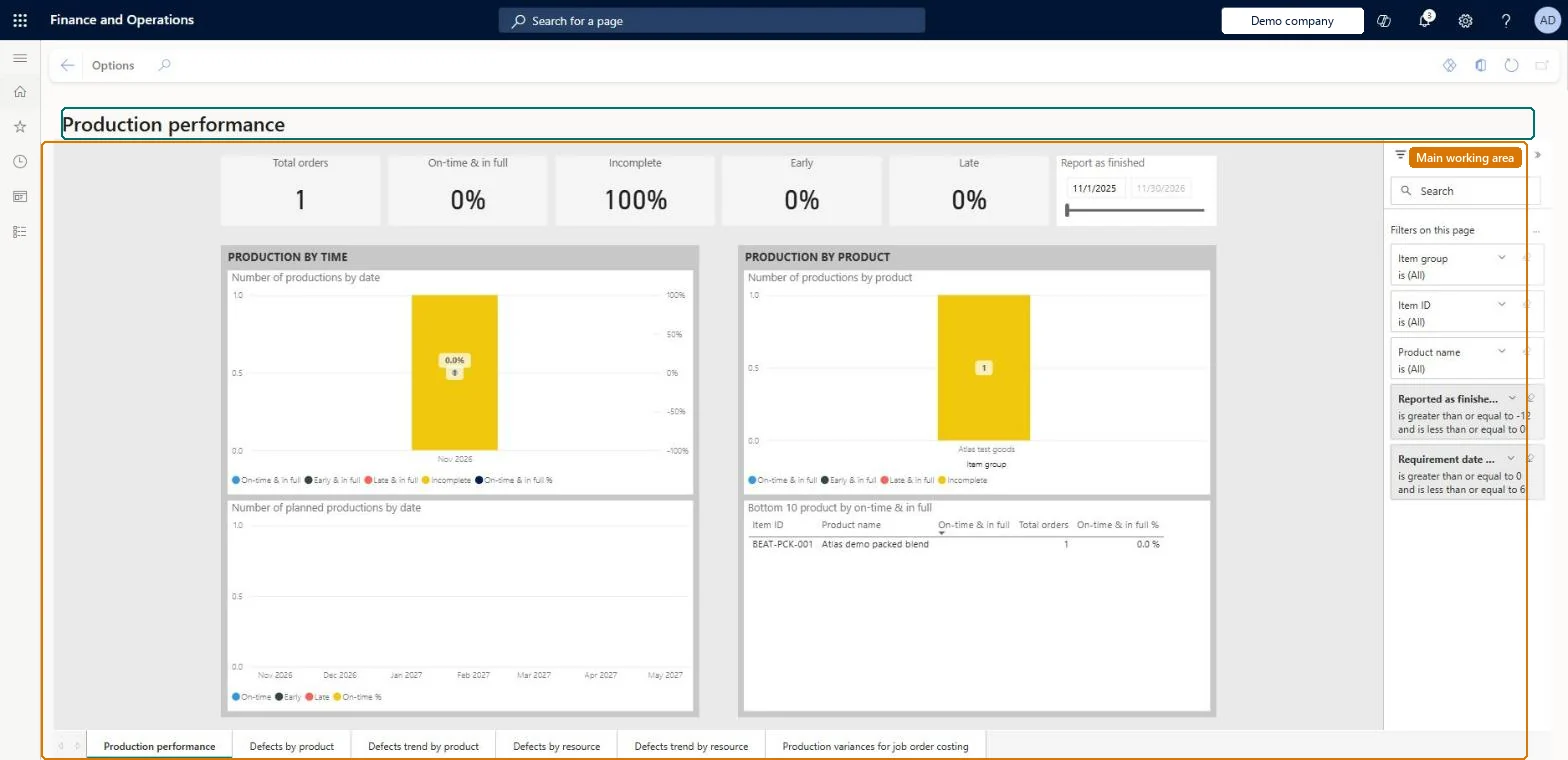
A page that embeds the Production performance Power BI content, a set of report pages that measure how well production orders and batch orders are completed on time, in full, with few defects and within estimated cost.
Production controlInquiries and reportsProduction performance analysis
ProductionPerformancePowerBI
Used by
Chief executive officer, Inventory accountant, Inventory accountant clerk and 2 more roles
Business process
Use the Production performance report to analyze and improve production in Dynamics 365 Supply Chain Management
Menu item
ProductionPerformancePowerBI
Show what matters for
PAGE GUIDEWhat the page does and how to use it7 sections. Choose a role to highlight what matters to you.
Everyone
1What it is and why
What it is
A page that embeds the Production performance Power BI content, a set of report pages that measure how well production orders and batch orders are completed on time, in full, with few defects and within estimated cost.
What you do here
Use this page to monitor manufacturing performance for timely execution, quality and cost, both company-wide and broken down by product and resource, and to analyse production variances between estimated and realized cost.
Example
For example, a production manager opens the Defects by resource page to find the top 10 resources by defect rate and the operations that cause them.
The page in Dynamics 365. page title tab to open what to set or check
About the examples: Examples and screenshots in this guide use BEAT, a demo company in a Dynamics 365 test environment. Use your own company's codes and values instead of copying them.
Steps from Microsoft
Go to Production control > Inquiries and reports > Production performance analysis > Production performance.
Select a report page such as Production performance, Defects by product or Production variances for job order costing.
Use the site, resource, product and date filters to narrow the view.
Read the tiles for totals and the charts for trends and top-10 lists.
Share of completed orders that finished on the requirement date with the full scheduled quantity.Microsoft Learn
Defective rate (ppm)
Defective quantity per million units of total quantity produced.Microsoft Learn
Production variance %
Production variance as a share of estimated cost.Microsoft Learn
Is in full
An order counts as in full when its good quantity reaches the scheduled quantity.Microsoft Learn
Solution architect
4Design impact
If you change it later
The page reads data only; variances appear only once production or batch orders are ended, and kanban production is never included. Microsoft Learn
Technical architect
5Technical
Menu item
ProductionPerformancePowerBIChecked in Dynamics 365
Form
ProductionPerformancePowerBIChecked in Dynamics 365
Who can open it
PrivilegesProduction performance ProductionPerformancePowerBIViewDutiesInquire into production cost calculations ProdProductionCostCalcStatusInquireReview production process ProdProductionProcessPerformanceReview5 security rolesChief executive officer CompanyChiefExecutiveOfficerInventory accountant InventCostAccountantInventory accountant clerk InventCostCostClerkAccounting manager LedgerAccountingManagerProduction manager ProdProductionManagerChecked in Dynamics 365
Roles to set it up and use it
To use itProduction manager ProdProductionManagerInventory accountant clerk InventCostCostClerkAccounting manager LedgerAccountingManagerInventory accountant InventCostAccountantChief executive officer CompanyChiefExecutiveOfficerGive people one of these roles. On this system, 5 roles can open this page.Checked in Dynamics 365