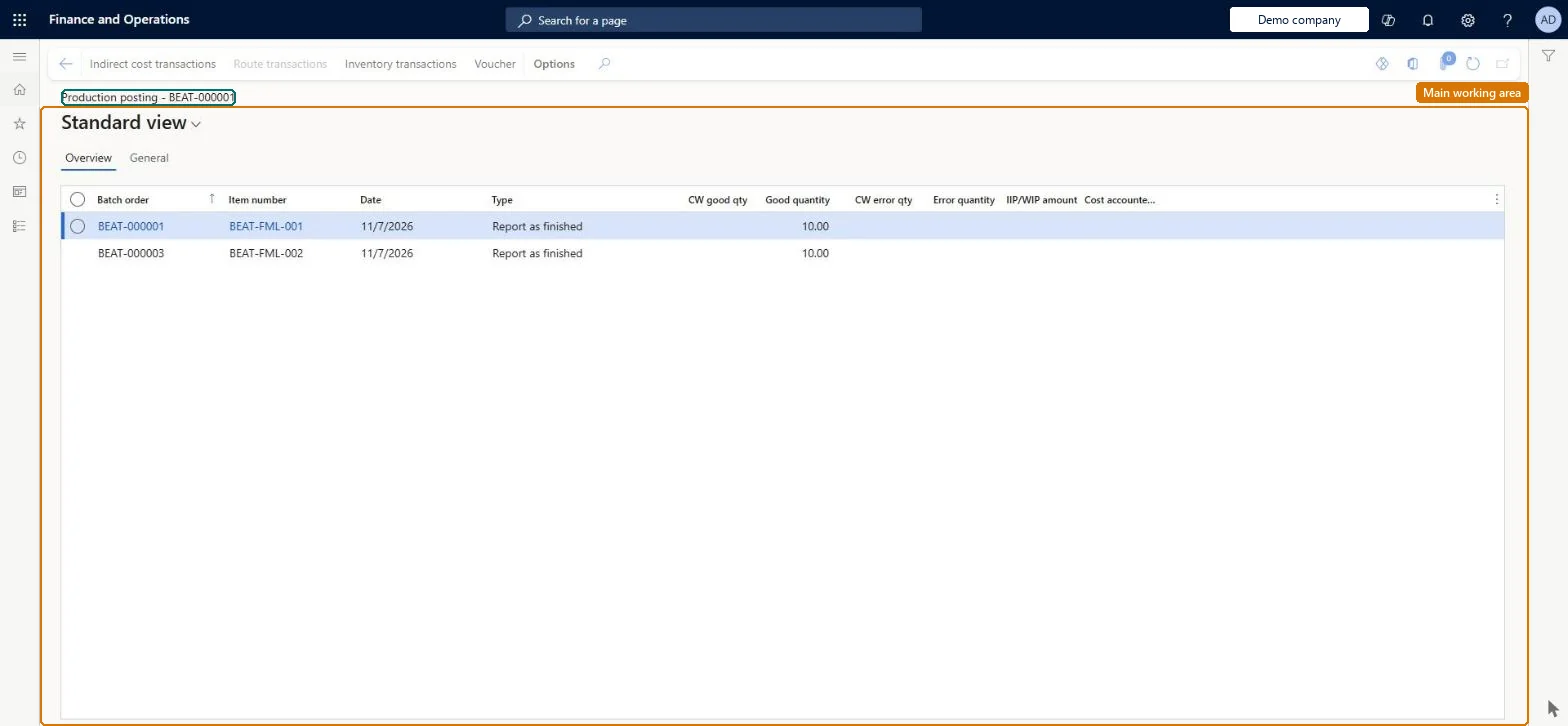
An inquiry that lists the postings made for batch orders (material consumption, route consumption and reported as finished) with quantities, catch weight quantities, amounts and vouchers.
Chief executive officer, Machine operator, Shop supervisor and 4 more roles
Business process
End product and record actual costs in Dynamics 365 Supply Chain Management
Menu item
PmfProcessBatchJour
Main table
ProdTableJour
Show what matters for
PAGE GUIDEWhat the page does and how to use it7 sections. Choose a role to highlight what matters to you.
Everyone
1What it is and why
What it is
An inquiry that lists the postings made for batch orders (material consumption, route consumption and reported as finished) with quantities, catch weight quantities, amounts and vouchers.
What you do here
Use this page to see what has been posted for each batch order and open the related inventory vouchers, ledger transactions, route transactions and indirect cost transactions.
Example
For example, a cost accountant checks the cost accounted amount and costing voucher of a finished batch before period close.
The page in Dynamics 365. page title tab to open what to set or check
About the examples: Examples and screenshots in this guide use BEAT, a demo company in a Dynamics 365 test environment. Use your own company's codes and values instead of copying them.
How to use it
Go to Production control > Inquiries and reports > Production > Batch order posting.
Read the list of postings made for batch orders.
Select a posting and select Indirect cost transactions, Route transactions or Inventory transactions on the Action Pane to open its transactions.
Select Voucher to see the ledger voucher of the posting.
ProdTableJourShown as “JOURNAL” in Record infoChecked in Dynamics 365
Who can open it
PrivilegesView processing of batch journals PmfProcessBatchJourViewDutiesMaintain production order feedback ProdProductionOrderFeedbackMaintainInquire into production orders ProdProductionOrderProgressInquireReview production process ProdProductionProcessPerformanceReview7 security rolesChief executive officer CompanyChiefExecutiveOfficerMachine operator JmgMachineOperatorShop supervisor JmgShopSupervisorProduction manager ProdProductionManagerProduction supervisor ProdProductionSupervisorProject manager ProjProjectManagerProduction planner ReqProductionPlannerChecked in Dynamics 365
Roles to set it up and use it
To use itProduction supervisor ProdProductionSupervisorProduction manager ProdProductionManagerShop supervisor JmgShopSupervisorProduction planner ReqProductionPlannerProject manager ProjProjectManagerGive people one of these roles. On this system, 7 roles can open this page.Checked in Dynamics 365
Actions on the page
(Action Pane without tabs): Indirect cost transactions, Route transactions, Inventory transactions, VoucherChecked in Dynamics 365