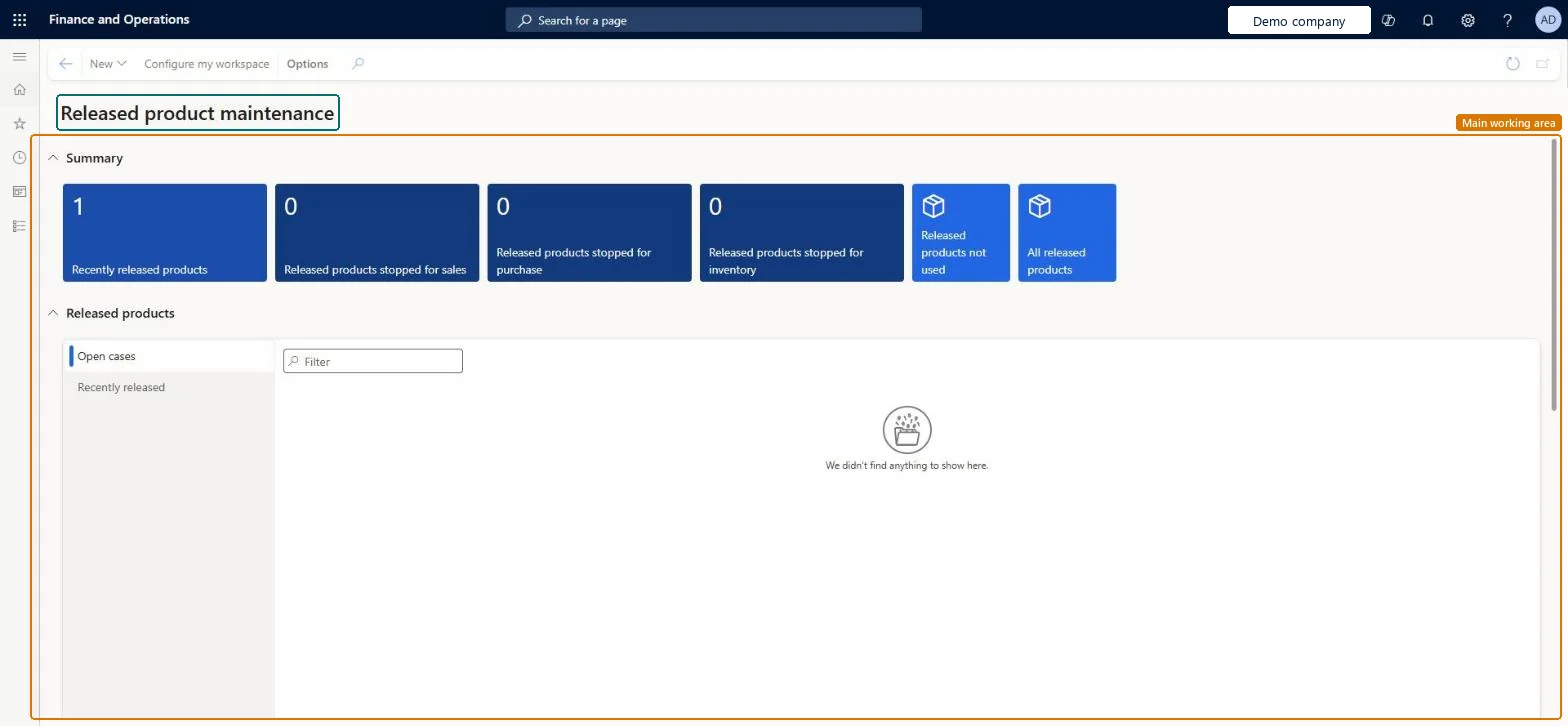
A workspace that helps you monitor and complete the products that were recently released to a legal entity, with summary tiles and lists of open cases and recently released products.
Product designer, Product design manager, Materials manager and 8 more roles
Business process
Develop new products
Menu item
EcoResProductMaintainWorkspace
Show what matters for
PAGE GUIDEWhat the page does and how to use it6 sections. Choose a role to highlight what matters to you.
Everyone
1What it is and why
What it is
A workspace that helps you monitor and complete the products that were recently released to a legal entity, with summary tiles and lists of open cases and recently released products.
What you do here
Use this workspace to find released products that still need setup for a specific legal entity, check their validation status and open the pages where you complete that setup.
The page in Dynamics 365. page title tab to open what to set or check
About the examples: Examples and screenshots in this guide use BEAT, a demo company in a Dynamics 365 test environment. Use your own company's codes and values instead of copying them.
How to use it
Go to Product information management > Workspaces > Released product maintenance.
Review the tiles in the Summary section, such as Recently released products, Released products stopped for sales, Released products stopped for purchase and Released products stopped for inventory.
In the Released products section, select the Open cases or Recently released list.
Use the Filter field to find a product in the selected list.
To change what the workspace shows, select Configure my workspace on the Action Pane.
Source: Checked in Dynamics 365
Fields on the page
Field
What it means
Open cases
Lists product change cases for products in the selected category hierarchy that are not yet completed and closed.Microsoft Learn
Recently released
Lists the products released within the time fence set in the workspace configuration, with a validation status for each product.Microsoft Learn
Recently released products
A time fence in days, set in the workspace configuration, that decides which products count as recently released.Microsoft Learn
Stopped released products
A time fence in days, set in the workspace configuration, for the released products that are stopped.Microsoft Learn
Technical architect
4Technical
Menu item
EcoResProductMaintainWorkspaceChecked in Dynamics 365
Form
EcoResProductMaintainWorkspaceChecked in Dynamics 365
Who can open it
PrivilegesEcoResProductMaintainWorkspaceViewDutiesMaintain products definition master EcoResProductDefinitionMasterMaintainInquire into products for operations master EcoResProductForOperationsMasterInquireMaintain products for operations master InventProductsForOperationsMasterMainta11 security rolesProduct designer BOMProductDesignerProduct design manager BOMProductDesignManagerMaterials manager InventMaterialsManagerQuality control manager InventQualityControlManagerLanded cost agent ITMAgentLanded cost manager ITMManagerShop supervisor JmgShopSupervisorProduction supervisor ProdProductionSupervisorProcess engineer RouteProcessEngineerProcess engineering manager RouteProcessEngineeringManagerWarehouse manager WMSWarehouseManagerChecked in Dynamics 365
Roles to set it up and use it
To use itProduct designer BOMProductDesignerProcess engineer RouteProcessEngineerProduct design manager BOMProductDesignManagerProcess engineering manager RouteProcessEngineeringManagerMaterials manager InventMaterialsManagerGive people one of these roles. On this system, 11 roles can open this page.Checked in Dynamics 365
Actions on the page
(Action Pane without tabs): New, Configure my workspaceChecked in Dynamics 365