Create and release products with variants in Dynamics 365 Supply Chain Management
Menu item
EcoResProductVariantMaintainWorkspace
Show what matters for
PAGE GUIDEWhat the page does and how to use it6 sections. Choose a role to highlight what matters to you.
Everyone
1What it is and why
What it is
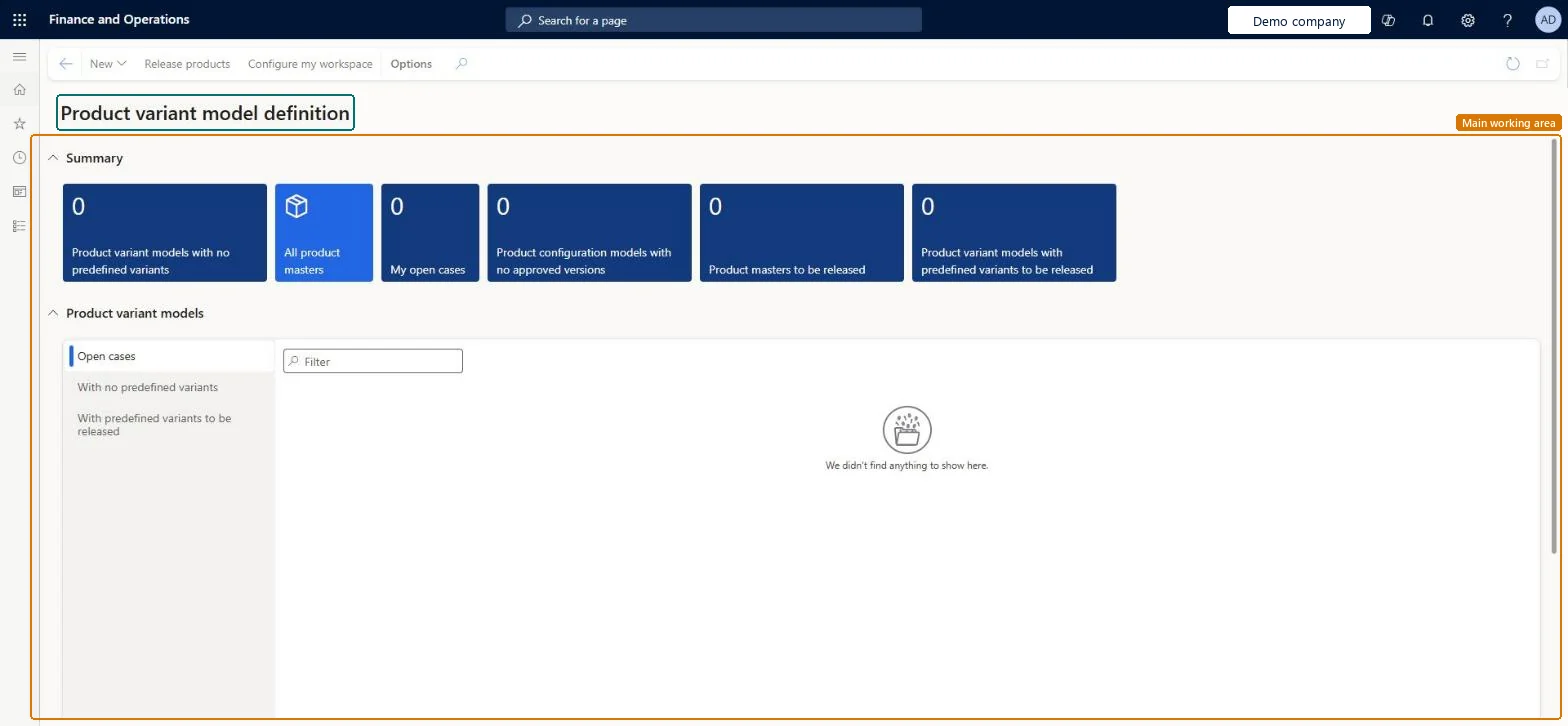
A workspace that gives an overview of the product masters and shows the status of the release of product masters and their variants to legal entities.
What you do here
Use this workspace to follow up product masters and product variant models, for example those with no predefined variants or those still to be released, and to release products from one place.
The page in Dynamics 365. page title tab to open what to set or check
Product information management › Workspaces › Product variant model definition
End user · Functional consultant
3How to do it
About the examples: Examples and screenshots in this guide use BEAT, a demo company in a Dynamics 365 test environment. Use your own company's codes and values instead of copying them.
How to use it
Go to Product information management > Workspaces > Product variant model definition.
Review the tiles in the Summary section, such as Product variant models with no predefined variants, Product masters to be released and Product configuration models with no approved versions.
In the Product variant models section, select the Open cases, With no predefined variants or With predefined variants to be released list.
Use the Filter field to find a record in the selected list.
To release products, select Release products on the Action Pane.
To change what the workspace shows, select Configure my workspace on the Action Pane.
Source: Checked in Dynamics 365
Technical architect
4Technical
Menu item
EcoResProductVariantMaintainWorkspaceChecked in Dynamics 365
Form
EcoResProductVariantMaintainWorkspaceChecked in Dynamics 365
Who can open it
PrivilegesProduct variant model definition EcoResProductVariantMaintainWorkspaceViewDutiesMaintain products definition master EcoResProductDefinitionMasterMaintainMaintain release of products EcoResProductReleaseReview release of products process performance EcoResProductReleaseProcessPerformRevie2 security rolesProduct designer BOMProductDesignerProduct design manager BOMProductDesignManagerChecked in Dynamics 365
Roles to set it up and use it
To use itProduct designer BOMProductDesignerProduct design manager BOMProductDesignManagerGive people one of these roles. On this system, 2 roles can open this page.Checked in Dynamics 365
Actions on the page
(Action Pane without tabs): New, Release products, Configure my workspaceChecked in Dynamics 365