Purchasing agent, Purchasing Agent - Public Sector, Product designer and 5 more roles
Business process
Develop product strategy
Menu item
WarrantySettings
Main table
NumberSequenceReference
Data entity
NumberSequencesReferenceEntity
Setup steps
1 on this page
Show what matters for
PAGE GUIDEWhat the page does and how to use it8 sections. Choose a role to highlight what matters to you.
Everyone
1What it is and why
What it is
A setup page where you assign the number sequence that generates warranty policy numbers.
What you do here
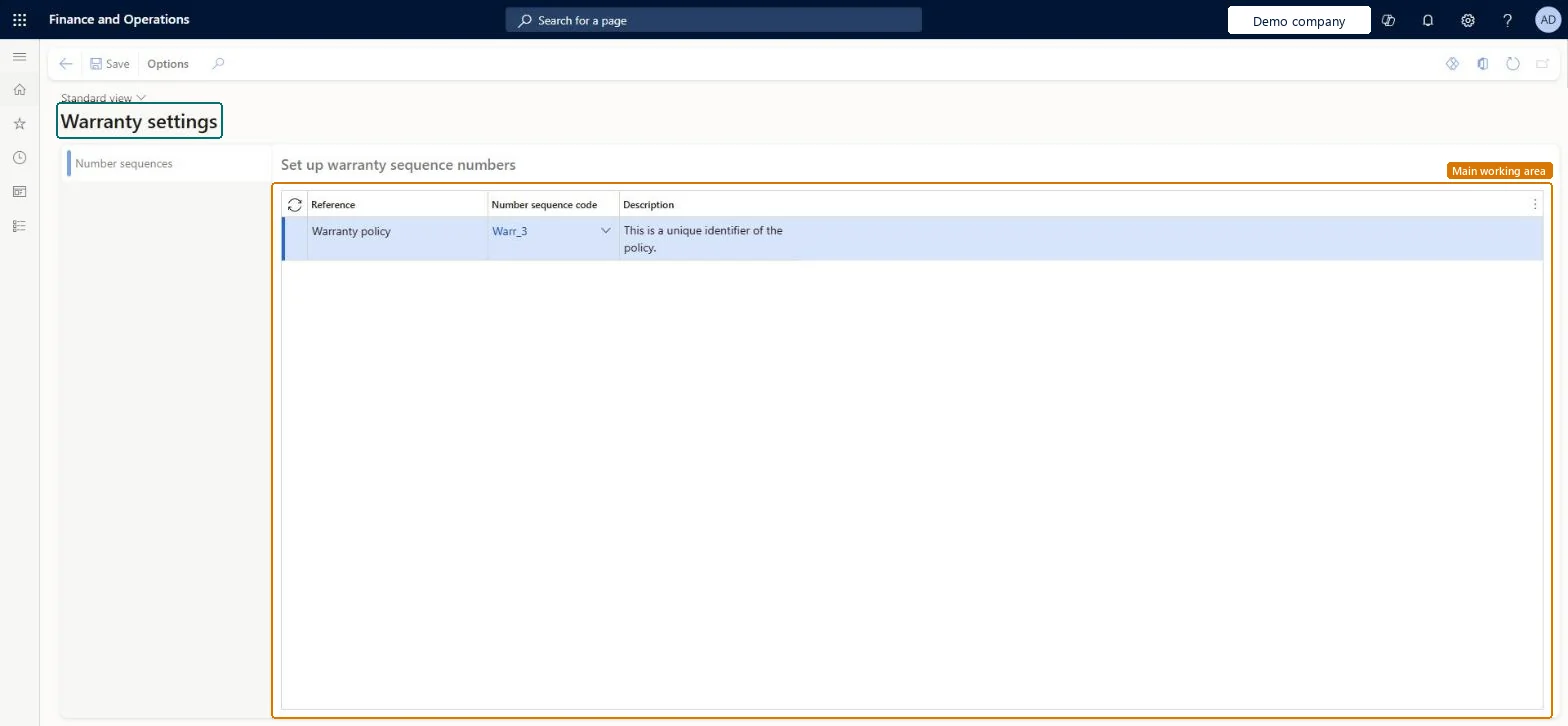
Use this page to select the number sequence that numbers warranty policies. Each policy number gives the customer a reference for the extended warranty they purchased.
The page in Dynamics 365. page title tab to open what to set or check
Product information management › Setup › Warranty › Warranty settings
End user · Functional consultant
3How to do it
About the examples: Examples and screenshots in this guide use BEAT, a demo company in a Dynamics 365 test environment. Use your own company's codes and values instead of copying them.
Setup steps on this page
Set up Warranty settings
Use this page to select the number sequence that numbers warranty policies. Each policy number gives the customer a reference for the extended warranty they purchased.
Steps from Microsoft
Go to Product information management > Setup > Warranty > Warranty settings.
On the Number sequences tab, in the row for the Warranty policy reference, enter or select a value in the Number sequence code field.
A non-continuous number sequence for the Warranty policy reference, unless a legal rule requires gapless numberingMicrosoft advises non-continuous sequences unless there is a regulatory or legal requirement, because continuous sequences cost performance.
Switching the sequence from non-continuous to continuous after use. Microsoft warns it won't be truly continuous and can cause duplicate key violations.
Hard to reverse: Policy numbers given to customers are their reference and stay as issued. A change only affects new policies, and converting a used sequence to continuous risks duplicate keys. Microsoft Learn
Technical architect
6Technical
Menu item
WarrantySettingsChecked in Dynamics 365
Form
WarrantySettingsChecked in Dynamics 365
Table
NumberSequenceReferenceShown as “NUMBER SEQUENCE REFERENCES” in Record infoKey field: NumberSequenceScope_DataArea, NumberSequenceScope_LegalEntity_DataArea, NumberSequenceScope_OperatingUnit_Name, NumberSequenceScope_FiscalCalendarPeriod_FiscalCalendarYear_FiscalCalendar_CalendarId, NumberSequenceScope_FiscalCalendarPeriod_FiscalCalendarYear_Name, NumberSequenceScope_FiscalCalendarPeriod_NameChecked in Dynamics 365
To set it up or change itProduct designer BOMProductDesignerTo use itMaterials manager InventMaterialsManagerWarehouse manager WMSWarehouseManagerPurchasing manager TradePurchasingManagerPurchasing agent VendPurchasingAgentQuality control manager InventQualityControlManagerGive people one of these roles. On this system, 8 roles can open this page.Checked in Dynamics 365
NumberSequencesReferenceEntity (Number sequence references): shared by all companies, in Microsoft's default template 020 - GL Shared.NumberSequencesReferenceV2Entity (Number sequence references V2): shared by all companies.Load order: Microsoft's default template 020 - GL Shared loads Number sequence references at execution unit 1, level 20, sequence 50. Lower levels load first, and entities at the same level load in sequence order.Load first: the default templates at lower levels (System setup to Global address book)Microsoft Learn