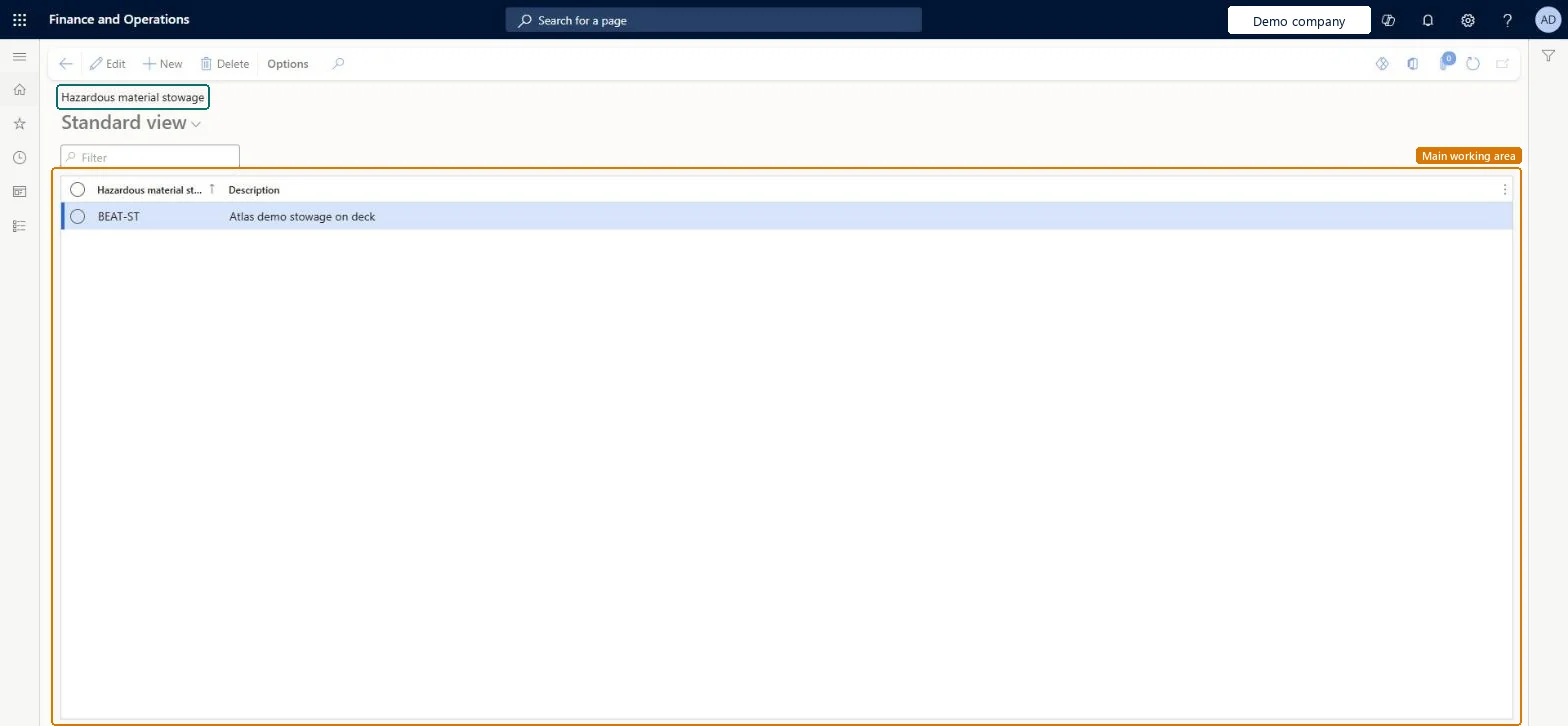
About the examples: Examples and screenshots in this guide use BEAT, a demo company in a Dynamics 365 test environment. Use your own company's codes and values instead of copying them.
Setup steps on this page
Set up Hazardous material stowage
Use this page to create the central collection of stowage codes that users select from when they set the stowage code for a released product.
Steps from Microsoft
Go to Product information management > Setup > Hazardous material shipping documentation > Hazardous material stowage.
Select New to add a stowage identifier.
Enter an identifying code for the stowage.
In the Description field, enter a short description.
The stowage codes from your sea freight regulation (for example IMDG), used in the sea regulation's print setupStowage says how to store the product on a ship, so it belongs to sea freight. The codes are the drop-down list users pick from on the released product.
Maintaining stowage codes on each item by hand instead of through material codes, which leads to inconsistent values for the same material.
PrivilegesHazardous material stowage maintain HMIMStowageListDisplayMaintainHazardous material stowage view HMIMStowageListDisplayViewDutiesMaintain Hazardous materials HMIMHazardousMaterialsMaintainView Hazardous materials HMIMHazardousMaterialsView2 security rolesHazardous materials manager HMIMHazardousMaterialsManagerHazardous materials viewer HMIMHazardousMaterialsViewerChecked in Dynamics 365
Roles to set it up and use it
To set it up or change itHazardous materials manager HMIMHazardousMaterialsManagerTo use itHazardous materials viewer HMIMHazardousMaterialsViewerGive people one of these roles. On this system, 2 roles can open this page.Checked in Dynamics 365