Product designer, Product design manager, Materials manager and 8 more roles
Business process
Create and release products with variants in Dynamics 365 Supply Chain Management
Menu item
EcoResProductVariantsPerCompany
Main table
InventDimCombination
Data entity
EcoResReleasedProductVariantV2Entity
Show what matters for
PAGE GUIDEWhat the page does and how to use it8 sections. Choose a role to highlight what matters to you.
Everyone
1What it is and why
What it is
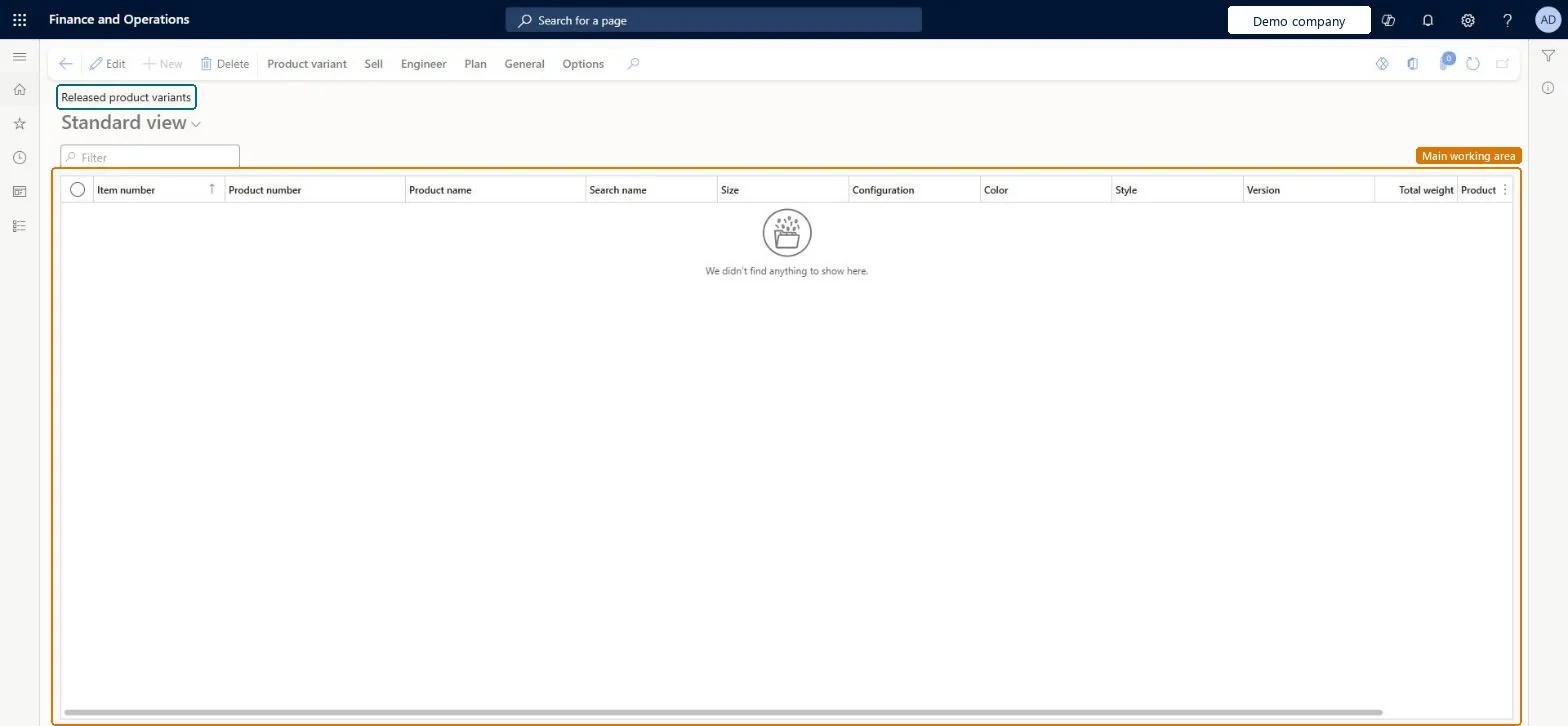
A list page that shows the product variants that are released to the current legal entity, where you open a variant to maintain its own settings.
What you do here
Use this page to review released product variants and to set variant specific values, such as the item sales tax group used when a variant is purchased or sold.
Example
For example, most variants can use the item sales tax groups of the product master while a few variants use an alternative item sales tax group by default.
The page in Dynamics 365. page title tab to open what to set or check
About the examples: Examples and screenshots in this guide use BEAT, a demo company in a Dynamics 365 test environment. Use your own company's codes and values instead of copying them.
Steps from Microsoft
Go to Product information management > Products > Released product variants.
Find the variant that you want to set up, and open it by selecting the link in the Product number column.
To specify the default item sales tax group that's used when the selected variant is purchased, set the Item sales tax group field on the Purchase FastTab.
To specify the default item sales tax group that's used when the selected variant is sold, set the Item sales tax group field on the Sell FastTab.
The default item sales tax group used when the variant is purchased. When it is blank, the group of the released product master is used.Microsoft Learn
Item sales tax group (Sell FastTab)
The default item sales tax group used when the variant is sold. When it is blank, the group of the released product master is used.Microsoft Learn
Test checklist
On the released product master, set the Item sales tax group on the Sell and Purchase FastTabs.
Open Released product variants, open one variant and set a different Item sales tax group on the Sell FastTab.
Create a sales order line for that variant: the variant's group defaults.
Create a sales order line for another variant of the same master: the master's group defaults.
Reversible: The variant item sales tax group is a default copied onto new sales quotation, sales order, purchase requisition, purchase order and request for quotation lines. Clear it and new lines fall back to the group on the released product master; lines already created keep what they got. Microsoft Learn
Technical architect
6Technical
Menu item
EcoResProductVariantsPerCompanyChecked in Dynamics 365
Form
EcoResProductVariantsPerCompanyChecked in Dynamics 365
Table
InventDimCombinationShown as “RELEASED PRODUCT VARIANTS” in Record infoKey field: ItemId, InventDimIdChecked in Dynamics 365
Data entities
EcoResReleasedProductVariantV2EntityReleased product variants V2 Microsoft data model EcoResProductNumberIdentifiedReleasedProductVariantEntityReleased product variants by product number identification Microsoft data model
Who can open it
PrivilegesMaintain product variants EcoResProductVariantsPerCompanyMaintainView released product variants EcoResProductVariantsPerCompanyPartViewDutiesInquire into products for operations master EcoResProductForOperationsMasterInquireMaintain products for operations master InventProductsForOperationsMasterMainta11 security rolesProduct designer BOMProductDesignerProduct design manager BOMProductDesignManagerMaterials manager InventMaterialsManagerQuality control manager InventQualityControlManagerLanded cost agent ITMAgentLanded cost manager ITMManagerShop supervisor JmgShopSupervisorProduction supervisor ProdProductionSupervisorProcess engineer RouteProcessEngineerProcess engineering manager RouteProcessEngineeringManagerWarehouse manager WMSWarehouseManagerChecked in Dynamics 365
Roles to set it up and use it
To set it up or change itProduct designer BOMProductDesignerProcess engineer RouteProcessEngineerTo use itProduct design manager BOMProductDesignManagerProcess engineering manager RouteProcessEngineeringManagerMaterials manager InventMaterialsManagerProduction supervisor ProdProductionSupervisorWarehouse manager WMSWarehouseManagerGive people one of these roles. On this system, 11 roles can open this page.Checked in Dynamics 365
Actions on the page
Product variant: Released product variantsSell: Approved customerEngineer: Route, BOM, Formula, Engineering change managementPlan: Forecasting, CoverageGeneral: Related informationChecked in Dynamics 365
EcoResReleasedProductVariantV2Entity (Released product variants V2): loaded for each company, in Microsoft's default template 310 - Product information management.EcoResProductNumberIdentifiedReleasedProductVariantEntity (Released product variants by product number identification): loaded for each company.Load order: Microsoft's default template 310 - Product information management loads Released product variants V2 at execution unit 1, level 310, sequence 80. Lower levels load first, and entities at the same level load in sequence order.Load first: Product lifecycle states, Product variants V2, the default templates at lower levels (System setup to Inventory management)Microsoft Learn