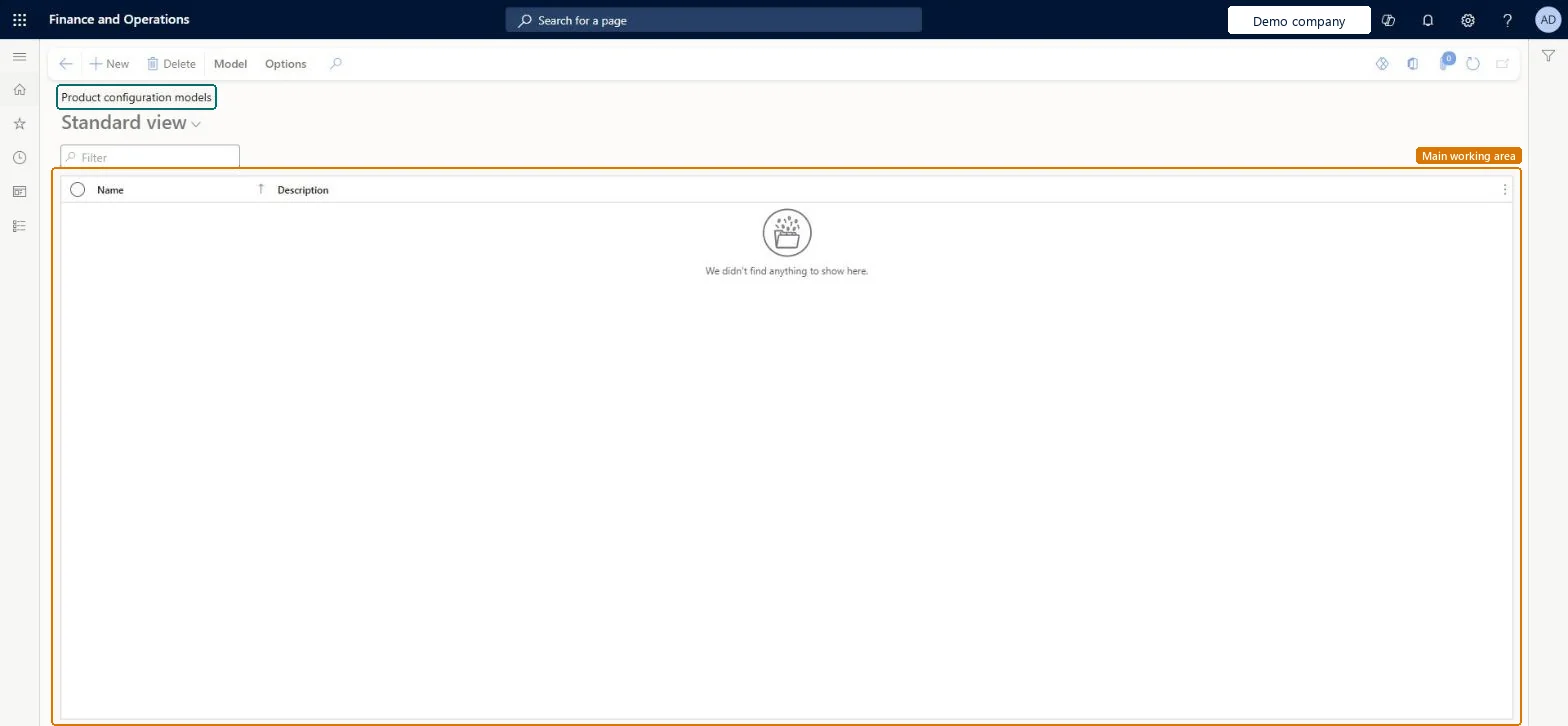
A list page that shows the product configuration models, which describe in a single model all the attributes and components needed to configure the variants of a product.
Product designer, Product design manager, Process engineer and 1 more role
Business process
Create product configuration models in Dynamics 365 Supply Chain Management
Menu item
PCLaunchProductModelListPage
Main table
PCProductConfigurationMo
Show what matters for
PAGE GUIDEWhat the page does and how to use it7 sections. Choose a role to highlight what matters to you.
Everyone
1What it is and why
What it is
A list page that shows the product configuration models, which describe in a single model all the attributes and components needed to configure the variants of a product.
What you do here
Use this page to create and maintain constraint-based product configuration models with their attributes, subcomponents and components.
The page in Dynamics 365. page title tab to open what to set or check
Product information management › Products › Product configuration models
End user · Functional consultant
3How to do it
About the examples: Examples and screenshots in this guide use BEAT, a demo company in a Dynamics 365 test environment. Use your own company's codes and values instead of copying them.
Steps from Microsoft
Go to Product information management > Products > Product configuration models.
Select New.
In the Name field, type a value.
In the Description field, type a value.
In the Solver strategy field, select an option.
In the Name field for the root component, type a value.
Select OK.
In the Reuse configurations field, select an option.
Determines how the constraints in the model are processed, which can affect the performance of the model.Microsoft Learn
Reuse configurations
When set to Yes, the system checks for an identical configuration after each configuration session and reuses it when an exact match is found.Microsoft Learn
Solver name
The name of an attribute used by the constraint solver. It must not contain spaces or special characters other than an underscore.Microsoft Learn
Attribute type
Determines which values are available for the attribute.Microsoft Learn
Include in reuse
Includes the attribute when the system looks for an exact match of an existing configuration. Available only when Reuse configurations is selected.Microsoft Learn
Component
The component definition that a subcomponent references, so that one component can be used in many product models.Microsoft Learn
Test checklist
Create a model with a root component, attributes and Solver strategy set, with Reuse configurations Yes and Include in reuse on the key attributes.
Test the model from the model page and check the constraints behave as expected.
Create a version for a constraint-based product master, approve it and activate it.
Configure the product from a sales order line twice with the same selections and check the same configuration ID is reused.
Reversible: You can change the solver strategy at any time from Model properties. Reuse of configurations can be reset on the component's General FastTab, after which previously created configurations are no longer considered for reuse. Microsoft Learn
Technical architect
5Technical
Menu item
PCLaunchProductModelListPageChecked in Dynamics 365
Form
PCProductConfigurationModelListPageChecked in Dynamics 365
Table
PCProductConfigurationMoShown as “PRODUCT CONFIGURATION MODEL” in Record infoKey field: NameChecked in Dynamics 365
Who can open it
PrivilegesCreate user interface PCProductConfModelDetailsCreateEdit user interface PCProductConfModelDetailsEditMaintain user interface PCProductConfModelDetailsMaintainView constraint-based product configuration models PCProductConfModelDetailsViewDutiesMaintain product configuration model master PCProductConfigModelMasterMaintainMaintain route for product configuration model PCProductConfigModelRouteMaintainMaintain activation of product configuration model versions PCProductConfigModelVersionActivateApprove product configuration model version PCProductConfigModelVersionApproveInquire into product configuration model versions PCProductConfigModelVersionInquireMaintain product configuration model version PCProductConfigModelVersionMaintainInquire into product configuration model master PCProductConfigurationModelMasterInquirEnable product configuration modeling process PCProductConfigurationModelProcessEnablInquire into product configuration reference data PCProductConfigurationRefDataInquire4 security rolesProduct designer BOMProductDesignerProduct design manager BOMProductDesignManagerProcess engineer RouteProcessEngineerSales manager TradeSalesManagerChecked in Dynamics 365
Roles to set it up and use it
To set it up or change itProduct designer BOMProductDesignerTo use itProcess engineer RouteProcessEngineerProduct design manager BOMProductDesignManagerSales manager TradeSalesManagerGive people one of these roles. On this system, 4 roles can open this page.Checked in Dynamics 365
Actions on the page
Model: Maintain, Product model details, Set up, Languages, Run, ExchangeChecked in Dynamics 365