PAGE GUIDEWhat the page does and how to use it7 sections. Choose a role to highlight what matters to you.
Everyone
1What it is and why
What it is
A list page that shows products released to the current company that must be reviewed and accepted before they become released products.
What you do here
Use this page to review product releases received from another company, including their product variants and messages, before they are released in this company.
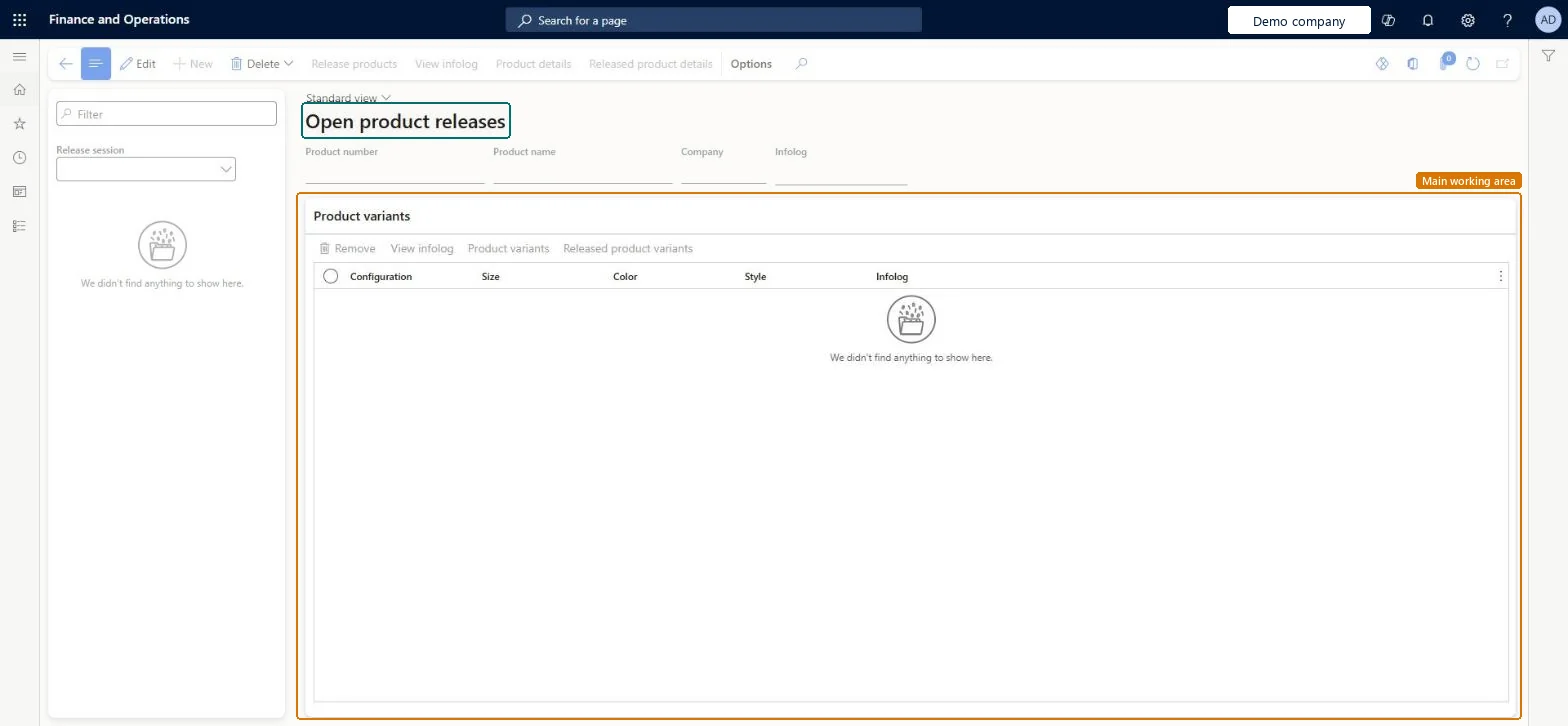
The page in Dynamics 365. page title tab to open what to set or check
Product information management › Periodic tasks › Open product releases
End user · Functional consultant
3How to do it
About the examples: Examples and screenshots in this guide use BEAT, a demo company in a Dynamics 365 test environment. Use your own company's codes and values instead of copying them.
When to run it
When to run it
When Product acceptance is set to Manual in Engineering change management parameters and the engineering company has released products to this company.
How often
Each time products are released to this company, before anyone needs them on orders here.
What the output shows
A list of release sessions and products waiting for acceptance. Once accepted, each product appears as a released product in this company. A release that stays pending usually has an error in its infolog.
Go to Product information management > Periodic tasks > Open product releases.
Select a Release session, or use the Filter field, to find the product that the engineering company released to this company with status Pending acceptance.
Review the Product number, Product name, Company and Infolog fields, and the Product variants FastTab for the configurations, sizes, colors and styles in the release.
Use View infolog to read any messages from the release, and Product details to check the shared product before you accept it.
Select Release products to accept the release, then open Released products and check that the item now exists in this company.
Partly: You can delete a pending release instead of accepting it. After acceptance the released product exists in the company and must be handled like any other released product. Microsoft Learn
If you change it later
Accepting a release creates or updates released products, and their BOMs and routes when sent, in this company. Microsoft Learn
Technical architect
5Technical
Menu item
EcoResProductReleaseSessionsChecked in Dynamics 365
Form
EcoResProductReleaseSessionsChecked in Dynamics 365
Table
EcoResProductShown as “PRODUCTS” in Record infoKey field: DisplayProductNumberChecked in Dynamics 365
PrivilegesMaintain batch release sessions EcoResProductReleaseSessionsMaintainDutiesMaintain release of products EcoResProductRelease1 security roleProduct designer BOMProductDesignerChecked in Dynamics 365
Roles to set it up and use it
To set it up or change itProduct designer BOMProductDesignerGive people one of these roles. On this system, 1 role can open this page.Checked in Dynamics 365
Actions on the page
(Action Pane without tabs): Delete, Release products, View infolog, Product details, Released product detailsChecked in Dynamics 365