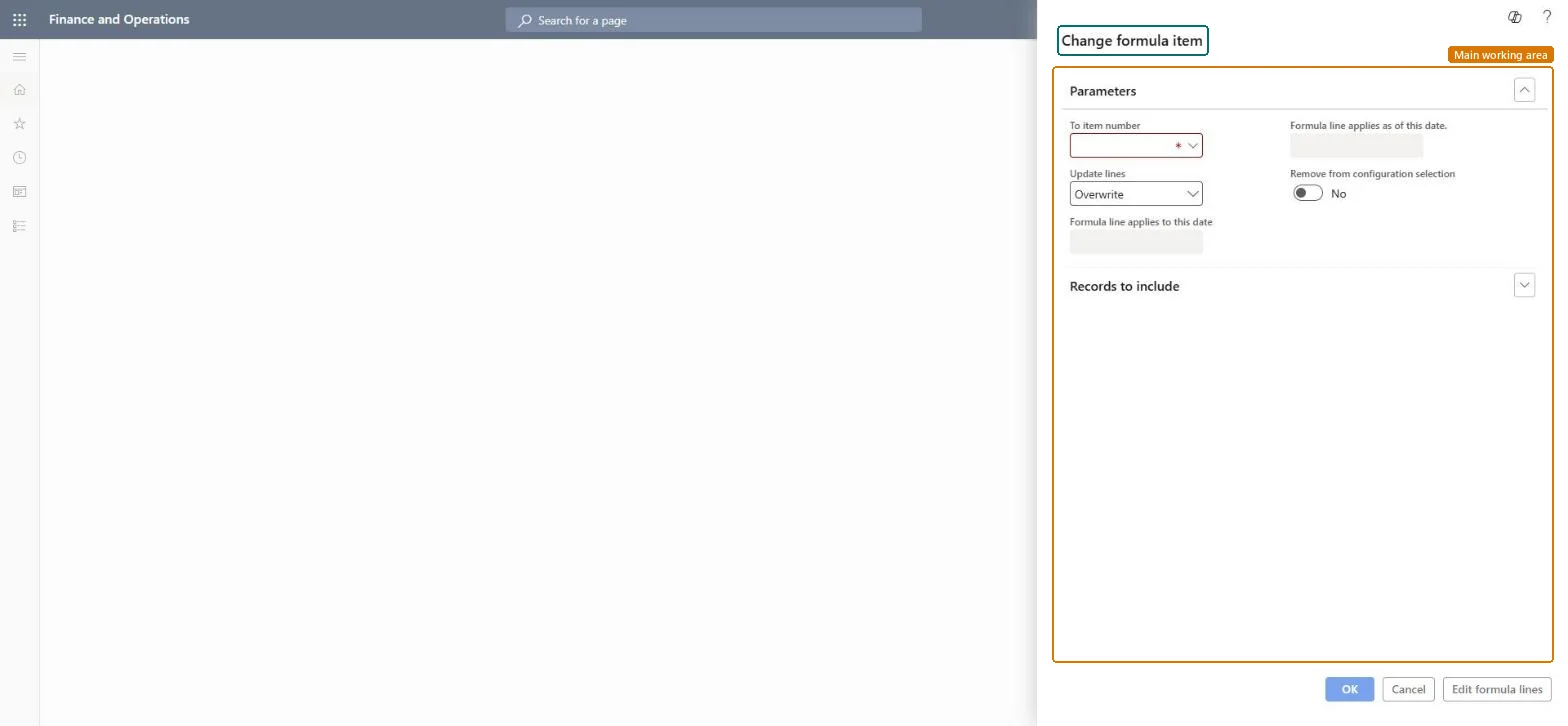
A dialog where you change the item on selected formula lines to another item number, with options for how the lines are updated and the dates that the new lines apply from and to.
Product information managementPeriodic tasksBills of materials and formulas
PmfFormulaChangeItem
Business process
Design formulas
Menu item
PmfFormulaChangeItem
Show what matters for
PAGE GUIDEWhat the page does and how to use it7 sections. Choose a role to highlight what matters to you.
Everyone
1What it is and why
What it is
A dialog where you change the item on selected formula lines to another item number, with options for how the lines are updated and the dates that the new lines apply from and to.
What you do here
Use this task to replace an item on formula lines with another item across the formulas you select.
The page in Dynamics 365. page title tab to open what to set or check
Product information management › Periodic tasks › Bills of materials and formulas › Change formula item
End user · Functional consultant
3How to do it
About the examples: Examples and screenshots in this guide use BEAT, a demo company in a Dynamics 365 test environment. Use your own company's codes and values instead of copying them.
When to run it
When to run it
When an ingredient is replaced in many formulas, for example after a recipe change or a new supplier's ingredient is approved.
How often
On demand, for each ingredient change in process manufacturing.
What the output shows
Formula lines where the item is changed to the new item number, with the dates you entered. Unlike Change BOM item, it works on formula lines and can also take the old item out of configuration selection.
Go to Product information management > Periodic tasks > Bills of materials and formulas > Change formula item.
In To item number, select the ingredient that should replace the current item on the formula lines.
In Update lines, choose how the lines are updated, and enter Formula line applies as of this date and Formula line applies to this date when the change is date-based.
Set Remove from configuration selection if the old item should no longer be offered in configurations.
Select the formula lines in Records to include or with Edit formula lines, run it, and open one changed formula to check the lines and dates.
No: There is no automatic undo. Run the change again in the other direction or correct the formula lines by hand. Microsoft Learn
If you change it later
Changes the item on many formula lines at once, which affects batch orders, planning and cost calculation afterwards. Microsoft Learn
Technical architect
5Technical
Menu item
PmfFormulaChangeItemChecked in Dynamics 365
Form
DialogChecked in Dynamics 365
Roles to set it up and use it
To set it up or change itProduct designer BOMProductDesignerProcess engineer RouteProcessEngineerGive people one of these roles. On this system, 2 roles can open this page.Checked in Dynamics 365