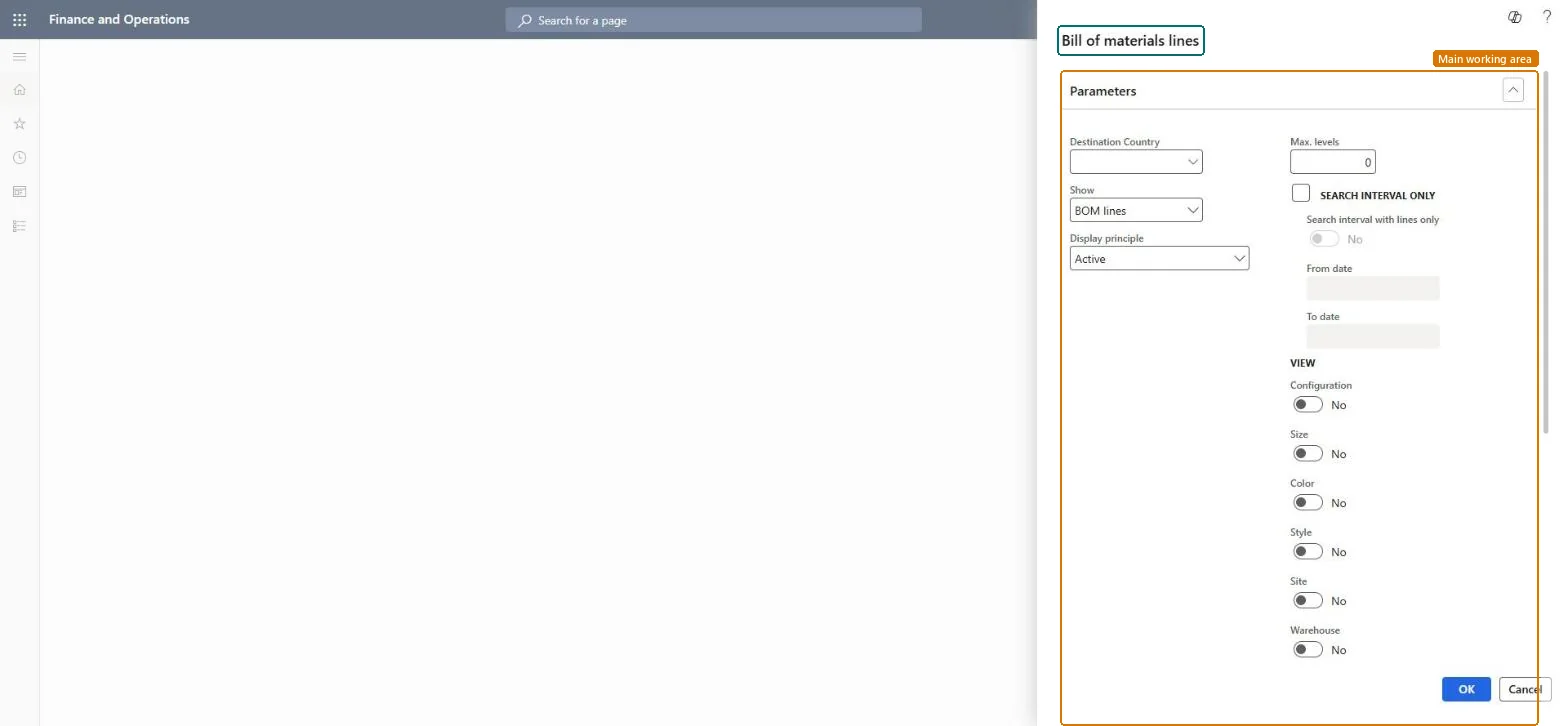
A report that prints the lines of bills of materials, with options for the display principle, the number of levels, a date interval and the product and storage dimensions to show.
Product information managementInquiries and reports
output:BOMConsistOfReport
Business process
Design bills of materials
Menu item
output:BOMConsistOfReport
Show what matters for
PAGE GUIDEWhat the page does and how to use it7 sections. Choose a role to highlight what matters to you.
Everyone
1What it is and why
What it is
A report that prints the lines of bills of materials, with options for the display principle, the number of levels, a date interval and the product and storage dimensions to show.
What you do here
Use this report to review the components that make up bills of materials, filtered by version, date interval and dimensions.
The page in Dynamics 365. page title tab to open what to set or check
Product information management › Inquiries and reports › Bill of materials lines
End user · Functional consultant
3How to do it
About the examples: Examples and screenshots in this guide use BEAT, a demo company in a Dynamics 365 test environment. Use your own company's codes and values instead of copying them.
When to run it
When to run it
When you need a printed list of what a product is made of, for example before a cost rollup or when an engineering change is reviewed.
How often
On demand, when BOMs are reviewed or changed.
What the output shows
For each BOM, its component lines down to the number of levels you chose, with quantities, validity dates and the selected dimensions. Components missing from the list usually fall outside the date interval or belong to a version that the display principle excludes.
Go to Product information management > Inquiries and reports > Bill of materials lines.
In Show, choose what to print, and in Display principle choose the version rule, for example only the active BOM versions.
In Max. levels, enter how many levels of the BOM to explode; 1 prints only the direct components.
Select Search interval only and enter From date and To date to print only BOM lines valid in that period.
Under View, select the Configuration, Size, Color, Style, Site and Warehouse dimensions to print, then run it and compare the component quantities with the BOM designer.
Nothing to undo: The report only reads BOM data; it changes nothing. Microsoft Learn
Technical architect
5Technical
Menu item
output:BOMConsistOfReportChecked in Dynamics 365
Form
SysOperationTemplateFormChecked in Dynamics 365
Roles to set it up and use it
To use itProduct designer BOMProductDesignerProcess engineer RouteProcessEngineerProduct design manager BOMProductDesignManagerProcess engineering manager RouteProcessEngineeringManagerProduction supervisor ProdProductionSupervisorGive people one of these roles. On this system, 7 roles can run this page.Checked in Dynamics 365