About the examples: Examples and screenshots in this guide use BEAT, a demo company in a Dynamics 365 test environment. Use your own company's codes and values instead of copying them.
When to run it
When to run it
When you review requisition volumes and their progress through the workflow, for example in a monthly purchasing review.
How often
On demand, for the period of the review.
What the output shows
Purchase requisitions with header details and the total amount of each, grouped as you chose and with line details when selected. Requisitions in Draft or In review for a long time usually wait for submission or approval.
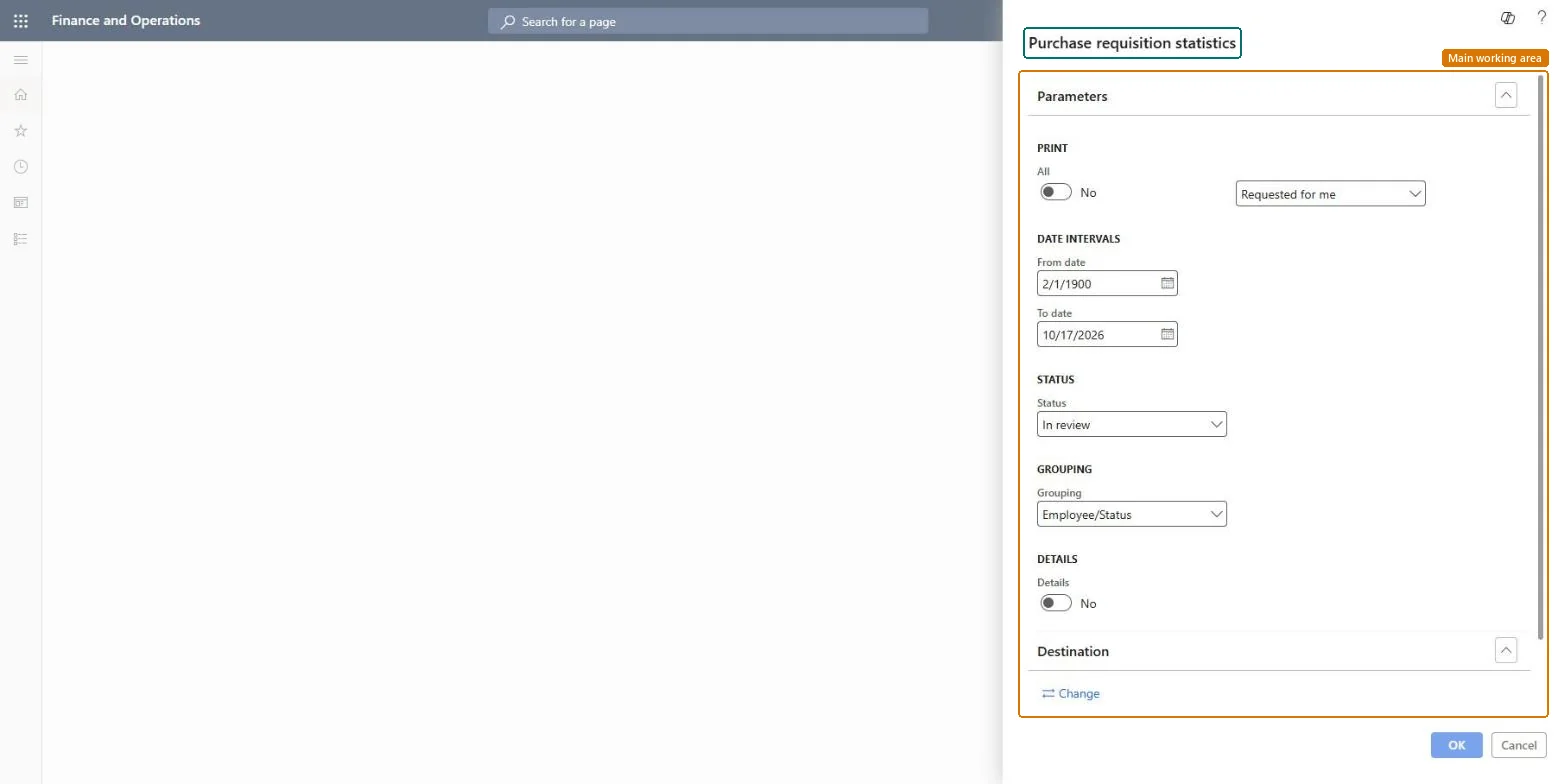
Go to Procurement and sourcing > Purchase requisitions > Purchase requisitions review > Purchase requisition statistics.
Under Print, choose All to include all purchase requisitions, or a list such as Requested for me to see only your own.
Enter the From date and To date under Date intervals; they filter on the submission date of the requisitions.
Select a Status, for example Approved or Rejected, and a Grouping, and turn on Details to add item number, item name and quantity per line.
Read the total amount of each requisition and compare the groups. Many requisitions stuck in one status usually point to a workflow step that waits for a reviewer.
Select it to show line details such as item number, item name and quantity.Microsoft Learn
Solution architect
4Design impact
Can it be undone
Nothing to undo: The report only reads purchase requisitions; it changes nothing. Microsoft Learn
If you change it later
Requisitions in Draft status never appear on the report, even if you choose Draft in the status filter. Microsoft Learn
Technical architect
5Technical
Menu item
output:PurchReqStatisticsChecked in Dynamics 365
Form
SysOperationTemplateFormChecked in Dynamics 365
Roles to set it up and use it
To use itPurchasing manager TradePurchasingManagerPurchasing agent VendPurchasingAgentPurchasing Agent - Public Sector VendPurchasingAgent_PSNGive people one of these roles. On this system, 3 roles can run this page.Checked in Dynamics 365