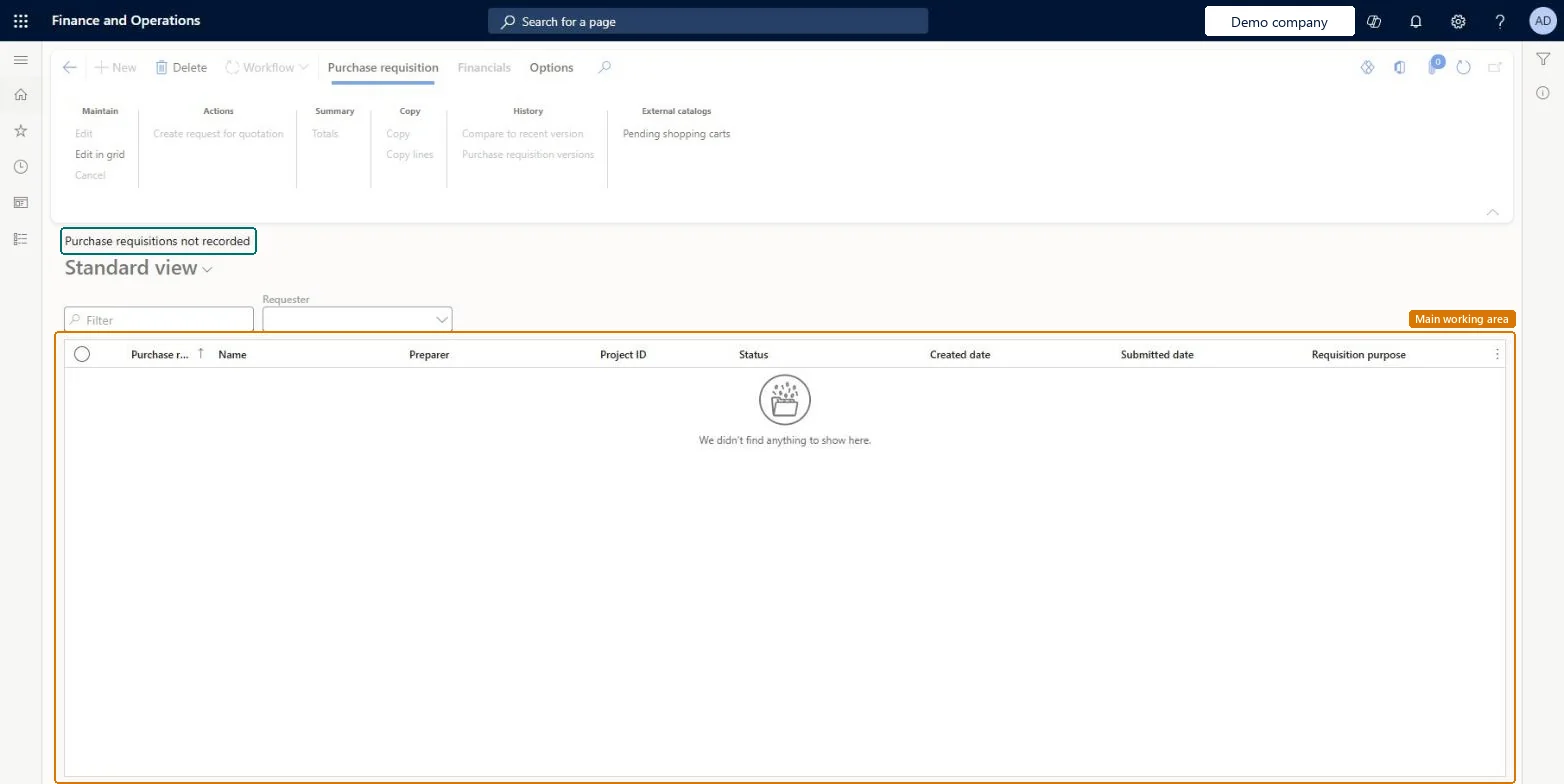
A list page that shows the purchase requisitions that have not been recorded. It lists the purchase requisition number, name, preparer, project ID, status, created date, submitted date and requisition purpose, and lets you filter by requester.
Procurement and sourcingPurchase requisitionsPurchase requisitions require my action
PurchReqTableNotRecorded
Used by
Accounts payable manager, Purchasing agent, Purchasing Agent - Public Sector and 6 more roles
Business process
Procure goods and services
Menu item
PurchReqTableNotRecorded
Main table
PurchReqTable
Data entity
PurchaseRequisitionHeaderV2Entity
Show what matters for
PAGE GUIDEWhat the page does and how to use it6 sections. Choose a role to highlight what matters to you.
Everyone
1What it is and why
What it is
A list page that shows the purchase requisitions that have not been recorded. It lists the purchase requisition number, name, preparer, project ID, status, created date, submitted date and requisition purpose, and lets you filter by requester.
What you do here
Use this page to find the purchase requisitions that have not been recorded and to open them.
The page in Dynamics 365. page title tab to open what to set or check
Procurement and sourcing › Purchase requisitions › Purchase requisitions require my action › Purchase requisitions not recorded
End user · Functional consultant
3How to do it
About the examples: Examples and screenshots in this guide use BEAT, a demo company in a Dynamics 365 test environment. Use your own company's codes and values instead of copying them.
How to use it
Go to Procurement and sourcing > Purchase requisitions > Purchase requisitions require my action > Purchase requisitions not recorded.
Select a name in the Requester list to narrow the list.
Check the Purchase requisition, Name, Preparer, Status, Created date and Submitted date columns.
Select a requisition, then select Edit, or select Edit in grid to change it in the list.
Use the Purchase requisition tab in the Action Pane for Create request for quotation, Copy or Purchase requisition versions.
Source: Checked in Dynamics 365
Technical architect
4Technical
Menu item
PurchReqTableNotRecordedChecked in Dynamics 365
Form
PurchReqTableListPageChecked in Dynamics 365
Table
PurchReqTableShown as “Purchase requisitions” in Record infoKey field: PurchReqId, PurchReqName, PurchReqTypeChecked in Dynamics 365
PrivilegesInquire into all purchase requisitions PurchReqPurchaseRequisitionInquireMaintain all purchase requisitions PurchReqPurchaseRequisitionMaintainAllDutiesApprove purchase requisitions PurchReqPurchaseRequisitionApproveInquire into purchase requisition PurchReqPurchaseRequisitionInquireMaintain all purchase requisitions PurchReqPurchaseRequisitionMaintainAll9 security rolesBudget manager BudgetBudgetManagerChief financial officer CompanyChiefFinancialOfficerManager HcmManagerFinancial controller LedgerFinancialControllerProject manager ProjProjectManagerPurchasing manager TradePurchasingManagerAccounts payable manager VendInvoiceAccountsPayableManagerPurchasing agent VendPurchasingAgentPurchasing Agent - Public Sector VendPurchasingAgent_PSNChecked in Dynamics 365
Roles to set it up and use it
To set it up or change itPurchasing manager TradePurchasingManagerPurchasing agent VendPurchasingAgentPurchasing Agent - Public Sector VendPurchasingAgent_PSNTo use itAccounts payable manager VendInvoiceAccountsPayableManagerProject manager ProjProjectManagerChief financial officer CompanyChiefFinancialOfficerFinancial controller LedgerFinancialControllerManager HcmManagerGive people one of these roles. On this system, 9 roles can open this page.Checked in Dynamics 365