About the examples: Examples and screenshots in this guide use BEAT, a demo company in a Dynamics 365 test environment. Use your own company's codes and values instead of copying them.
When to run it
When to run it
After purchase requisitions are approved, at a time when system resources are less busy.
How often
Recurring, for example once or several times a day, depending on how many requisitions are approved.
Batch settings
Required when budget control is on and requisitions create purchase orders automatically: running it as a batch job prevents a loop in the requisition release that can make the system unresponsive.
What the output shows
Purchase orders for the approved requisition lines that don't need manual processing, and those lines set to Closed. Lines that stay Approved are usually held for manual processing, for example because they need prepayment.
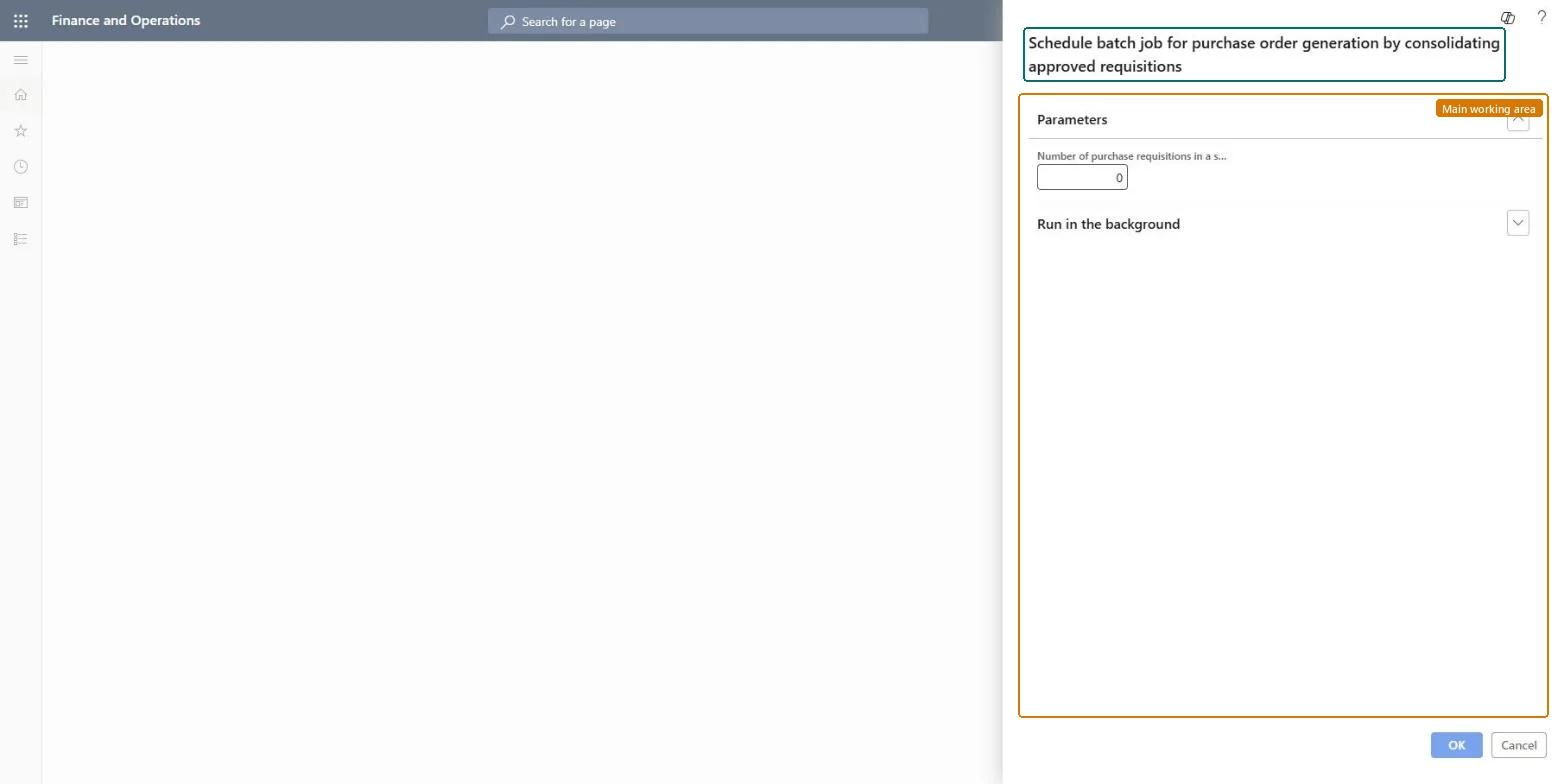
Go to Procurement and sourcing > Purchase requisitions > Approved purchase requisition processing > Generate purchase orders in batch.
Make sure Run automatic purchase order creation as a batch job is turned on in the Purchase order creation and demand consolidation policy rule; only approved requisitions that don't need manual processing are picked up.
Enter the Number of purchase requisitions in a single batch task to control how many requisitions each batch task handles.
Expand Run in the background and set a recurrence at a time when the system is less busy.
Open Release approved purchase requisitions for the lines held for manual processing, and review the purchase orders created for the rest.
Yes, before confirmation: The created purchase orders can be changed or cancelled before they are confirmed; the requisition lines stay closed. Microsoft Learn
If you change it later
Creates purchase orders from approved purchase requisitions and closes the requisition lines that were converted. Microsoft Learn
Technical architect
5Technical
Menu item
action:PurchReqPurchaseOrderGenerationBatchChecked in Dynamics 365
Form
DialogChecked in Dynamics 365
Roles to set it up and use it
To use itInformation technology manager SysServerITManagerGive people one of these roles. On this system, 1 role can run this page.Checked in Dynamics 365