BeyondERP.Newsletter
Menu

Transaction page · Procurement and sourcing

Open purchase order lines

An inquiry page that lists open purchase order lines, where you can see the vendor information and order status of each line.

Used by
Accounts payable clerk, Accounts payable manager, Accountant and 3 more roles
Business process
Procure goods and services
Menu item
PurchLineOpenOrder
Main table
PurchLine
Data entity
PurchPurchaseOrderLineV2Entity
Show what matters for
PAGE GUIDEWhat the page does and how to use it7 sections. Choose a role to highlight what matters to you.
Everyone

1What it is and why

What it isAn inquiry page that lists open purchase order lines, where you can see the vendor information and order status of each line.
What you do hereUse this page to check the status of open purchase order lines and the vendor they belong to.
ExampleFor example, from a released product you can open Open purchase order lines to see the open purchase orders for that item.
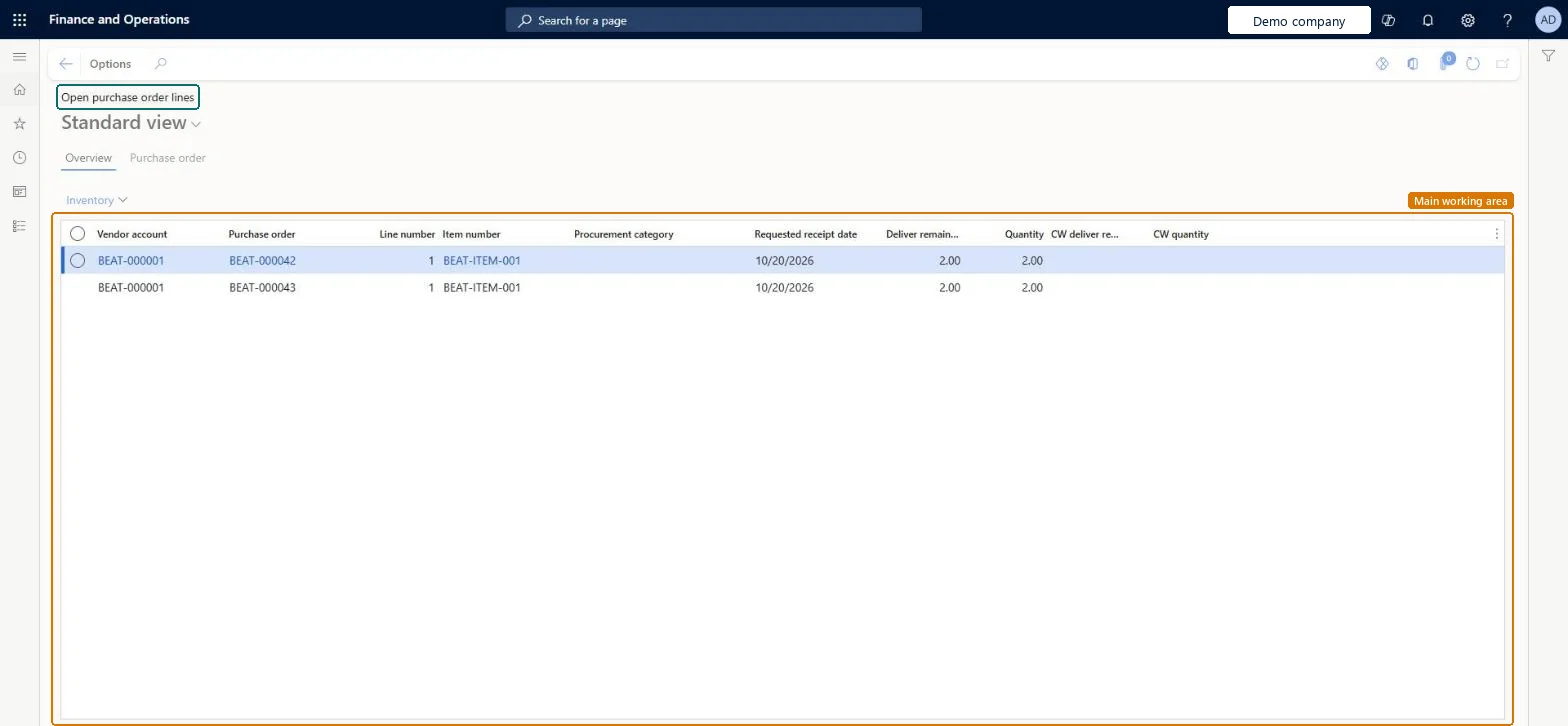
Open purchase order lines page in Dynamics 365
The page in Dynamics 365. page title tab to open what to set or check
Functional consultant · Solution architect

2Where it fits

Business processProcure goods and services
Menu pathProcurement and sourcing › Purchase orders › Purchase order follow-up › Open purchase order lines
Related pagesBackorder purchase lines Microsoft Learn
End user · Functional consultant

3How to do it

About the examples: Examples and screenshots in this guide use BEAT, a demo company in a Dynamics 365 test environment. Use your own company's codes and values instead of copying them.

Steps from Microsoft

  1. Go to Procurement and sourcing > Purchase orders > Purchase order follow-up > Open purchase order lines.
  2. On the Overview tab, select a purchase order line.
  3. Select the Purchase order tab to see the vendor information and order status of the selected line.

Source: Microsoft Learn

Solution architect

4Design impact

Shared or per companyPer company: each legal entity has its own records. Microsoft data model
Technical architect

5Technical

Menu itemPurchLineOpenOrder Checked in Dynamics 365
FormPurchLineOpenOrder Checked in Dynamics 365
TablePurchLineShown as “Purchase order lines” in Record infoKey field: PurchId, LineNumberChecked in Dynamics 365
Data entitiesPurchPurchaseOrderLineV2EntityPurchase order lines V2 Microsoft data model
Who can open itPrivilegesView purchase order lines PurchLineOpenOrderViewDutiesInquire into purchase order to invoice progress PurchOrderToInvoiceProgressInquire
6 security rolesAccountant LedgerAccountantProject manager ProjProjectManagerBuying agent TradeBuyingAgentPurchasing manager TradePurchasingManagerAccounts payable clerk VendInvoiceAccountsPayableClerkAccounts payable manager VendInvoiceAccountsPayableManager
Checked in Dynamics 365
Roles to set it up and use itTo use itPurchasing manager TradePurchasingManagerAccounts payable manager VendInvoiceAccountsPayableManagerBuying agent TradeBuyingAgentProject manager ProjProjectManagerAccountant LedgerAccountantGive people one of these roles. On this system, 6 roles can open this page.Checked in Dynamics 365
Actions on the pageOptions: Personalize, Page options, ShareChecked in Dynamics 365
Developer

6Developer

Open it by URLhttps://<your-environment>/?mi=PurchLineOpenOrder
Integrate withPurchPurchaseOrderLineV2Entity data entity Microsoft data model
Data migrationPurchPurchaseOrderLineV2Entity (Purchase order lines V2): loaded for each company.Microsoft Learn
Table definitionPurchLine columns and relations Microsoft data model
Everyone

7Sources