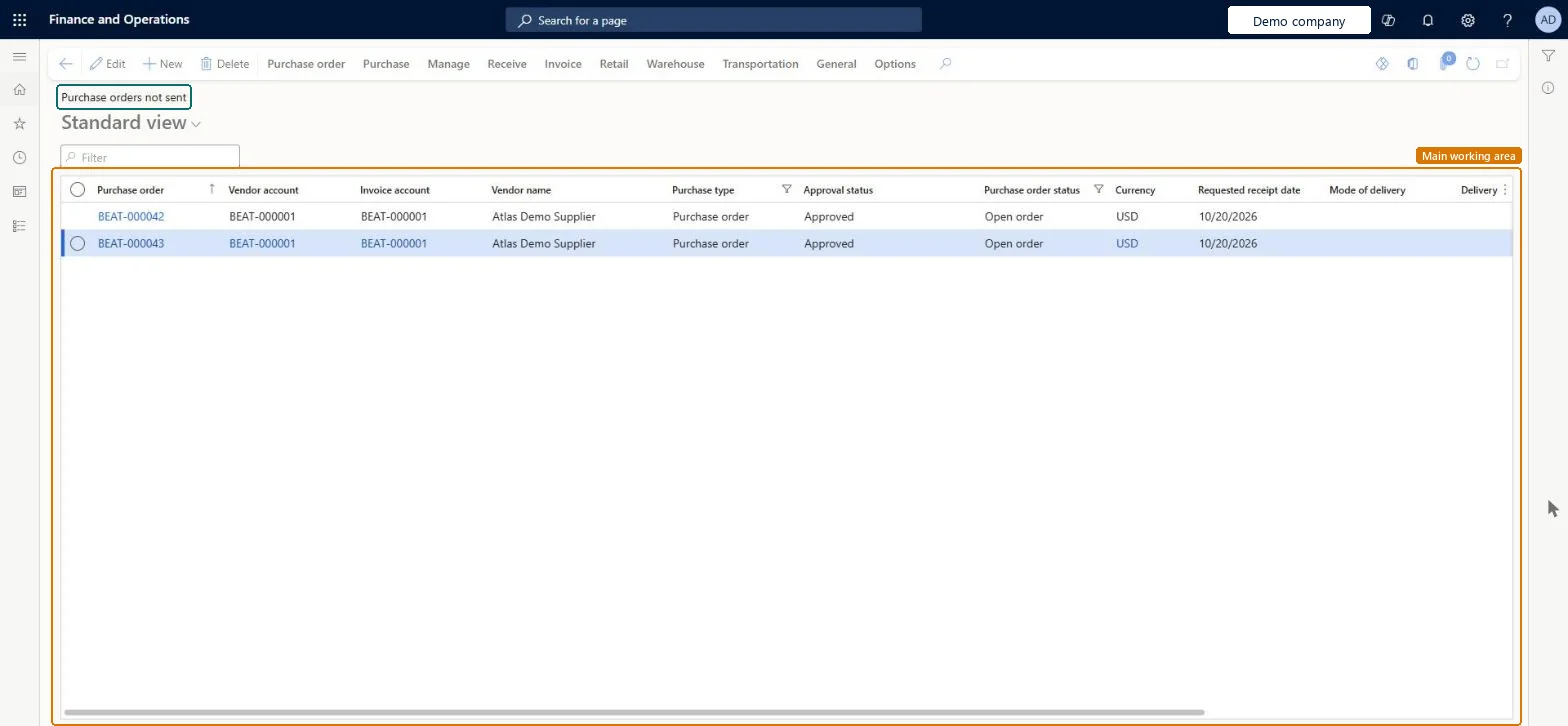
A list page that shows the purchase orders that have not been sent to the vendor, with columns for purchase order number, vendor account, invoice account, vendor name, purchase type, approval status, purchase order status, currency, requested receipt date and mode of delivery.
Procurement and sourcingPurchase ordersPurchase order entry
PurchTableListPageNotSent
Business process
Procure goods and services
Menu item
PurchTableListPageNotSent
Main table
PurchTable
Data entity
PurchPurchaseOrderHeaderV2Entity
Show what matters for
PAGE GUIDEWhat the page does and how to use it7 sections. Choose a role to highlight what matters to you.
Everyone
1What it is and why
What it is
A list page that shows the purchase orders that have not been sent to the vendor, with columns for purchase order number, vendor account, invoice account, vendor name, purchase type, approval status, purchase order status, currency, requested receipt date and mode of delivery.
What you do here
Use this page to find the purchase orders that still have to be sent to the vendor and to open them to continue working on them.
The page in Dynamics 365. page title tab to open what to set or check
Procurement and sourcing › Purchase orders › Purchase order entry › Purchase orders not sent
End user · Functional consultant
3How to do it
About the examples: Examples and screenshots in this guide use BEAT, a demo company in a Dynamics 365 test environment. Use your own company's codes and values instead of copying them.
How to use it
Go to Procurement and sourcing > Purchase orders > Purchase order entry > Purchase orders not sent.
Type in the Filter box to narrow the list by purchase order, vendor account or vendor name.
Check the Purchase type, Approval status, Purchase order status and Requested receipt date columns for each order.
Select a purchase order to work on it.
Use the Purchase order, Purchase, Manage and Invoice tabs in the Action Pane for the next task.
To set it up or change itPurchasing agent VendPurchasingAgentPurchasing Agent - Public Sector VendPurchasingAgent_PSNRental manager RentalManagerRental coordinator agent RentalCoordinatorAgentBuying agent TradeBuyingAgentTo use itPurchasing manager TradePurchasingManagerAccounts payable manager VendInvoiceAccountsPayableManagerProject manager ProjProjectManagerAccountant LedgerAccountantAccounts payable clerk VendInvoiceAccountsPayableClerkGive people one of these roles. On this system, 18 roles can open this page.Checked in Dynamics 365